

How to generate an API token in Requiply
Quick answer
Requiply calls API tokens API keys. A key lets the TypeScript SDK, the REST API, or your own AI agent work with your organization's data. Every key belongs to the organization, not to a person, so it keeps working when a team member leaves.
1. Open API keys
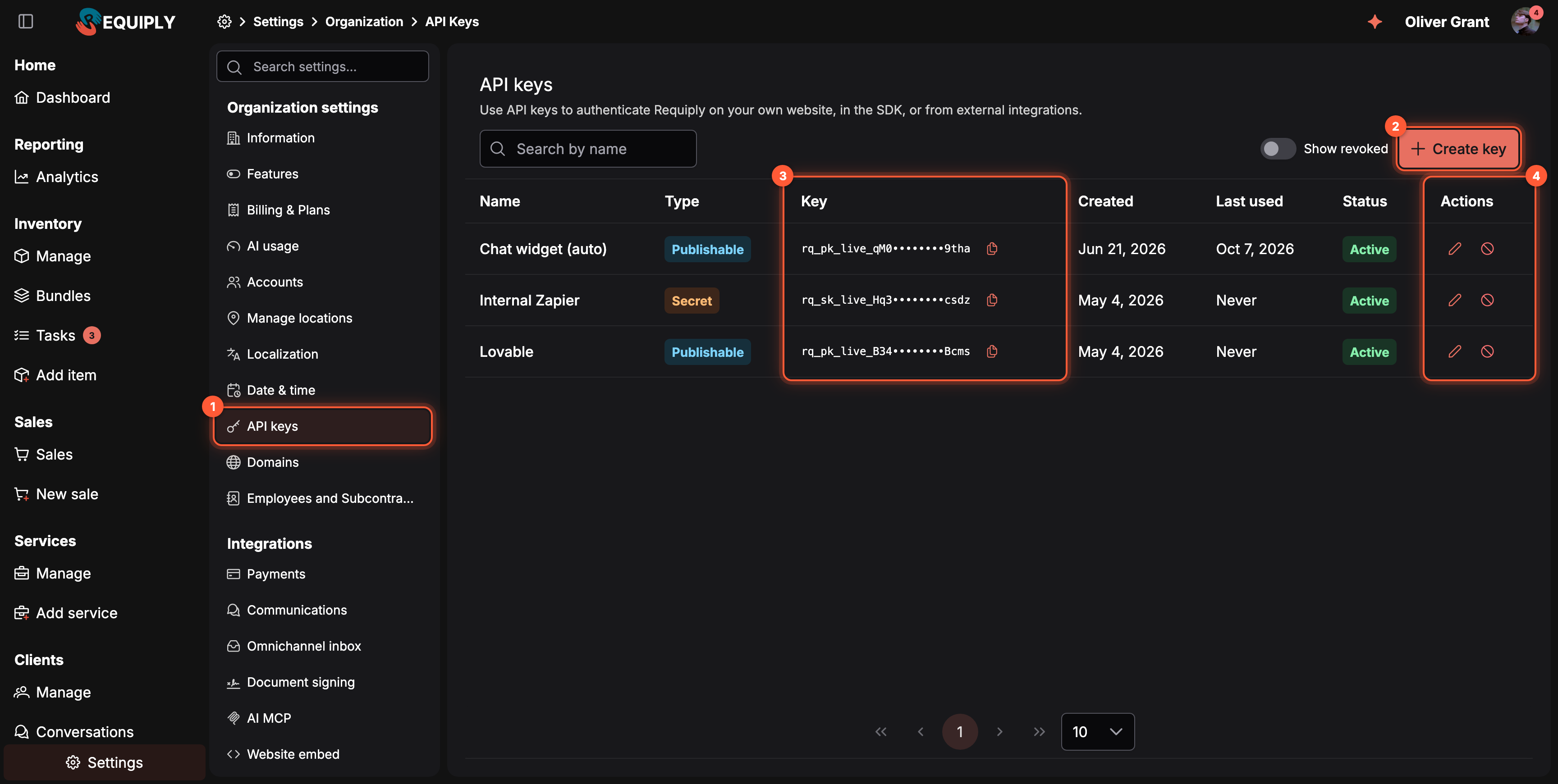
Settings → Organization → API keys.
- API keys in the settings menu, or open app.requiply.com/settings/org/api-keys.
- Create key opens the form.
- Key: each existing key, masked to its prefix and last four characters.
- Actions: the pencil renames a key, the ban icon revokes it.
Don't see the page? It is only shown to members with the Admin role.
2. Name the key and choose its type
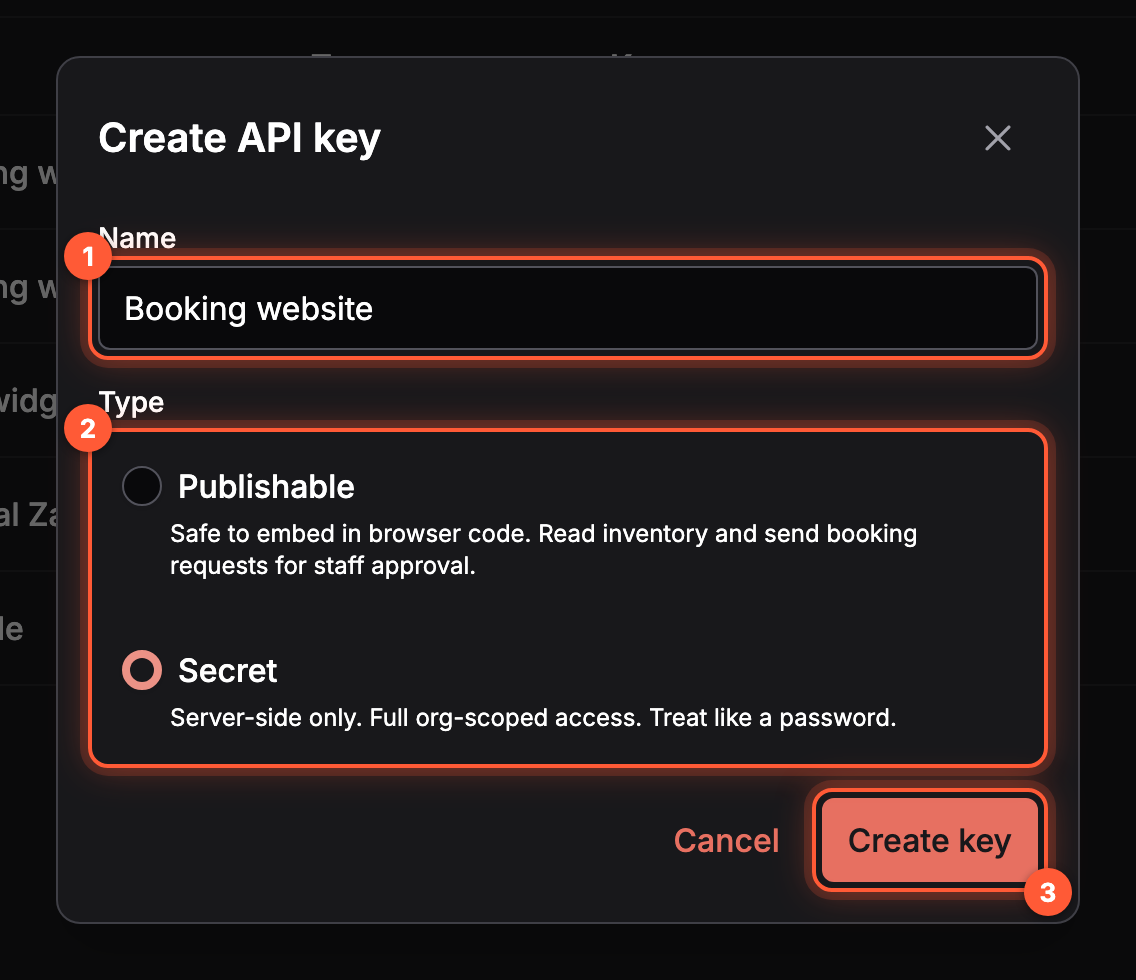
The Create API key dialog.
- Name: where the key is used, for example Booking website or Accounting sync.
- Type: Secret for server code, Publishable for a website or app that runs in the browser.
- Create key.
| Type | Starts with | Use it for |
|---|---|---|
| Secret | rq_sk_ | Servers, scripts, and back-office integrations. Full access to the organization's bookings, clients, sales, and reports. |
| Publishable | rq_pk_ | Storefronts and widgets. Reads the catalog, prices quotes, and sends booking requests that staff approve. |
The full comparison is in Choosing the key type.
3. Copy the key and store it
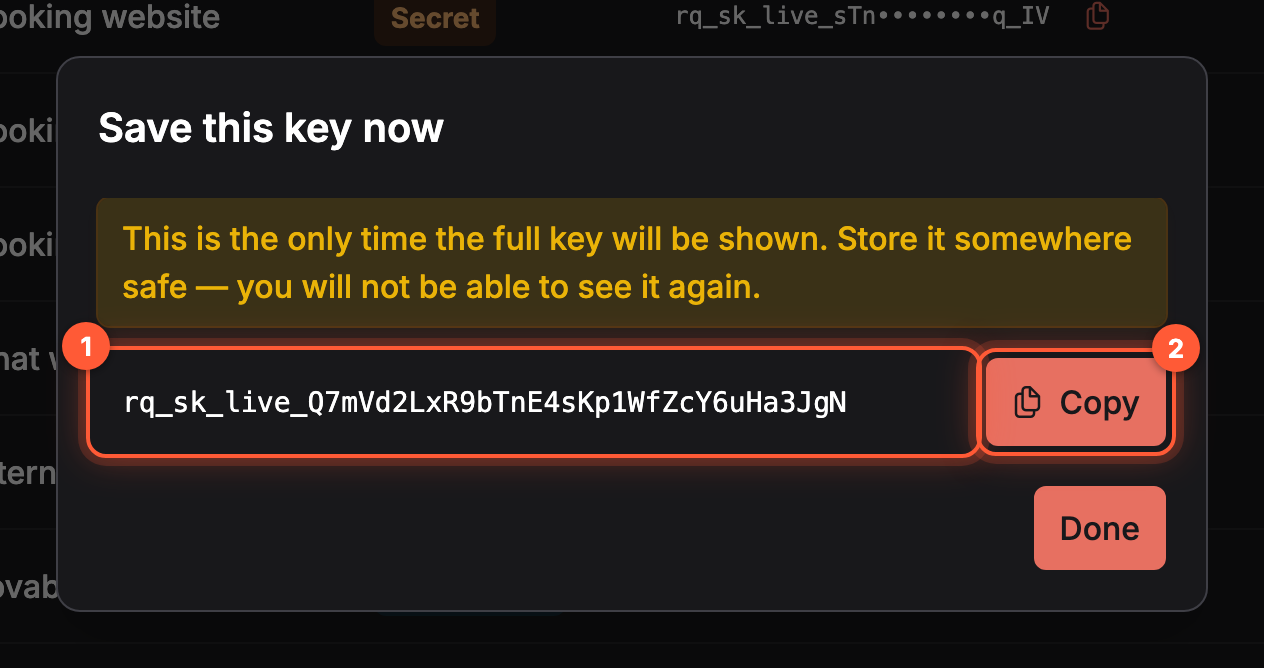
The only time the full key is shown.
- The full key.
- Copy, then click Done.
Put a secret key in an environment variable on your server, never in browser code or a Git repository:
REQUIPLY_SECRET_KEY=rq_sk_live_...
4. Use the key
Send the key as a bearer token with every request:
curl https://api.requiply.com/api/public/v1/org/info \
  -H "Authorization: Bearer $REQUIPLY_SECRET_KEY"
With the SDK, pass it to the client. See How to start using the Requiply SDK.
Common questions
Can I see a key again after closing the dialog?
No. Requiply stores only a hash of the key. If you lose it, create a new key, update your integration, and revoke the old one.
How do I revoke a key?
Click the ban icon in the key's row. The key stops working immediately and cannot be restored. Turn on Show revoked to list revoked keys.
Is there a test key?
No. Every key works on real data. Test against a demo organization whose bookings you can delete. See No test mode.
Do I need a key to connect Claude or ChatGPT?
No. Assistants connect with OAuth and need no key. See How to start using the Requiply MCP server. A secret key is only needed for an agent you build yourself.
How many requests can a key make?
100 requests per minute. Further requests get a 429 response with a Retry-After header. See Rate limits.
Overview
Build rental storefronts, server integrations, and AI agents on Requiply with the TypeScript SDK, the public REST API, or the MCP server.
Start using the SDK
Install @requiply/api-sdk from npm, create a RequiplyClient with a secret API key, and make your first calls to the Requiply public API.