

How to start using the Requiply MCP server
Quick answer
https://api.requiply.com/api/mcp and OAuth. Then sign in to Requiply as an Admin, choose the organization, and click Allow access. No API key is needed.MCP (Model Context Protocol) lets an AI assistant use Requiply as a set of tools. Once connected, you can ask Claude or ChatGPT "Which bookings start tomorrow?" or "Is the Canon C50 free next weekend?" and it answers from your live data. Changes, such as a new booking, are shown as a preview first and saved only after you confirm.
Before you start
- You need the Admin role in the Requiply organization you connect. Other roles are refused with Admin role required.
- Claude works on every plan. ChatGPT needs a paid plan that allows custom MCP servers.
1. Open the AI setup page
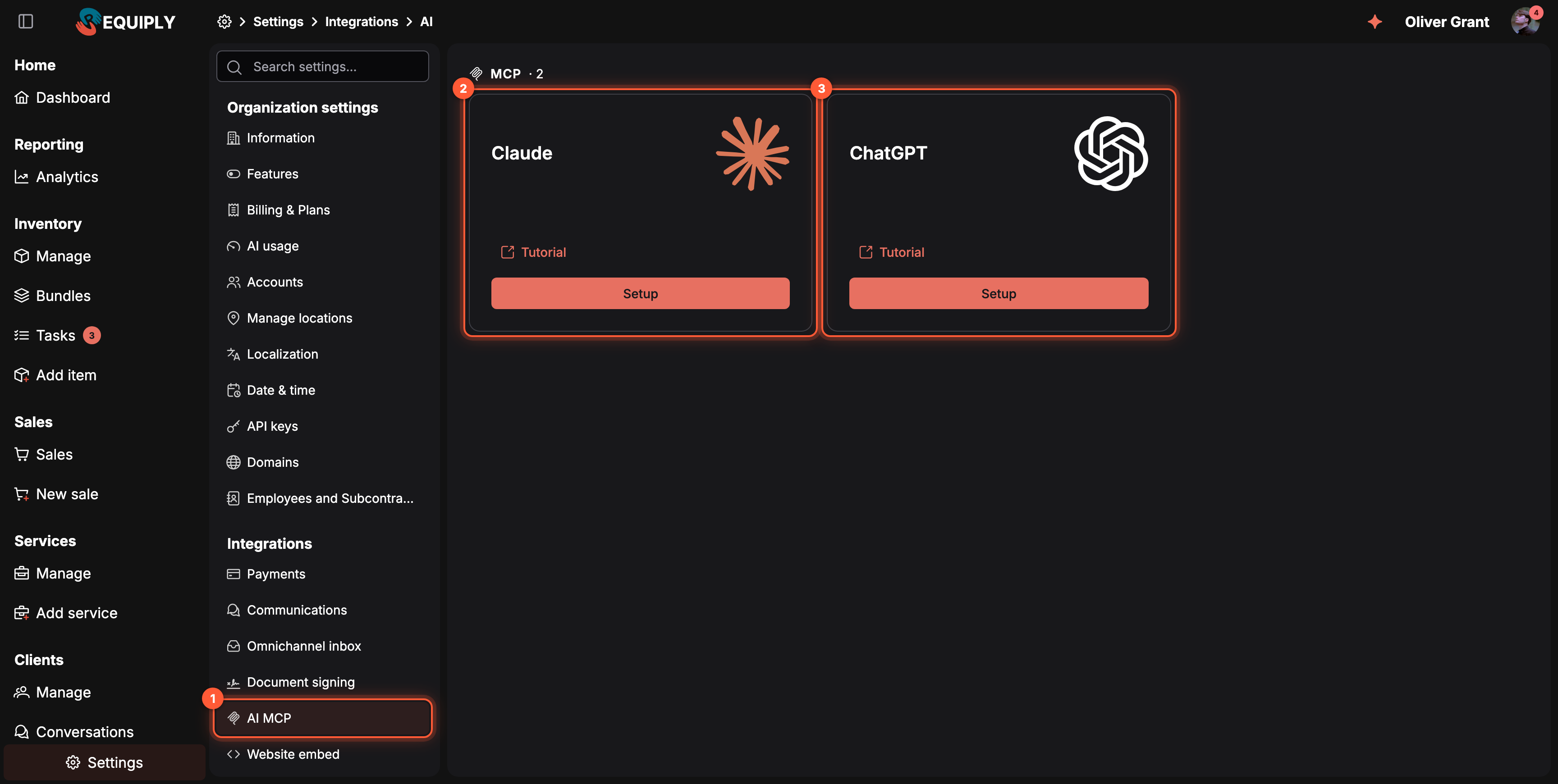
Settings → Integrations → AI MCP.
- AI MCP in the settings menu.
- Claude: click Setup for the steps and the URL.
- ChatGPT: the same for ChatGPT.
Tutorial on each card opens a step-by-step guide with screenshots of that assistant.
2. Add Requiply to your assistant
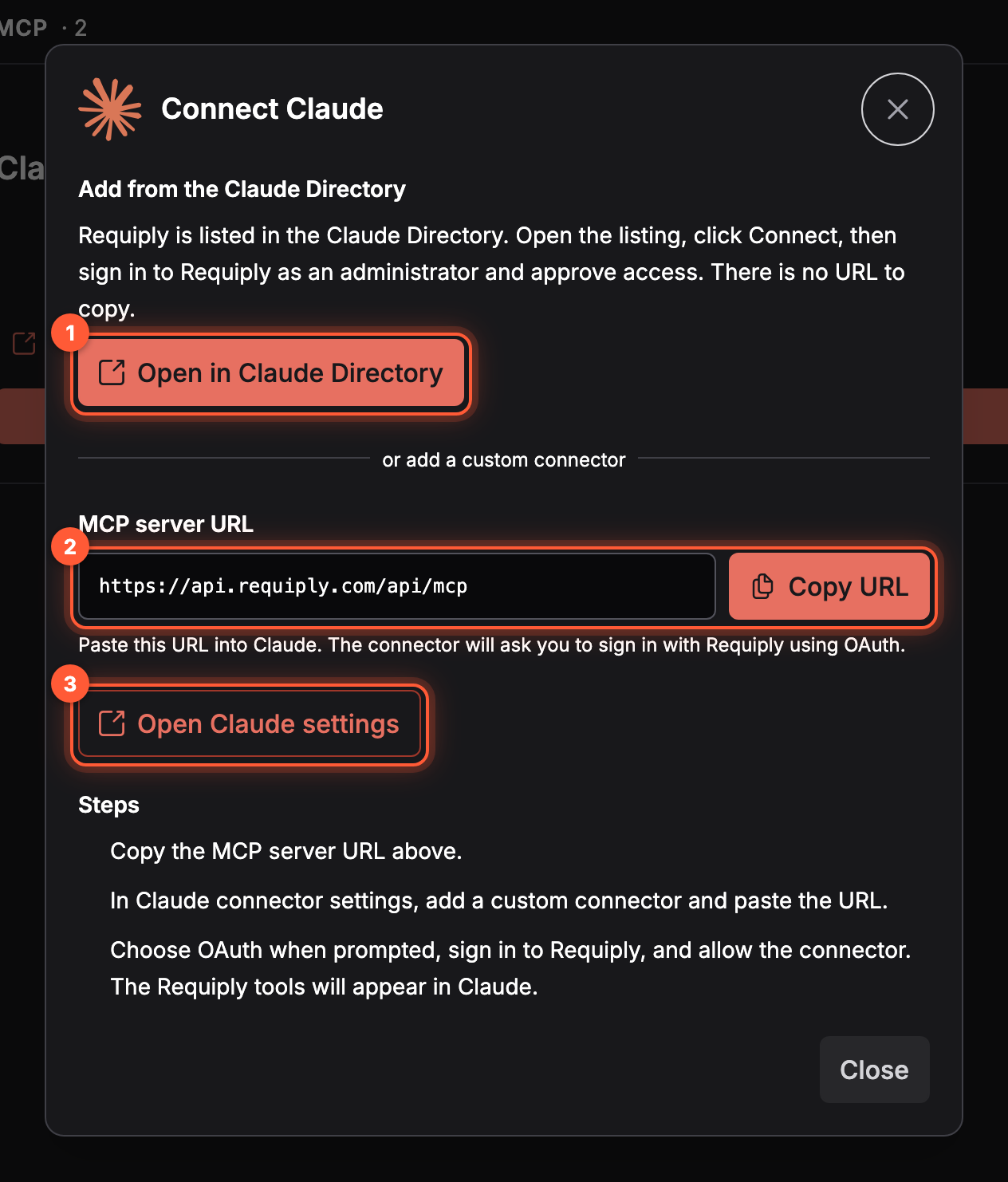
The Connect Claude dialog.
- Open in Claude Directory opens the Requiply listing in Claude. Click Connect there. This is the quickest way.
- MCP server URL and Copy URL, for a custom connector instead.
- Open Claude settings opens Claude's connector settings, where you add the custom connector and paste the URL.
In ChatGPT: open chatgpt.com/plugins, click Add, choose Create custom MCP server, name it Requiply, paste https://api.requiply.com/api/mcp as Server URL, set Authentication to OAuth, and click Create as a plugin. Full steps: Connecting.
3. Sign in and allow access
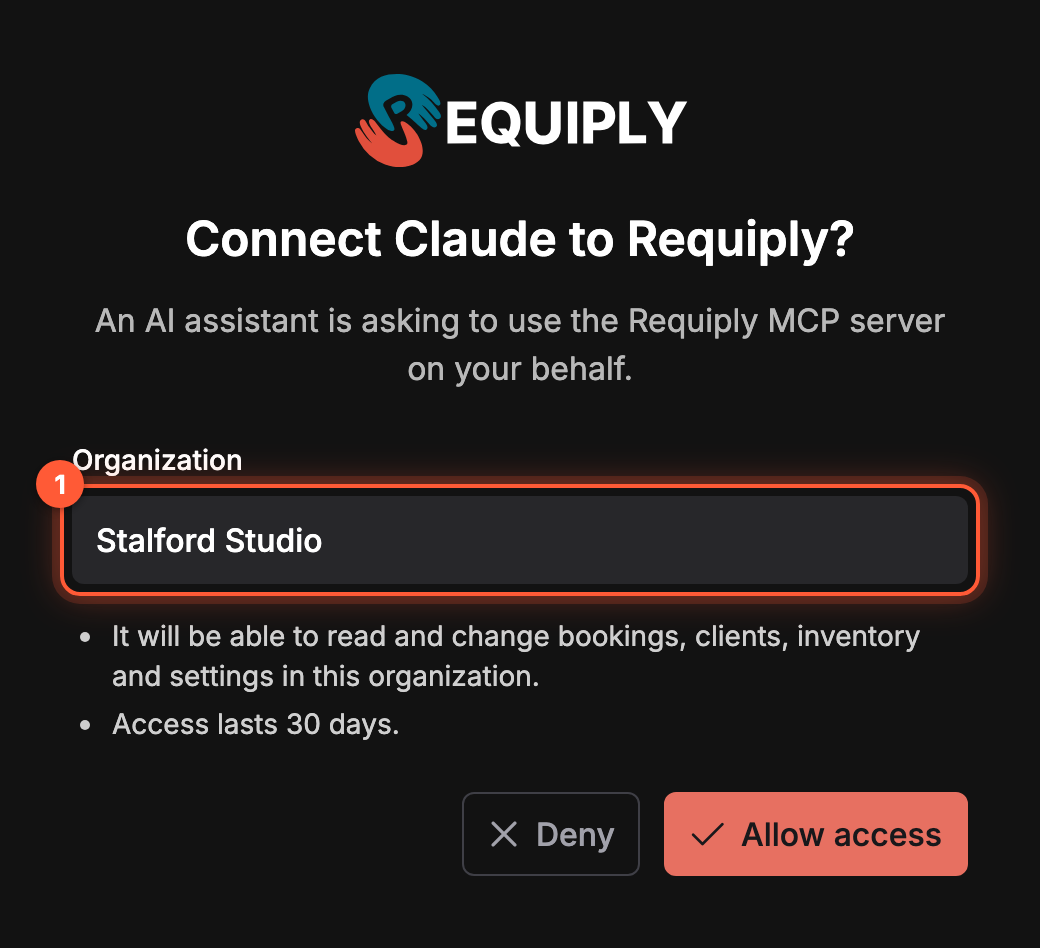
The page Requiply shows when an assistant asks for access.
The assistant sends you to Requiply. Log in if asked, then:
- Organization: the one the assistant will work with. If you are an Admin in several, pick one.
- Allow access. The assistant can now read and change bookings, clients, inventory, and settings in that organization. Deny cancels the connection.
You are sent back to the assistant, and the Requiply tools appear in it.
4. Ask your first question
Start a new chat and try:
- "What are today's pickups and returns in Requiply?"
- "Which clients still owe money?"
- "Create a booking for Rode PSA1 from Friday 10:00 to Sunday 18:00 for Emma Crawford."
In ChatGPT, turn on the Requiply plugin in the tools picker first. More prompts: MCP use cases.
Common questions
Do I need an API key?
No. Claude and ChatGPT connect with OAuth. A secret API key is only for an agent you build yourself, see AI agents and MCP.
Can team members who are not Admins use it?
Not yet. Connecting needs the Admin role. Inside Requiply, everyone can use the built-in Requiply Assistant instead.
Does the assistant change data without asking?
No. Every write tool returns a preview first and saves only when it is called again with your confirmation. See MCP tools.
The tools stopped working. What now?
Reconnect from your assistant's connector or plugin settings and sign in again. See Troubleshooting.
Requiply Assistant
The in-app AI assistant (Requiply Assistant) on the web and in the mobile app: ask about your bookings, clients, inventory, debts, revenue and availability in plain language, get how-to answers from the Knowledge Base, and draft email, message and document templates. It reads your workspace data but never changes it.
Overview
Connect Requiply to Claude, ChatGPT, or another MCP-capable assistant so it can answer questions using your live catalog, bookings, clients, conversations, and reports.