


What's New in Version 1.1.7?
This update focuses on three areas: team, search, and convenience.
1. Employee Management
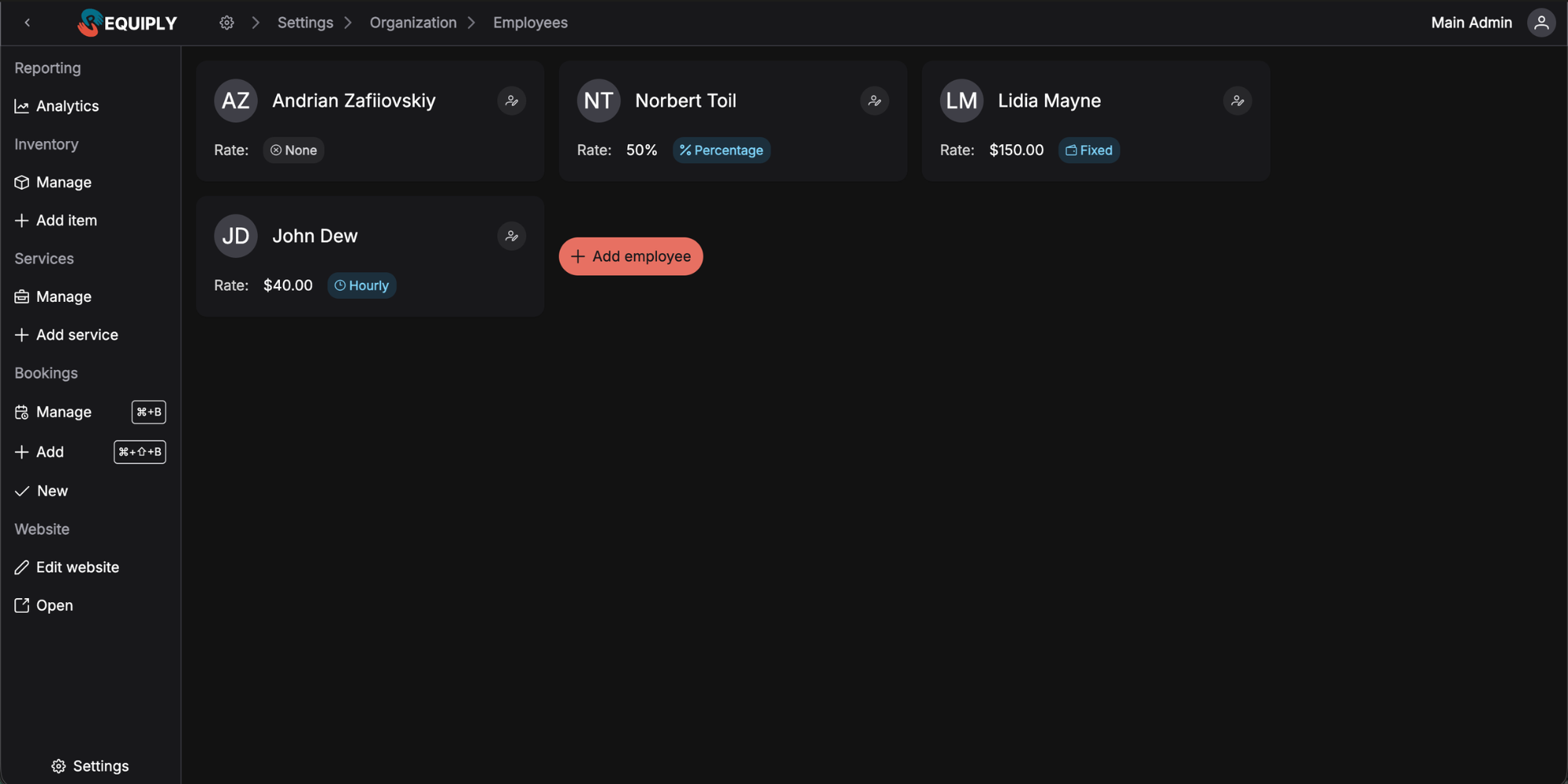
The new Employees page in settings lets you add team members and configure their payment terms.
What You Can Set Up for Each Employee
Rate Types — In Detail
Hourly Rate
The employee is paid for each hour worked. You set the hourly rate, and when assigning them to a service, you specify the number of hours worked.
Example: A marquee installer earns $25/hour. For setting up a wedding tent for 150 guests in the Cotswolds that took 5 hours, they'll earn $125.
Fixed Rate
The employee receives a fixed amount for completing a service, regardless of time.
Example: Your party bus driver receives $150 for each wedding guest shuttle in Austin, regardless of trip duration.
Percentage Rate
The employee receives a percentage of the service cost.
Example: A fleet manager at your luxury car rental receives 10% of each deal value. If a client rents a Range Rover for $2,500 for a weekend in the Hamptons, the manager earns $250.
No Payment (None)
For employees who don't receive payment for specific services — for example, business owners or interns.
Assigning Employees to Services
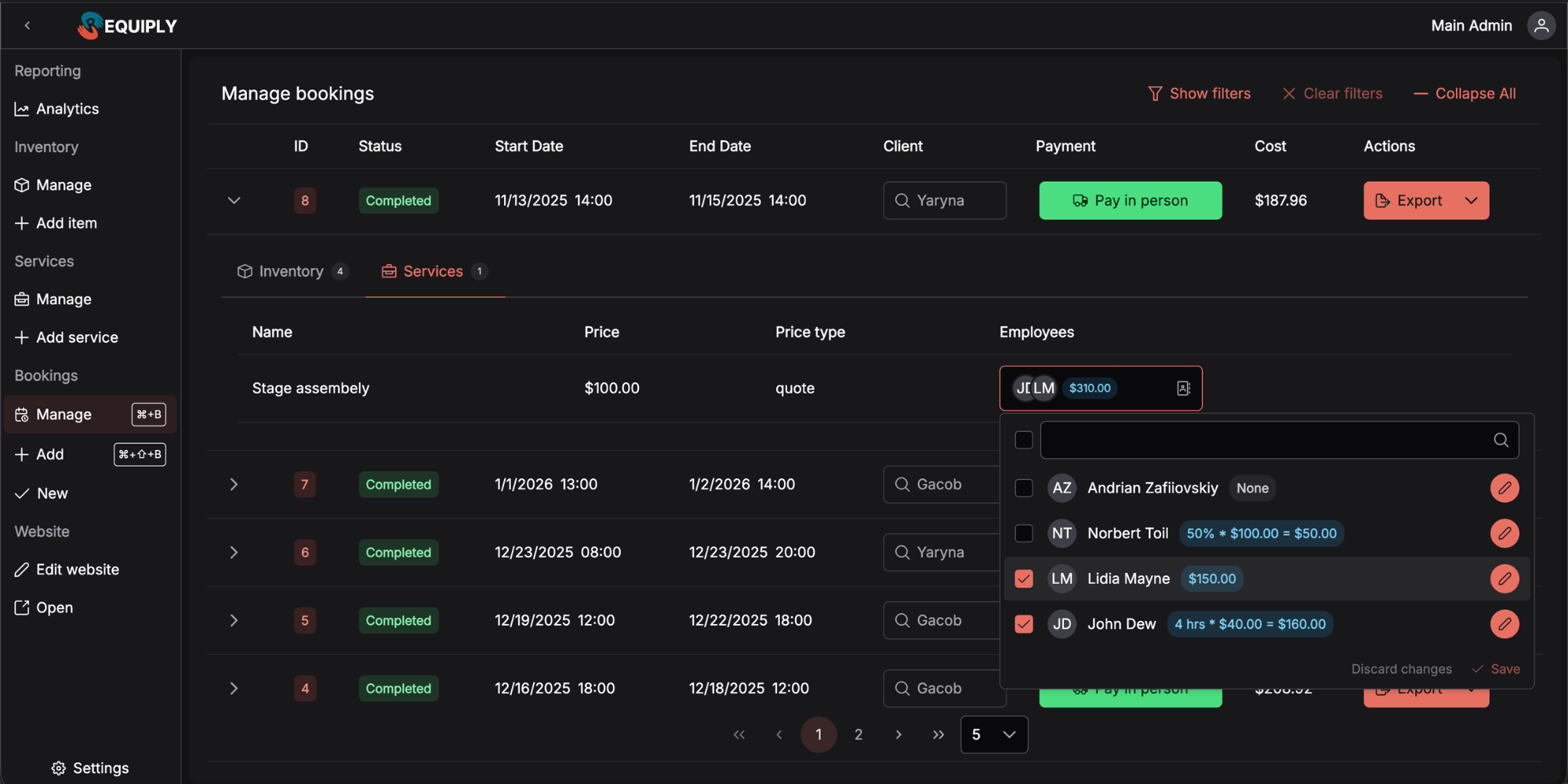
Now when creating or editing a booking, you can specify who exactly performed each service.
Practical Use Cases:
- Event & Party Rental: Assign two crew members to set up the dance floor and staging for a corporate gala in Manhattan — each with their own hours (3 and 4 hours respectively)
- Luxury Vehicle Rental with Chauffeur: Assign a driver to a wedding day service and specify 8 hours instead of the standard 6 if the couple extended their photo tour through Napa Valley
- Wedding Decor Rental: Assign a florist to the ceremony arch setup at a Lake District venue with a fixed rate of $200 per on-site visit
Tip: Standard employee rates are configured once in settings. When assigning to a specific service, you can override them if conditions differ from usual.
Where Can You See Employee Costs?
Currently, employee costs are displayed on each booking page individually — you can see how much the team's work cost for a specific order.
We're deliberately not rushing into large-scale employee reports. First, we want to gather feedback from customers: where exactly would you find this data most useful? What reports do you need most? Based on your real needs, we'll choose the best ways to use this information.
2. Booking Filters
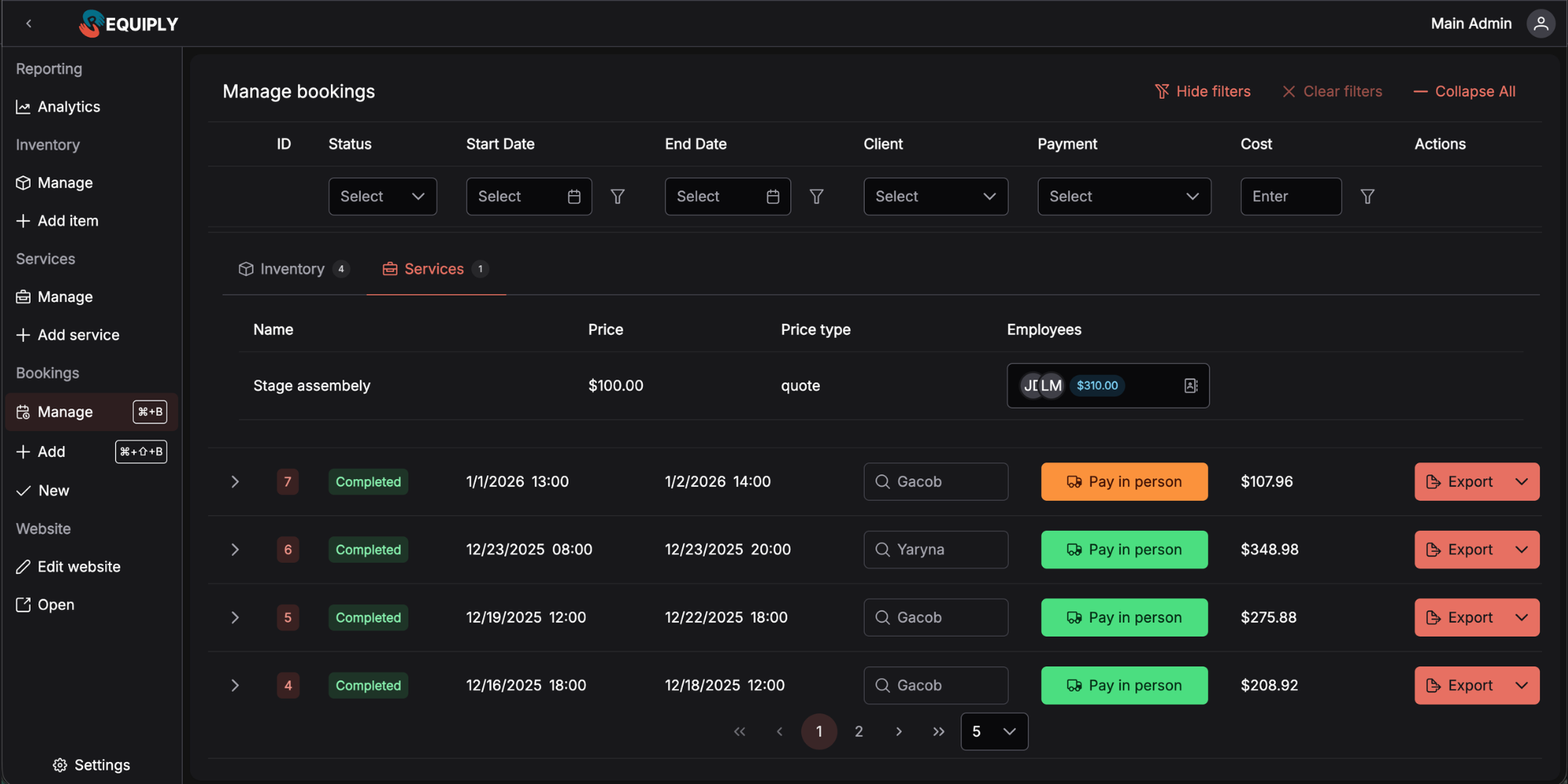
The Booking Management page now has a powerful filtering system. Find the booking you need in seconds, even if you have hundreds.
Available Filters
Booking Status — filter by state: scheduled, active, completed, or cancelled.
Start Date / End Date — find bookings that start or end within a specific period. Perfect for planning your week or reviewing the past month.
Customer — quickly search all bookings for a specific customer. Useful before calling a client or checking collaboration history.
Payment Status — see which bookings are paid, partially paid, or awaiting payment. No more lost payments.
Amount — filter by booking value. Find all large orders or conversely — small rentals.
Practical Use Cases:
- End of month at a vehicle rental: Filter "Completed" + "Unpaid" to see customers with outstanding balances for campervan rentals in Colorado
- Preparing for wedding season: Start date = next 7 days, to prepare marquees, chiavari chairs, and table linens for upcoming events across Surrey and Kent
- Regular customer calling: Quickly find all bookings for a Dallas event planner by name to recall your collaboration history before the call
3. Collapsible Menu & Keyboard Shortcuts
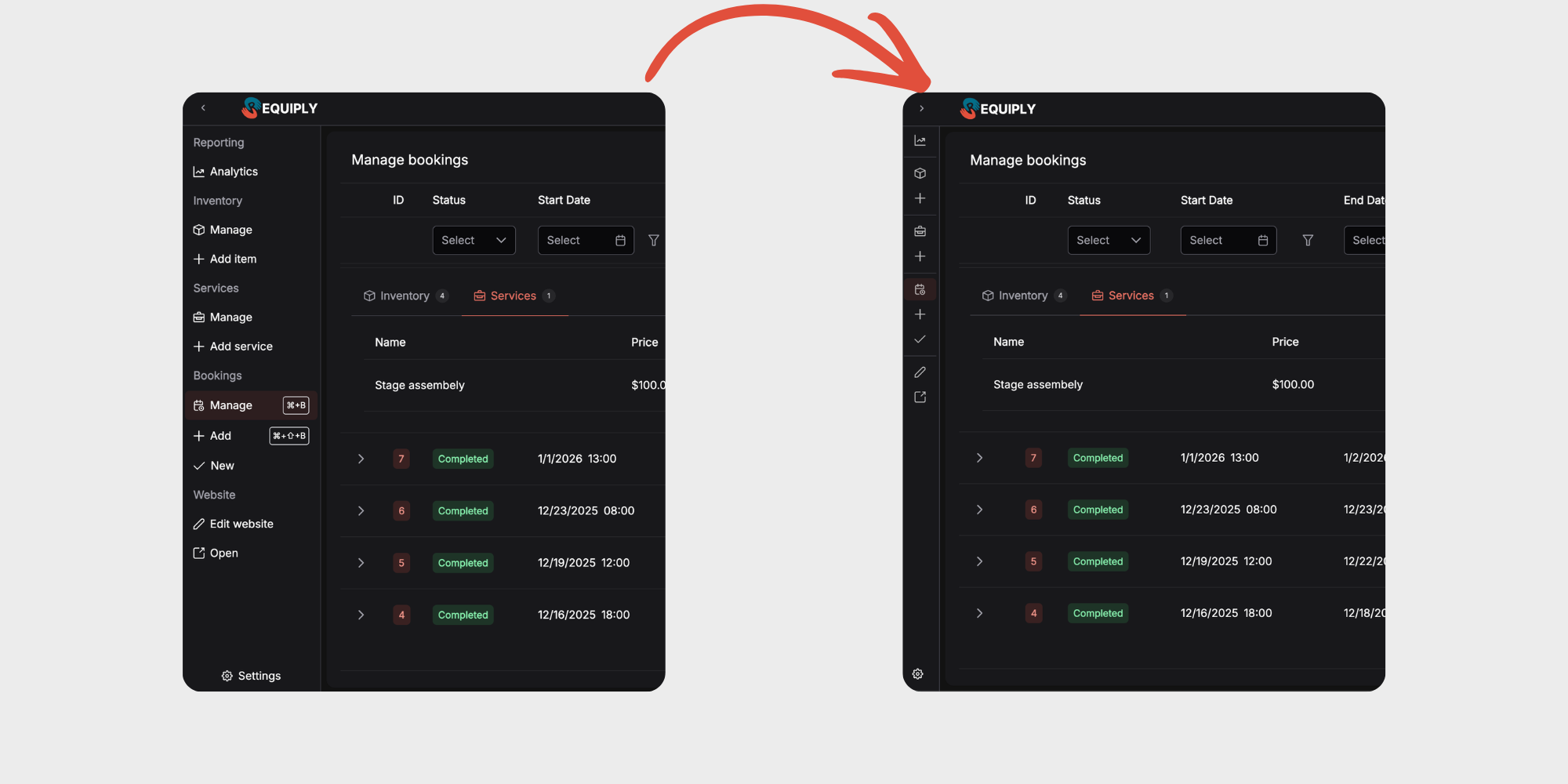
The side menu can now be collapsed with a single click. Get more horizontal space where you need it — especially when working with booking tables or the calendar.
Keyboard Shortcuts
For those who value speed — we've added keyboard shortcuts:
| Action | Windows | Mac |
|---|---|---|
| Booking Management | Ctrl + B | ⌘ + B |
| Create New Booking | Ctrl + Shift + B | ⌘ + ⇧ + B |
Now navigating to the most important pages takes just one second.
What's Next?
We're planning an additional round of customer interviews to determine the platform's next development steps together. Your experience using Requiply in real business will help us choose the right priorities.
Your feedback shapes what we build. What's most important to you — team reports, integrations with other services, or something else?
Have questions or suggestions? Write to us at info@requiply.com — we're always happy to hear from you!
- Requiply version
- requiply
- employee management
- booking filters
- rental team
- employee rates
- service assignment
- keyboard shortcuts