


Do you know how many units of equipment are currently in your warehouse? How many are out on rental? What's in for repairs? If answering these questions requires "wait, let me check..." — this article is for you.
Inventory tracking in a rental business isn't bureaucracy for the sake of bureaucracy. It's a way to stop losing money, avoid letting customers down, and prevent the panic of searching for "that generator we were supposed to deliver yesterday."
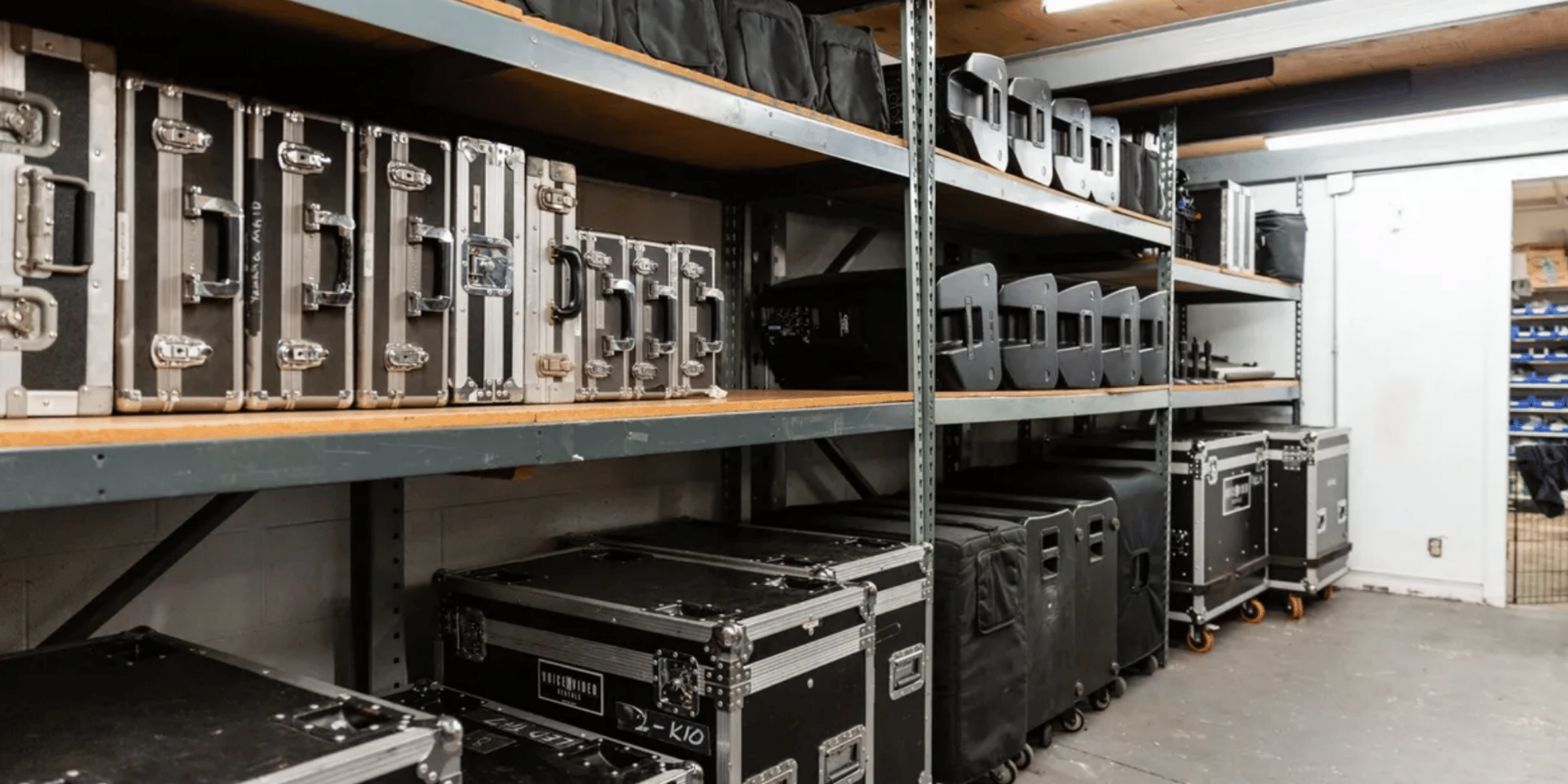
In this article, we'll explore 6 methods of inventory tracking — from the simplest to the most advanced. Each has its place: there's no point buying an RFID system for a rental with five drills, but tracking 200 units of equipment in a notebook is a path to chaos.
Why Track Inventory (And What Happens When You Don't)
Real Problems Rental Businesses Face Without a Tracking System
Double bookings. A customer booked a camera for Saturday. Another manager didn't know and rented it out on Friday "for three days." Result: an angry customer, damaged reputation, possibly a refund and compensation.
Lost equipment. "It must be somewhere..." Equipment wasn't returned, but you didn't notice because you don't track inventory. A month later, you discover that a generator worth $600 simply doesn't exist. Who took it? When? Unknown.
Forgetting what's in repair. A plate compactor has been in repair for three weeks, but you forgot and promised it to a customer tomorrow. Now you either let the customer down or urgently find a replacement.
Mix-ups with accessories. You rented out a camera, but the lens stayed in the warehouse. Or the opposite — the camera was returned without the lens and nobody noticed. A week later, you're wondering where this "extra" lens came from.
Not knowing what's available. A customer calls: "Do you have a welding machine for Tuesday?" Answer: "Let me check..." — and a 10-minute search through records begins, calls to colleagues, checking the warehouse.
How Much Money a Rental Business Loses Without Proper Tracking
Let's calculate with a real example. A small construction equipment rental, 50 units, average rental price $20/day.
- 1 double booking per month = lost customer + reputation damage. Minimum $20-40 in direct losses.
- 1 lost unit per year (didn't notice in time, can't find who took it). Average equipment value $600.
- 2-3 hours per week on manual searching instead of working with customers. At $10/hour = $80-100/month.
- Equipment downtime because you didn't know it was back from repair. 2-3 days per month × $20 = $40-60.
Total: $800-1,200 in losses per year for a small rental. For larger operations — proportionally more.
Method 1: Notebook / Notepad
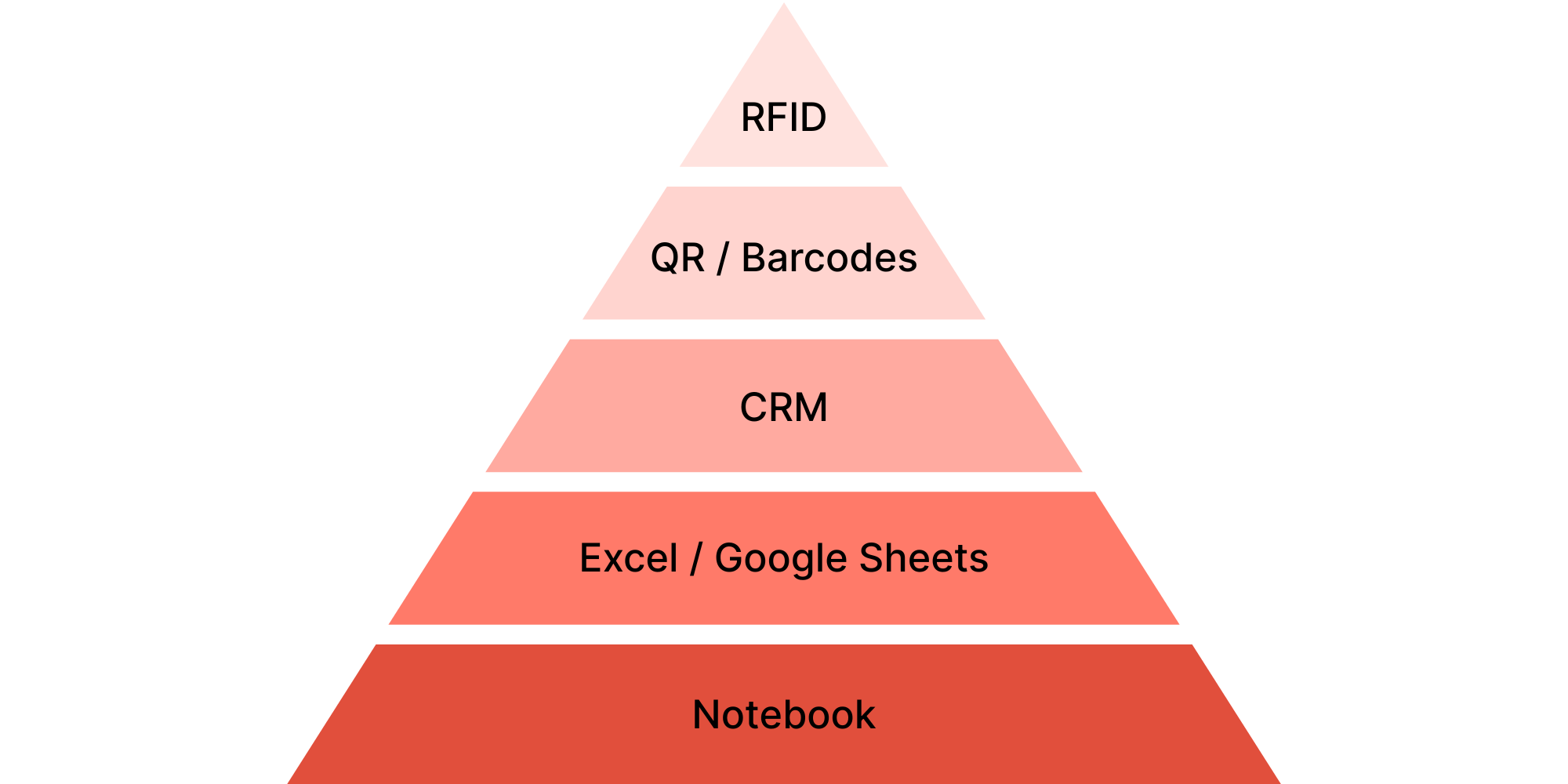
The oldest and simplest method. Get a notebook, write: "January 15, issued Makita rotary hammer, Ivan Petrenko, tel. 555-xxx-xx-xx, return January 17."
Who It's For
- Micro-rentals with up to 10 units
- Solo owner who handles all pickups and returns
- Seasonal business with few rentals
Pros
- Free. A notebook costs a couple of dollars.
- No technical skills required.
- Works without internet or electricity.
- Quick start.
Cons
- Doesn't scale. At 20+ units — chaos.
- Easy to make mistakes. Illegible handwriting, forgot to write it down.
- Impossible to quickly find information.
- No backup. Lost notebook = lost everything.
- Can't share. Second employee = double chaos.
When to Move On
If you catch yourself thinking "where did I write that?" or you hire a second employee — time to move forward.
Method 2: Excel / Google Sheets
The next logical step — spreadsheets. Free, flexible, can be shared with the team.
How to Organize Your Spreadsheet
Recommended structure for a rental business:
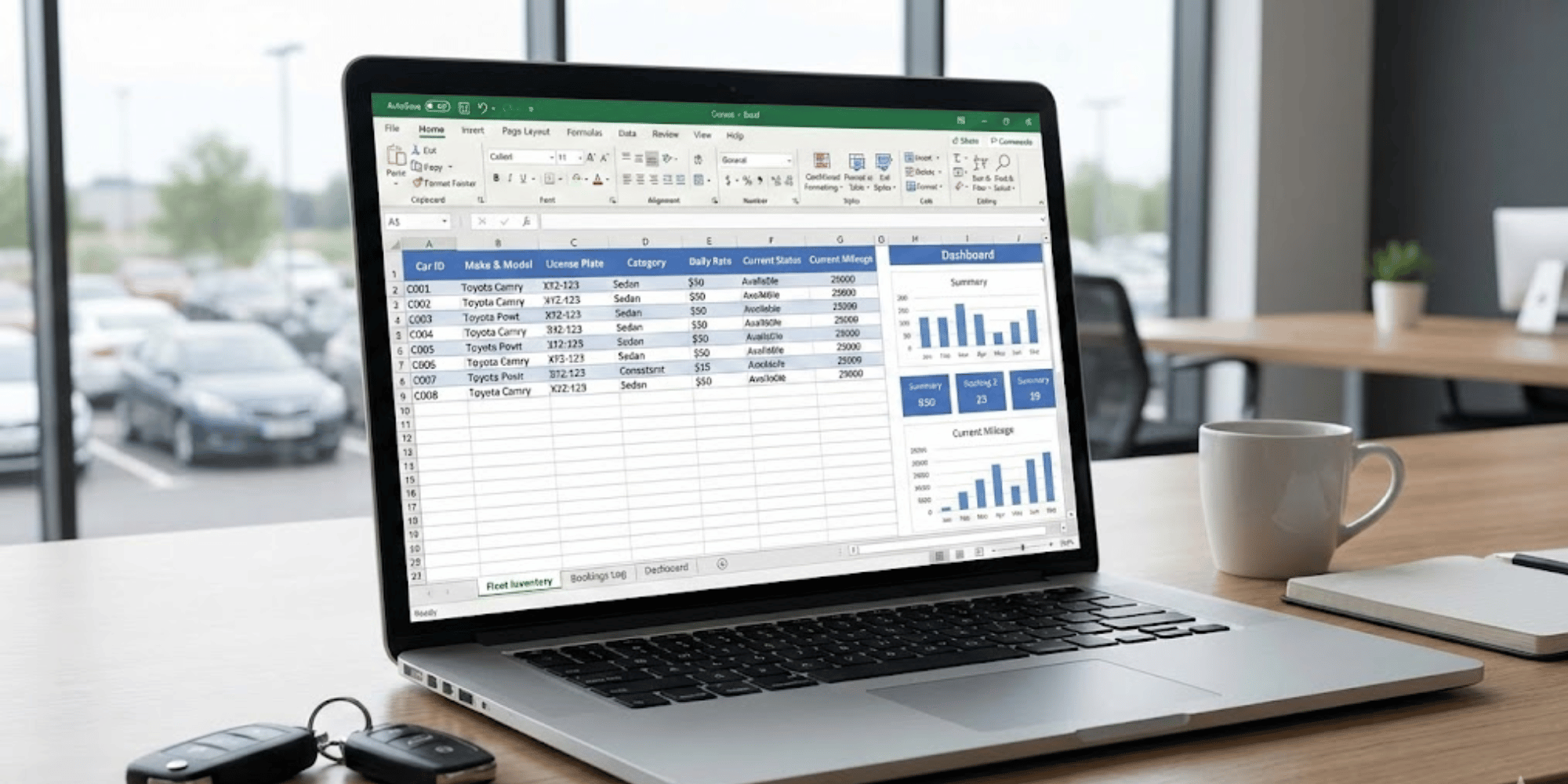
Sheet 1: Inventory
| ID | Name | Category | Serial Number | Price/Day | Price/Hour | Value | Status |
|---|---|---|---|---|---|---|---|
| 001 | Makita HR2470 Rotary Hammer | Tools | SN123456 | $15 | $3 | $350 | Available |
| 002 | Honda 2.5kW Generator | Generators | SN789012 | $35 | $6 | $1,100 | Rented |
| 003 | Wacker Plate Compactor | Construction | SN345678 | $25 | $4 | $1,400 | Repair |
| 004 | 180L Concrete Mixer | Construction | SN901234 | $20 | $3 | $500 | Available |
| 005 | MIG Welding Machine | Tools | SN567890 | $22 | $4 | $750 | Rented |
Sheet 2: Rentals
| ID | Issue Date | Return Date | Customer | Phone | Payment Type | Days/Hours | Amount | Status |
|---|---|---|---|---|---|---|---|---|
| 002 | 01/15/2026 | 01/20/2026 | John Smith | 555-123-4567 | Daily | 5 | $175 | Active |
| 005 | 01/18/2026 | 01/18/2026 | ABC Construction | 555-987-6543 | Hourly | 6 hrs | $24 | Active |
| 001 | 01/10/2026 | 01/12/2026 | Mike Johnson | 555-111-2233 | Daily | 2 | $30 | Completed |
Sheet 3: History — all completed rentals for analysis and dispute resolution.
Formulas for Automatic Calculation
To make the spreadsheet calculate amounts automatically, use formulas:
Daily rental (Amount column):
=(Return_Date - Issue_Date) * Price_Per_Day
In Google Sheets: =(C2-B2)*VLOOKUP(A2,Inventory!A:E,5,FALSE)
Hourly rental:
=Number_of_Hours * Price_Per_Hour
Monthly total:
=SUMIF(Status,"Completed",Amount)
Pros
- Free.
- Flexible. Formulas, filters, customize to your needs.
- Shareable. Multiple people work simultaneously.
- Backup copies. Google saves change history.
- Access from any device.
Cons
- Manual work. Every entry is done by hand.
- No reminders. Forget to check — miss an overdue rental.
- Difficult with multiple employees. Who changed what?
- No connection to bookings. Separate spreadsheet, separate calendar.
- Easy to break formulas.
Tips for Effective Spreadsheet Work
- Use dropdown lists for statuses (Available, Rented, Repair, Written Off).
- Conditional formatting — highlight overdue rentals in red.
- Freeze the header row — headers always visible.
- Make regular backups — export to Excel once a week.
Method 3: Specialized Rental CRM
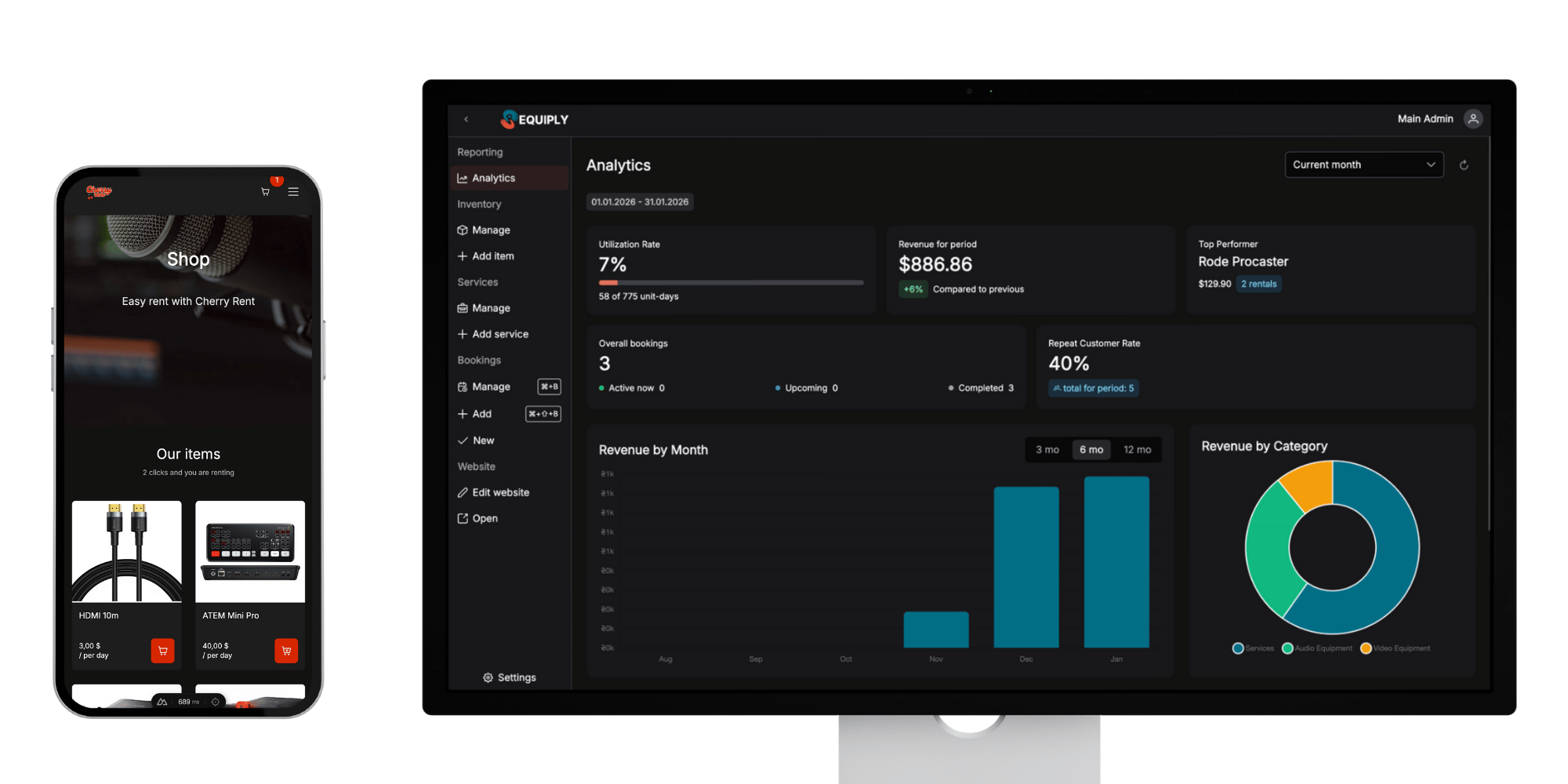
A comprehensive solution that combines inventory, bookings, and analytics in a single system. CRM is the foundation to which you can later add barcodes, QR codes, and other technologies.
When It's Time to Switch to CRM
- 30+ units of equipment — Excel becomes unwieldy
- 2+ employees — need a unified system with role-based access
- Losing money on errors — double bookings, lost equipment
- Want to grow — scaling is impossible without a system
- Need analytics — what's rented most often, who are your best customers
What a Specialized CRM Provides
- Single equipment database with all specifications and photos
- Booking calendar with workload visualization
- Real-time statuses: available / rented / repair / written off
- History of each unit: all rentals, repairs, incidents
- Automatic reminders: about returns, overdue items, maintenance
- Analytics: equipment popularity, seasonality, profitability
- Payment integration: online payments, invoices
Overview of Rental CRM Systems
Excel with Macros
A halfway solution between spreadsheets and a full system.
Pros: Cheap (or free), familiar interface. Cons: Difficult to maintain, macros break, no mobile version.
Verdict: A temporary solution that will quickly become a problem.
Booqable
Booqable — a quality Western tool for rental businesses.
Pros: Well-designed interface, good functionality, Stripe integration, barcode support. Cons: Prices in USD/EUR, support in English only.
Verdict: Suitable for rentals working with international customers.
Rentman
Rentman — a powerful system for large AV and event companies.
Pros: Wide functionality, barcode and QR support, integrations with professional equipment. Cons: Complex interface, overkill for small businesses, prices from €35/month.
Verdict: For large companies with an implementation budget.
Requiply
A modular CRM created specifically for the rental market.
Pros:
- Full localization in multiple languages
- Affordable pricing for small businesses
- Automatic website generation with catalog and online booking
- Young team = quick adaptation to customer needs and new feature development
Cons: Currently without barcode/QR support (in development roadmap).
Verdict: Optimal choice for rental businesses that value flexibility and responsive support.
Methods 4-6: Identification Technologies (CRM Add-ons)
Barcodes, QR codes, and RFID are methods for quick equipment identification. They only work in combination with a CRM that stores data and processes scans. First implement CRM (Method 3), then consider these technologies.
Method 4: Barcodes + Scanner
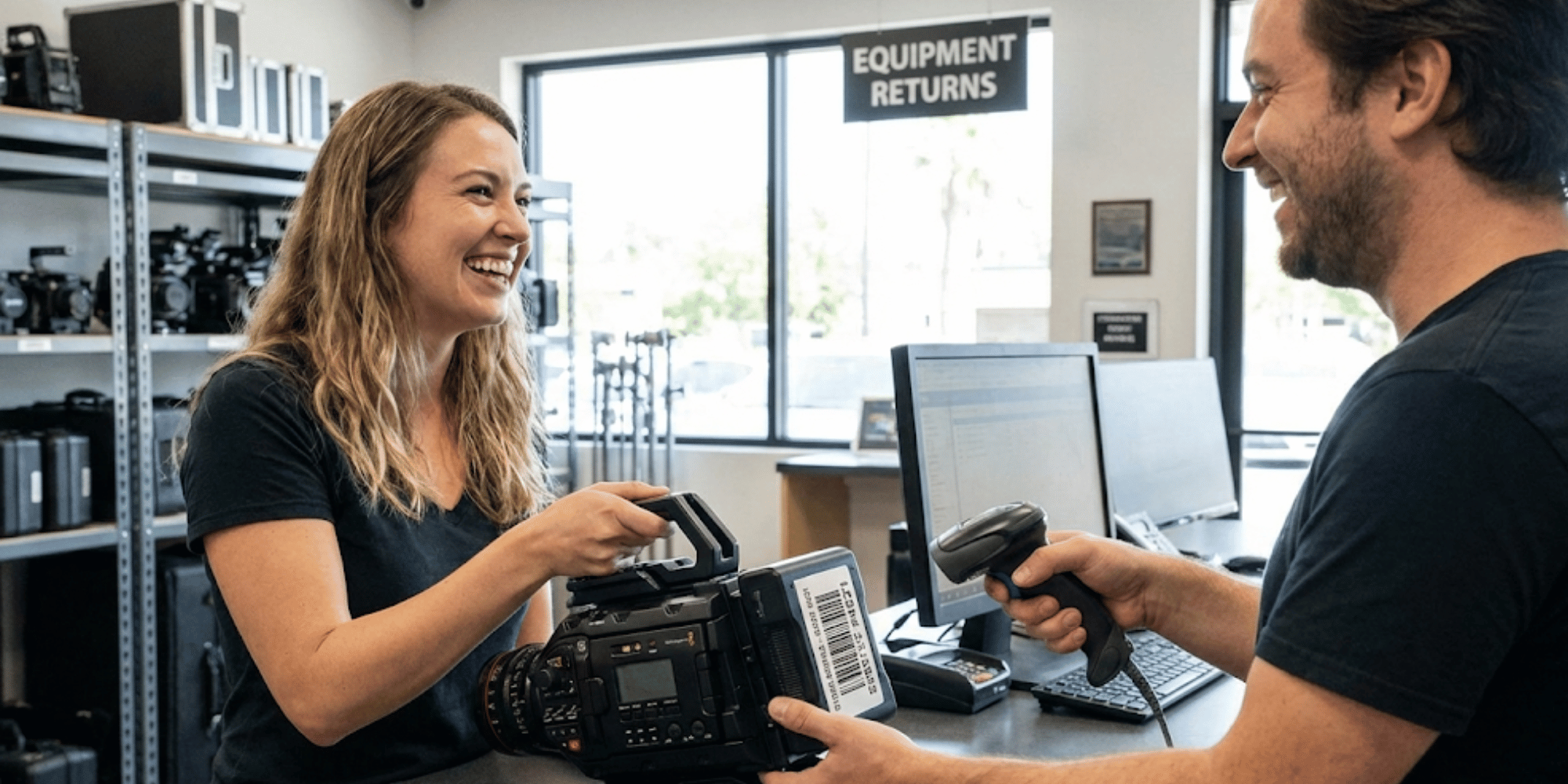
The transition to automated identification. Instead of manually searching "what's the ID of this rotary hammer?" — scan the barcode and the CRM instantly shows all information.
How It Works
- Generate barcodes for each unit of equipment (or use factory ones).
- Print labels on a label printer or regular printer + lamination.
- Stick them on equipment.
- During pickup/return scan the code — the system automatically records the operation.
Implementation Cost
- Label printer: $50-150 (e.g., Xprinter XP-365B)
- Labels: $5-10 per 1000 pcs
- Barcode scanner: $20-50 (or use your phone camera)
- Total startup: $75-200
Pros
- Fast. Scanning takes 1 second instead of 30 seconds of manual searching.
- Fewer errors. Can't mix up IDs or make typos.
- Standardized. All employees work the same way.
- Operation history. Automatically records who scanned what and when.
Cons
- Requires a system that supports barcodes. Excel doesn't work, need CRM or specialized software.
- Labels wear out. On construction equipment — quickly.
- Initial costs. Need to buy equipment and label all inventory.
- Requires training. Employees need to know how to use the system.
Method 5: QR Codes
A cheaper and more universal alternative to barcodes. A QR code can contain more information and is scanned by any smartphone.
Advantages Over Barcodes
- No special scanner needed — phone camera is enough.
- More information — can encode a link to the equipment card.
- Damage resistant — QR code reads even if 30% is damaged.
- Can print on a regular printer.
How to Make Them Yourself
- QR code generation: Free services like qr-code-generator.com or built-in Google Sheets functions.
- Printing: Regular printer + self-adhesive paper + lamination (or clear tape).
- Size: Minimum 2×2 cm for reliable scanning.
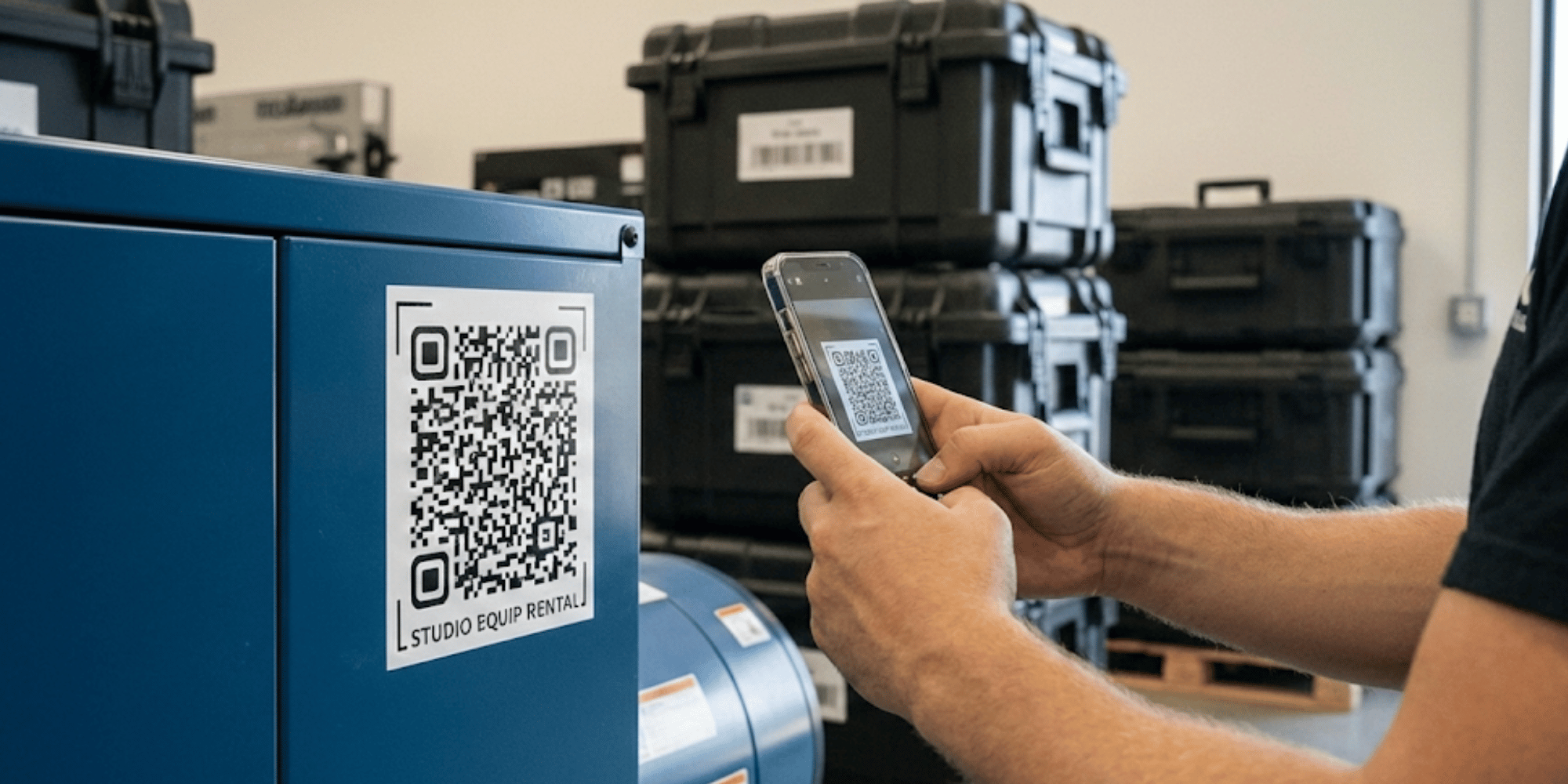
What to encode in QR:
- Link to equipment card in your system
- Unique ID for search
- Rental contact number (in case of lost and found)
Cost
- Code generation: free
- Printing: ~$3 for 100 labels (self-adhesive paper + lamination)
- Total: practically free if you have a printer
Limitations
- Like barcodes, requires a system to process scans
- May be difficult to scan on dirty equipment
- Needs a phone with a camera
Method 6: RFID Tags
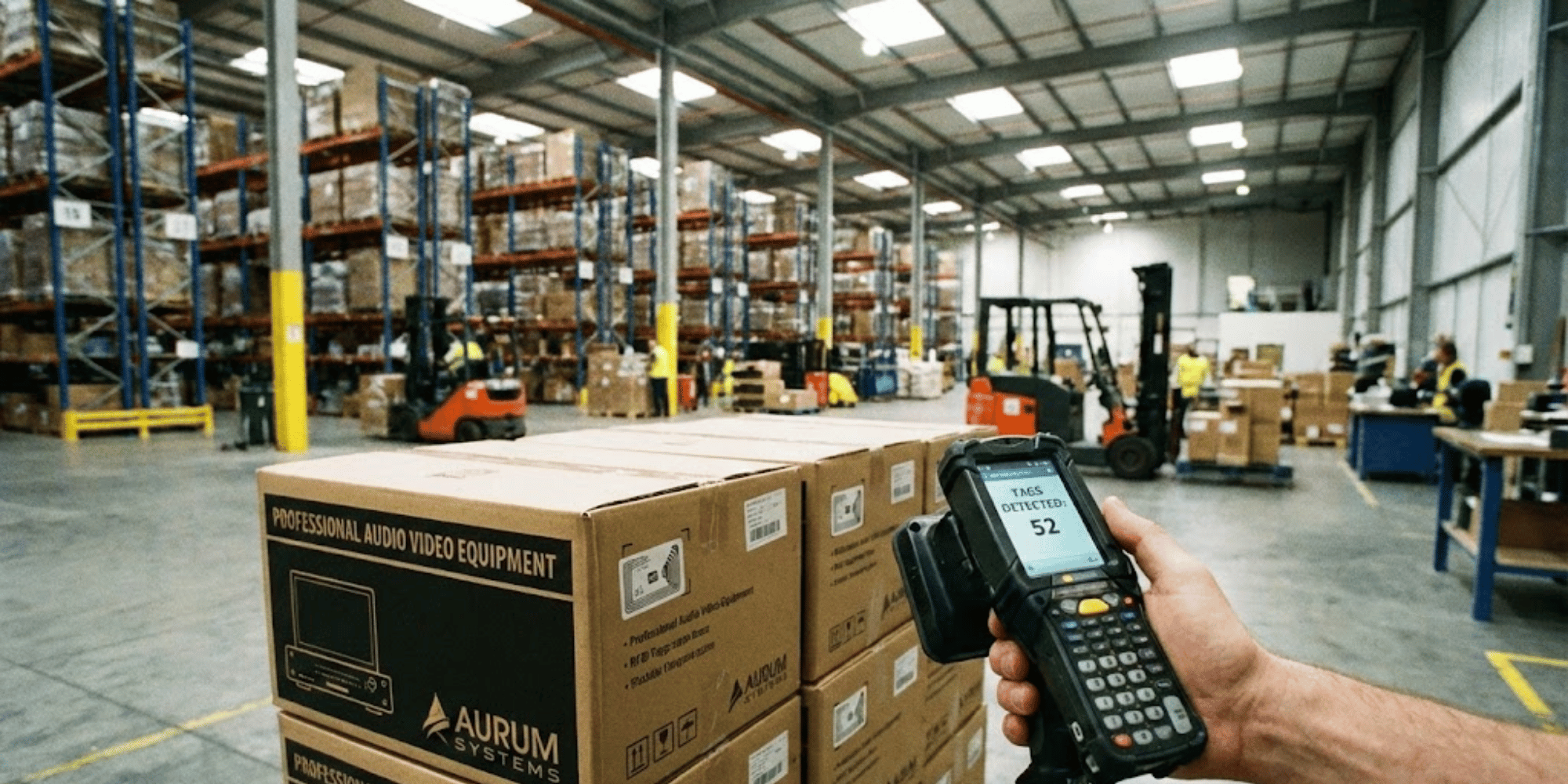
RFID (Radio-Frequency Identification) allows identifying equipment without direct scanning — the tag just needs to be within range of the reader.
Who It's For
- Large rentals with 500+ units of equipment
- Warehouses with high turnover
- Companies where inventory speed is critical
- Businesses with high-value equipment (where loss is expensive)
How It Works
- An RFID tag is attached to each unit (a small chip with an antenna).
- The reader emits radio waves.
- Tags within range "respond" with their unique code.
- The system instantly records all units in the zone.
Practical example: Walk past a shelf with the reader — in 5 seconds the system shows all 50 units on it. Without scanning each one individually.
Implementation Cost
- RFID tags: $0.20-0.50/pc (depending on type and order volume)
- Portable reader: from $200
- Stationary reader (gates): from $500
- Software: depends on provider
For a rental with 500 units:
- Tags: 500 × $0.30 = $150
- Reader: $250
- Total minimum: $400 + software
Pros
- Instant inventory. 500 units in 5 minutes instead of 5 hours.
- Hard to lose. System warns if equipment leaves warehouse without being checked out.
- No direct contact needed. Scanning through packaging, at a distance.
- Automation. Can set up automatic pickup/return recording.
Cons
- High startup cost. Unjustified for small businesses.
- Implementation complexity. Requires integration with accounting system.
- Technical limitations. Metal and liquids can interfere with reading.
- Requires support. System maintenance.
Comparison Table of Methods
| Method | Startup Cost | Complexity | Business Size | Scalability |
|---|---|---|---|---|
| 1. Notebook | ~$2 | Very Simple | Up to 10 units | None |
| 2. Excel/Google Sheets | Free | Simple | 10-30 units | Low |
| 3. Rental CRM | $0-50/month | Medium | 30+ units | High |
| 4. Barcodes + CRM | $75-200 + CRM | Medium | 50-200 units | High |
| 5. QR Codes + CRM | ~$3 + CRM | Simple | 30-100 units | High |
| 6. RFID + CRM | From $400 + CRM | Complex | 500+ units | Very High |
How to Choose Your Method: Checklist
1. How many units of equipment do you have?
- Up to 10: Notebook or Excel — don't overcomplicate
- 10-30: Excel with good structure
- 30-100: CRM — foundation for future growth
- 100-500: CRM + barcodes or QR for quick identification
- 500+: CRM + RFID for professional inventory
2. How many people work with equipment?
- Just you: Any method works
- 2-3 people: Minimum Google Sheets with shared access
- 4+ people: CRM with role separation
3. What's your startup budget?
- $0: Notebook → Excel → free CRM tier
- $20-50/month: CRM — foundation for everything else
- CRM + $75-200: Add barcodes for quick identification
- CRM + $400+: RFID for large warehouses
4. How critical is speed and accuracy?
- Not critical (rental once a week): Simpler methods
- Important (daily rentals): Minimum CRM
- Critical (high turnover, expensive equipment): CRM + automation
5. What are your plans for the year?
- Stay at the same level: Choose for current needs
- Grow 2-3x: Choose with room to scale
Evolutionary Growth Path
Most successful rentals started with a notebook. The key is transitioning to the next level at the right time.
Typical path:
- Start (1-10 units): Notebook or phone notes
- First customers (10-30 units): Google Sheets with formulas
- Steady flow (30-50 units): CRM — foundation for growth
- Growth (50-200 units): CRM + barcodes or QR for quick operations
- Scaling (200+ units): CRM + RFID for instant inventory
Each transition is an investment that pays back through time savings and fewer errors.
Conclusions
Inventory tracking isn't a question of "do I need it" but "which method to choose." The right choice depends on business size, budget, and plans.
Key principles:
- Don't overcomplicate. For 5 units, you don't need RFID.
- Don't underestimate. For 50 units, a notebook is chaos.
- Think ahead. Choose with room for growth.
- Count the money. System cost vs losses from errors.
Start at the level that matches your business today, but choose tools for tomorrow's growth.
Ready to try modern tracking? Requiply offers a free trial period — enough time to transfer your inventory and see the difference.
Have questions? Write to info@requiply.com — we'll help you choose the optimal solution.
