


Picture this: a customer returns a generator, and your employee spends 5 minutes searching through records to figure out which generator it is and when it was rented out. Or another scenario — there are 15 identical rotary hammers in the warehouse, and you don't know which one just came back from repairs. Sound familiar?
Inventory labeling solves these problems in seconds. One scan — and you instantly see the entire history: who rented it, when, what repairs were done, how many times it's been out. But which technology should you choose — the classic barcode or the modern QR code?
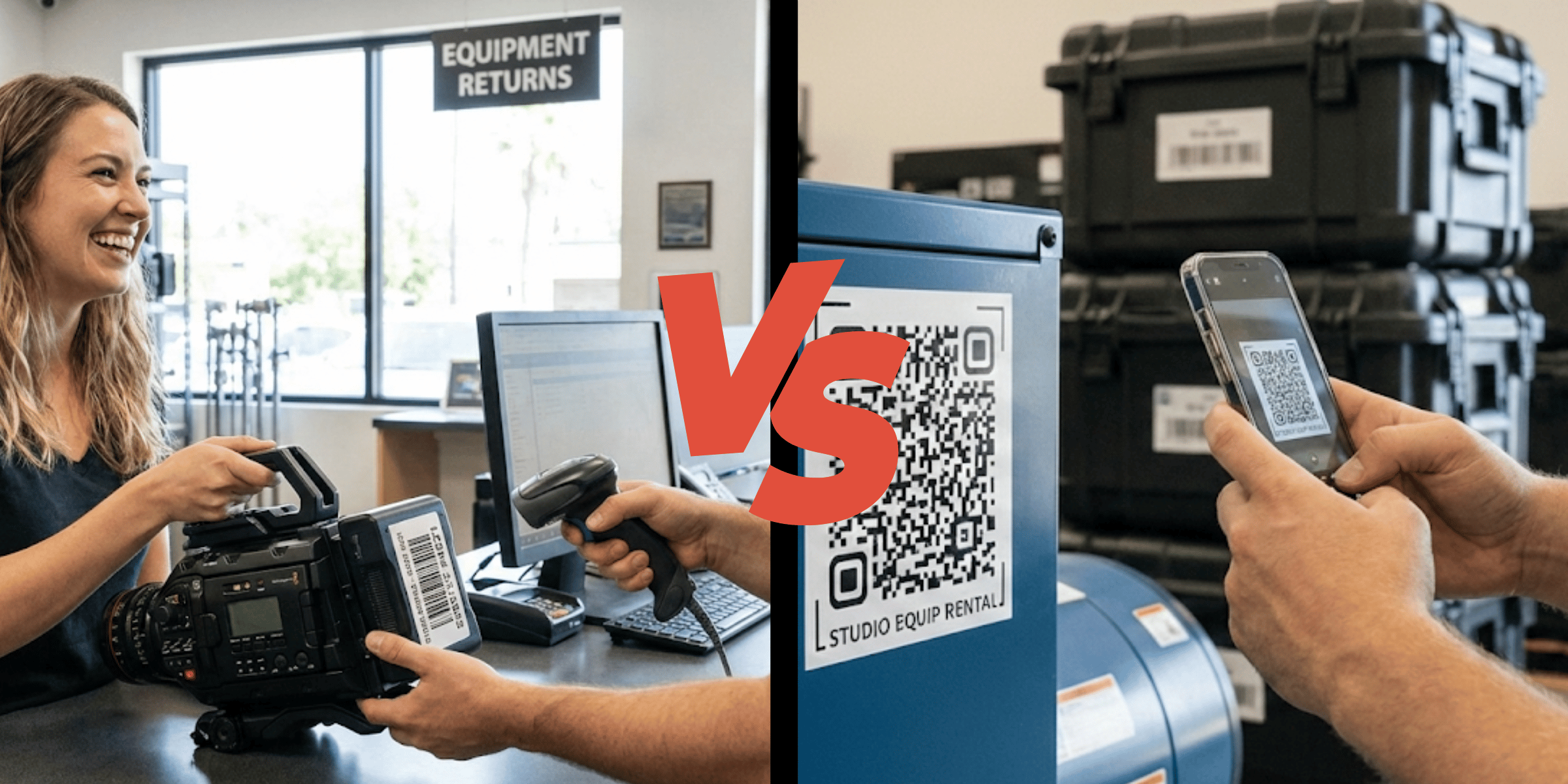
In this article, we'll thoroughly examine both technologies, their advantages and disadvantages, and most importantly — provide clear recommendations on what to choose for your rental business.
Why Inventory Labeling Is Critical for Rental Businesses
Before comparing technologies, it's worth understanding why you should label equipment in the first place. In our previous article about inventory tracking, we covered tracking methods in detail — from notebooks to RFID. But let's briefly recap the key problems that labeling solves:
Instant identification. Instead of "hold on, let me check which one this is" — scanning takes 1 second.
Uniqueness of each unit. Not just "Makita rotary hammer," but this specific hammer #47 with its rental history, repairs, and wear.
Process automation. Scanned at checkout — the system recorded it. Scanned at return — status updated automatically.
Error protection. Impossible to mix up units or forget to log a checkout.
Now that we understand why, let's move on to "how" — and examine the two main labeling technologies.
What Is a Barcode
A barcode is a one-dimensional (1D) optical code consisting of parallel lines of varying thickness and spaces between them. Each combination of lines encodes a specific character — a digit or letter.
Brief History
The first barcode patent was granted back in 1952, but mass adoption began in the 1970s when supermarkets started automating checkout operations. Today, barcodes appear on 95% of products in stores — from chocolate bars to washing machines.
How Barcodes Work
A scanner (laser or camera-based) "reads" the sequence of lines from left to right. The thickness of each line and the distance between them encode information. This is why a barcode must be in the correct orientation — horizontal to the scanner.
Types of Barcodes
- EAN-13 / UPC — standard product barcodes (13 or 12 digits)
- Code 128 — universal format for any characters (digits, letters, special symbols)
- Code 39 — popular in industry, supports letters and digits
Technical Specifications
- Data capacity: 20-25 characters maximum
- Format: horizontal reading only
- Size: long and narrow (more characters = longer code)
- Scanning distance: up to 30-50 cm (depending on the scanner)
What Is a QR Code
A QR code (Quick Response Code) is a two-dimensional (2D) matrix code that stores information both horizontally and vertically. It looks like a square with a black-and-white pattern.
Brief History
The QR code was developed by the Japanese company Denso Wave (a Toyota subsidiary) in 1994 for tracking automotive parts in manufacturing. The name "Quick Response" reflects its purpose — the code was created for instant reading on assembly lines.
How QR Codes Work
Unlike barcodes, a QR code is read by a camera as an image. Three large squares in the corners help determine orientation — so a QR code can be scanned from any angle, even upside down. Data is encoded in a matrix of small squares inside.
What Can Be Encoded
- Text (serial number, description)
- URL (link to equipment card)
- Contact information (vCard)
- Wi-Fi settings
- Geographic coordinates
Technical Specifications
- Data capacity: up to 3,000 characters (100+ times more than a barcode)
- Format: readable from any angle (360°)
- Size: compact square (even 2×2 cm is readable)
- Error correction: up to 30% of the code can be damaged — and it will still scan
Comparison Table: Barcode vs QR Code
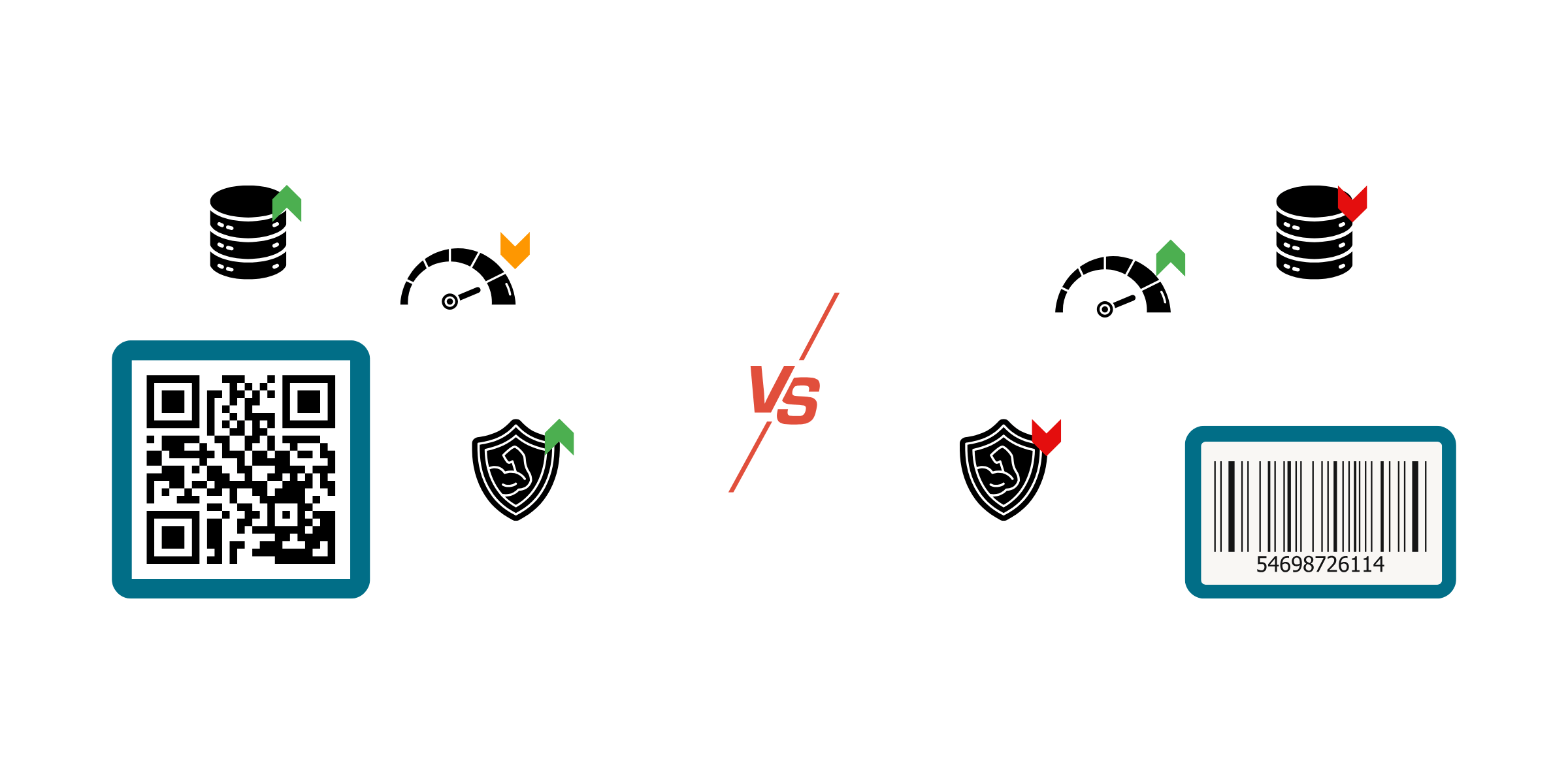
| Criteria | Barcode | QR Code |
|---|---|---|
| Data capacity | ~25 characters | ~3,000 characters |
| Label size | Long, narrow | Compact square |
| Damage resistance | Low | High (up to 30% correction) |
| Scanner cost | $15-50 | Free (smartphone) |
| Scanning speed | Very fast | Fast |
| Scanning angle | Horizontal only | Any (360°) |
| Internet required | No | Depends on use case |
| Compatibility with existing equipment | Often already has factory codes | Need to create |
| Can store URLs | No | Yes |
Barcode Advantages for Rental Businesses
Despite the technology's age, barcodes have several significant advantages, especially for certain types of rentals.
Factory Barcodes Already Exist
If you rent out electronics, appliances, or power tools — 90% of the equipment already has a factory barcode. Cameras, laptops, power tools, generators — manufacturers label everything. You don't need to stick anything on — just enter existing codes into your system.
Scanner Reliability and Low Cost
A wired USB barcode scanner costs from $15 and works for years without issues. It doesn't run out of battery, doesn't lag, doesn't depend on lighting. Plug it into a computer — and you're ready to work. For a checkout counter handling 50+ operations daily, a dedicated scanner is more convenient than a smartphone.
Lightning-Fast Speed
At high volumes, barcodes scan faster. A laser scanner "catches" the code instantly, without needing camera focus. If you have a queue of customers waiting for pickup — every second counts.
No Smartphone Required
A warehouse worker doesn't need an expensive phone with a good camera. A simple scanner is more reliable: it won't break from a drop, the battery won't die at the wrong moment, and it won't distract with messages and calls.
Perfect for Product-Level Tracking
If you don't need unique identification of each unit (meaning all "Bosch GBH 2-26 Rotary Hammers" are the same from an accounting perspective), barcodes are the optimal choice. You're simply scanning a product SKU, not a specific item.
QR Code Advantages for Rental Businesses
QR codes have become standard in many industries for good reason. For rentals, they offer unique capabilities.
Smartphone = Scanner
The biggest advantage — no need to buy additional equipment. Any modern smartphone (even budget ones) has a camera capable of reading QR codes. An employee on the road, at an event, at a client's site — can always scan equipment.
Unique Identification of Each Unit
A QR code can contain a unique identifier for a specific item. Not just "Honda 2.5kW Generator," but "Honda 2.5kW Generator, serial #GH-2547, purchased 03/15/2024, last serviced 01/10/2026." You see the unit's complete history.
More Data — More Possibilities
A QR code can encode:
- Link to equipment card in your CRM
- Serial number and purchase date
- Operating instructions (or link to them)
- Rental company contact number (if equipment gets lost)
Damage Resistance
Construction equipment, heavy machinery, camping gear — all operate in harsh conditions. QR codes have built-in error correction: even if 30% of the code is damaged (scratches, dirt, partial wear), it will still scan.
Customers Can Scan
An interesting service option: customers scan the QR code on equipment and see instructions, how-to videos, or a form to report problems. This improves the user experience and reduces support workload.
What to Choose for Your Rental Business: Practical Scenarios
Now for the most important part — specific recommendations for different situations.
Choose BARCODE if:
Your equipment already has factory barcodes. Electronics, appliances, power tools — all labeled by manufacturers. Why stick on additional labels when you can use existing codes?
You don't need individual unit identification. If you have 10 identical drills and don't care which specific one you hand out — product-level barcode tracking is sufficient.
You want a simple and reliable solution. An $20 scanner + existing factory codes = a working system with no additional costs.
High daily operation volume. A checkout point with 100+ daily operations benefits from laser scanner speed.
Conditions don't allow smartphone use. Dust, moisture, cold, working with gloves — a dedicated scanner is more reliable.
Choose QR CODE if:
You need to track EACH unit separately. Rental history, repairs, wear — for expensive or specialized equipment, this is critical.
You want to give customers access to information. QR on equipment → customer scans → sees instructions, contacts, operating rules.
Startup budget is limited. You already have a smartphone, QR code generation is free, printing on adhesive paper costs pennies.
Small inventory (up to 100-200 units). For small rentals, QR codes are easier to implement and maintain.
Equipment doesn't have factory codes. Event furniture, camping gear, décor, handmade equipment — all needs to be labeled manually.
Mobile employees. If checkout/return happens on-site, a smartphone is more convenient than a separate scanner.
Practical Tips for Implementing Labeling
Where to Print Labels
Option 1: Label printer. Xprinter, Zebra, Godex — specialized printers from $50. They print on thermal paper or thermal transfer ribbons. Ideal for high volumes.
Option 2: Regular printer + lamination. Print on adhesive paper, add a clear film on top for protection. Cheaper for small quantities.
Option 3: Order pre-made. Print shops and specialized companies produce ready-made labels with your codes. Higher quality and more durable, but more expensive.
How to Apply Labels So They Stay
- Clean the surface of dust, grease, and moisture before applying
- Choose a flat surface — on textured or curved parts, labels peel off faster
- Avoid friction areas — where equipment constantly touches the floor, other objects, or hands
- Protect with lamination — clear film or transparent tape on top extends label life threefold
- Duplicate in multiple locations — primary + backup label
What to Encode
Minimalist approach: only a unique ID (e.g., "INV-0047"). All information is stored in CRM, the code is just a lookup key.
Extended approach (for QR): URL to the equipment card in your system. Scanning immediately opens full information.
Offline approach (for QR): Encode basic information directly in the code — name, serial number, contacts. Works even without internet or a system.
Labeling Specifics for the Rental Industry
Fast Check-in/Check-out
The main advantage of automated labeling — speed during pickup and return. Instead of:
- Find equipment in the list
- Find the customer
- Manually enter data
- Record in the log
Simply:
- Scan code
- Confirm operation
10 seconds instead of 2 minutes. With 30 daily operations — that's an hour of work time saved.
Warehouse Inventory
Periodic stock checks are every rental's pain point. With labeling, the process simplifies:
Barcode: Walk through shelves with a scanner — the system shows what's there, what's missing, what should have been returned.
QR code: Same thing, plus you can immediately see each unit's history — when it was last rented, who took it, whether maintenance is needed.
CRM Integration
Scanning without a tracking system is only half the solution. The real power of labeling reveals itself with CRM integration:
- Scanned at checkout → status automatically changed to "On Rental"
- Scanned at return → status "Available" + reminder to check condition
- Scanned in warehouse → confirmation of presence during inventory
Equipment Condition Documentation
An advanced QR code scenario: during return, the employee scans the code, takes a photo of current condition, and it's automatically linked to the unit's card. If a customer later says "it was already like that" — you have photo evidence.
FAQ: Frequently Asked Questions
Conclusion
Both barcodes and QR codes are viable solutions for rental inventory labeling. The difference isn't that one is "better," but which one suits your specific business.
In short:
- Have factory barcodes + need speed → use barcodes
- Need unique identification + mobility → choose QR codes
- Large and diverse inventory → combine both technologies
The main thing — start tracking inventory systematically. Even the simplest labeling is better than searching for information from memory and notebook entries.
Looking for a CRM system for your rental business with barcode and QR code support? Try Requiply — a platform built specifically for inventory tracking, bookings, and customer management. Scanner integration, mobile access, automated status updates — everything for efficient rentals.
Have questions? Email us at info@requiply.com — we'll help you choose the optimal solution for your business.
