



Web app
The control room for your rental.
Set up in an afternoon, then run inventory, calendar, bookings, documents, payments, team and reports from any computer.
- 14-day free trial
- No credit card required
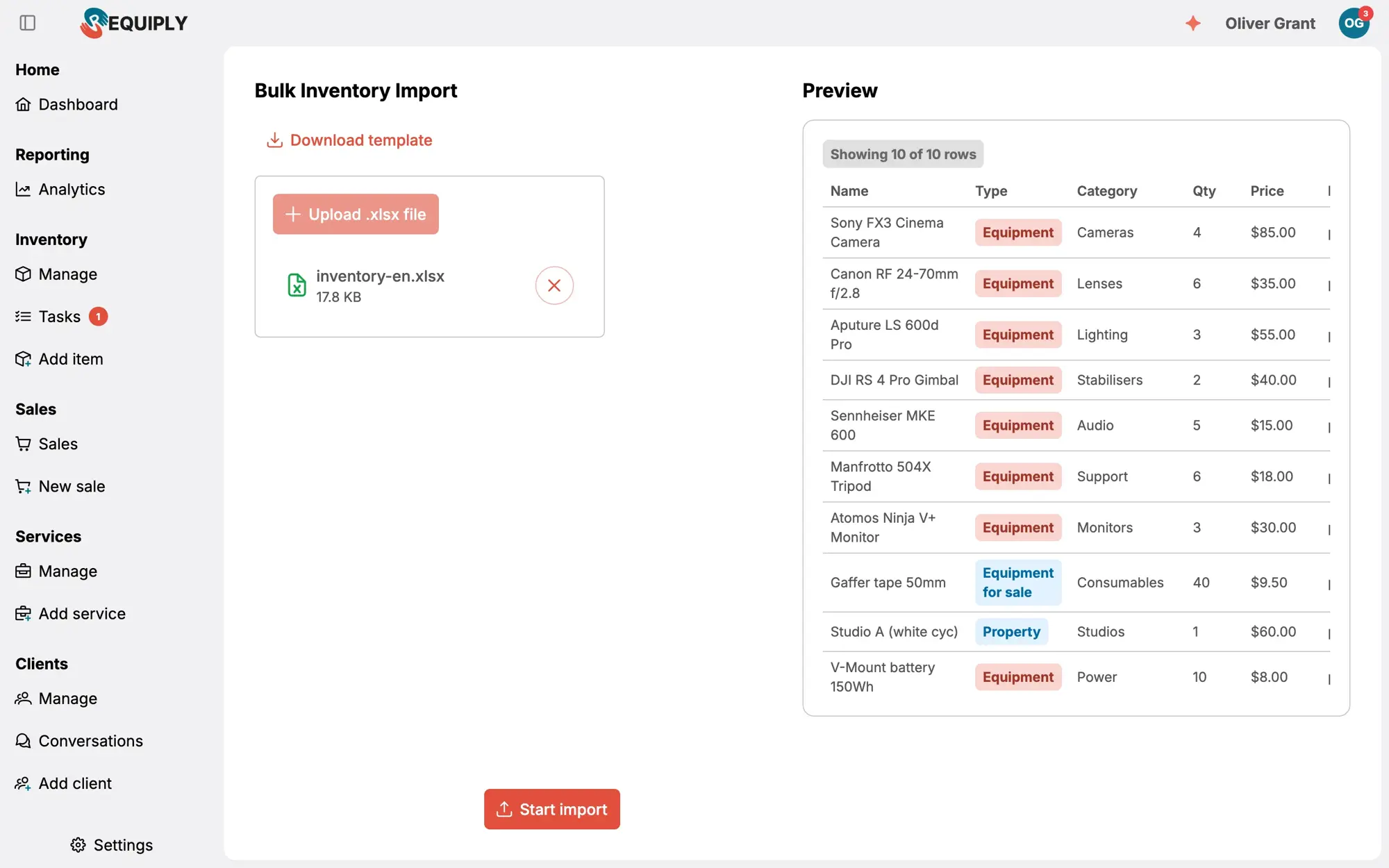
- Import your inventory from Excel

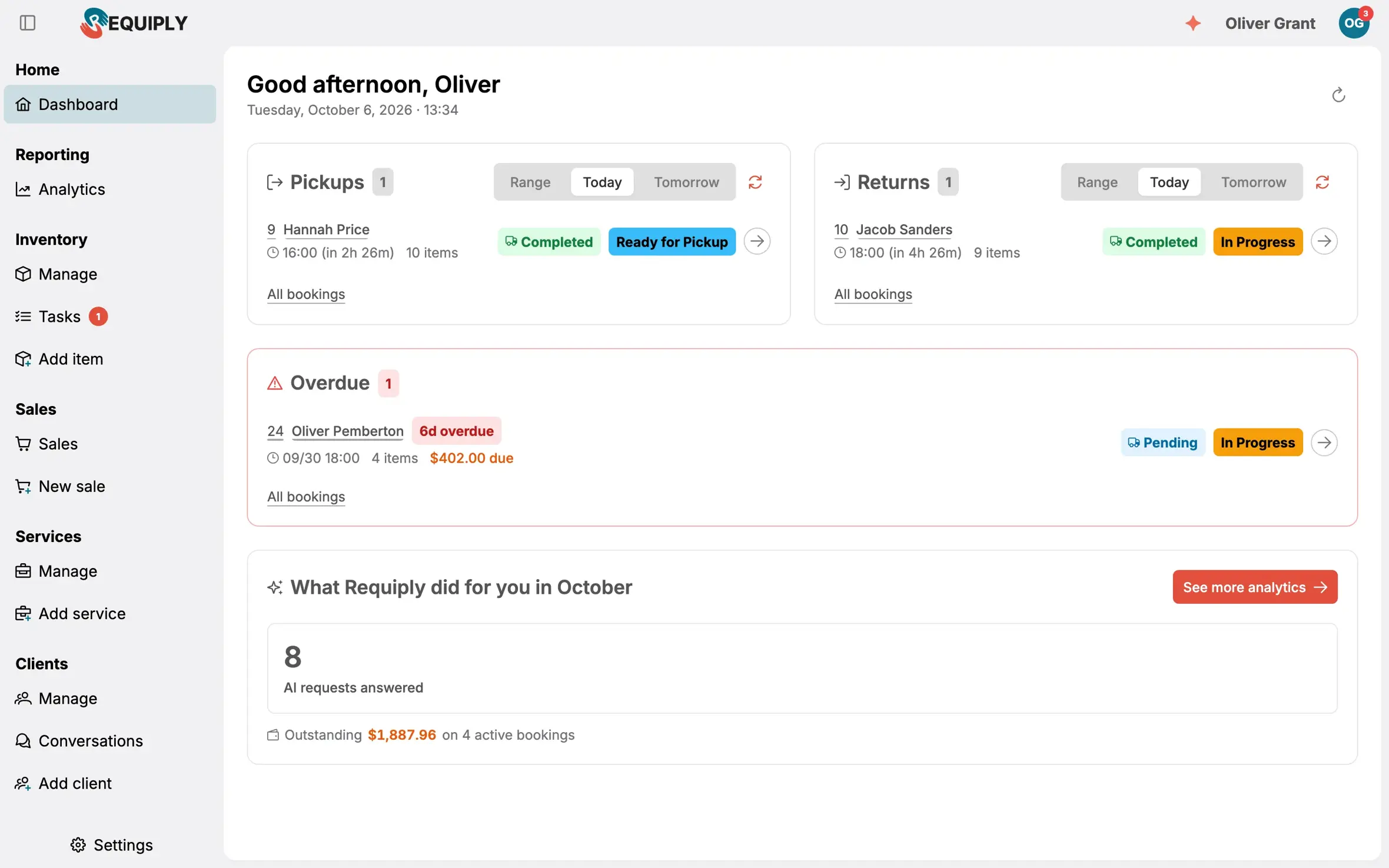
Up and running in three steps
Set up quickly, without a consultant
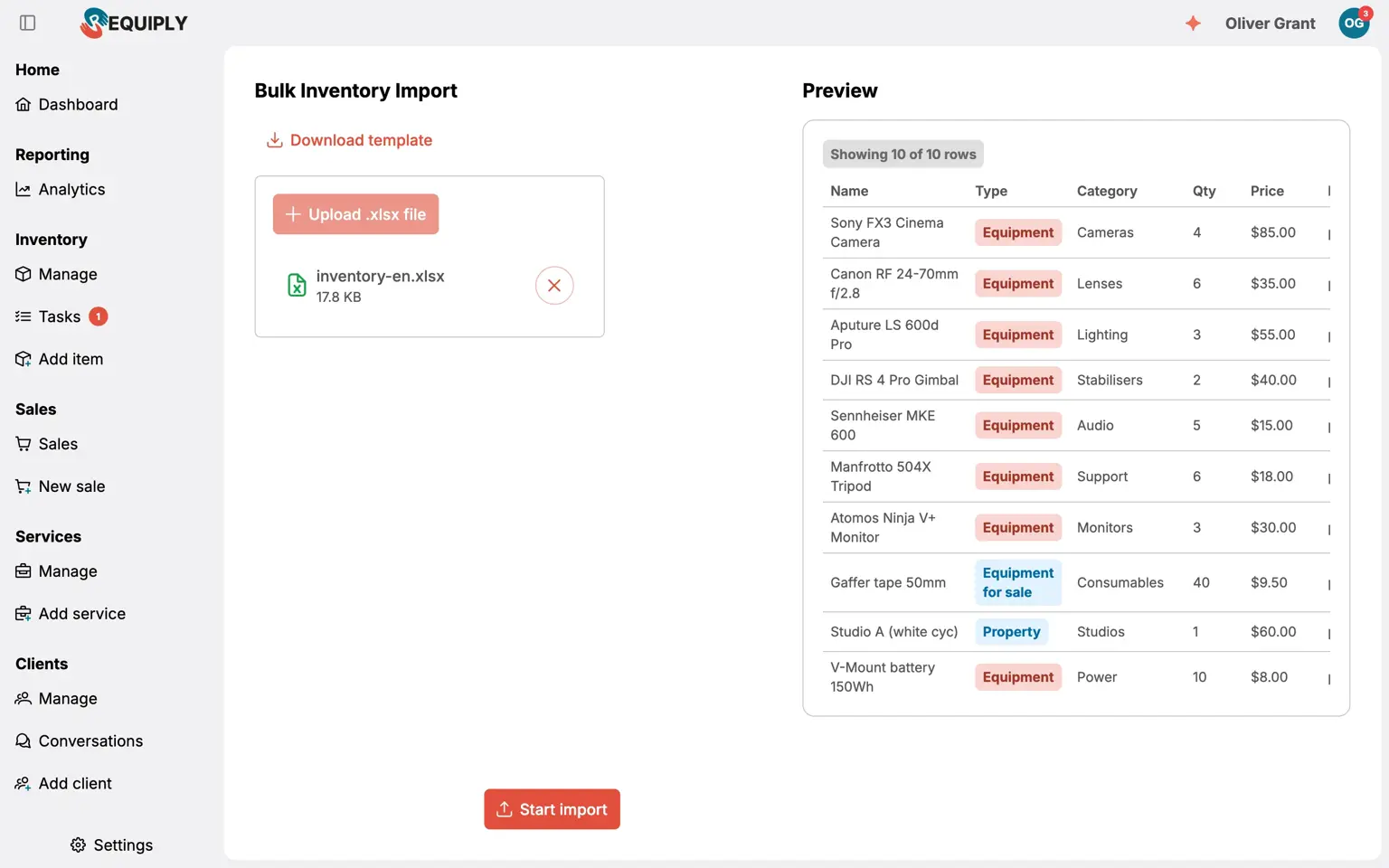
Import your inventory
Upload the Excel or CSV you already have. Item groups, units, prices and barcodes land in the right place.
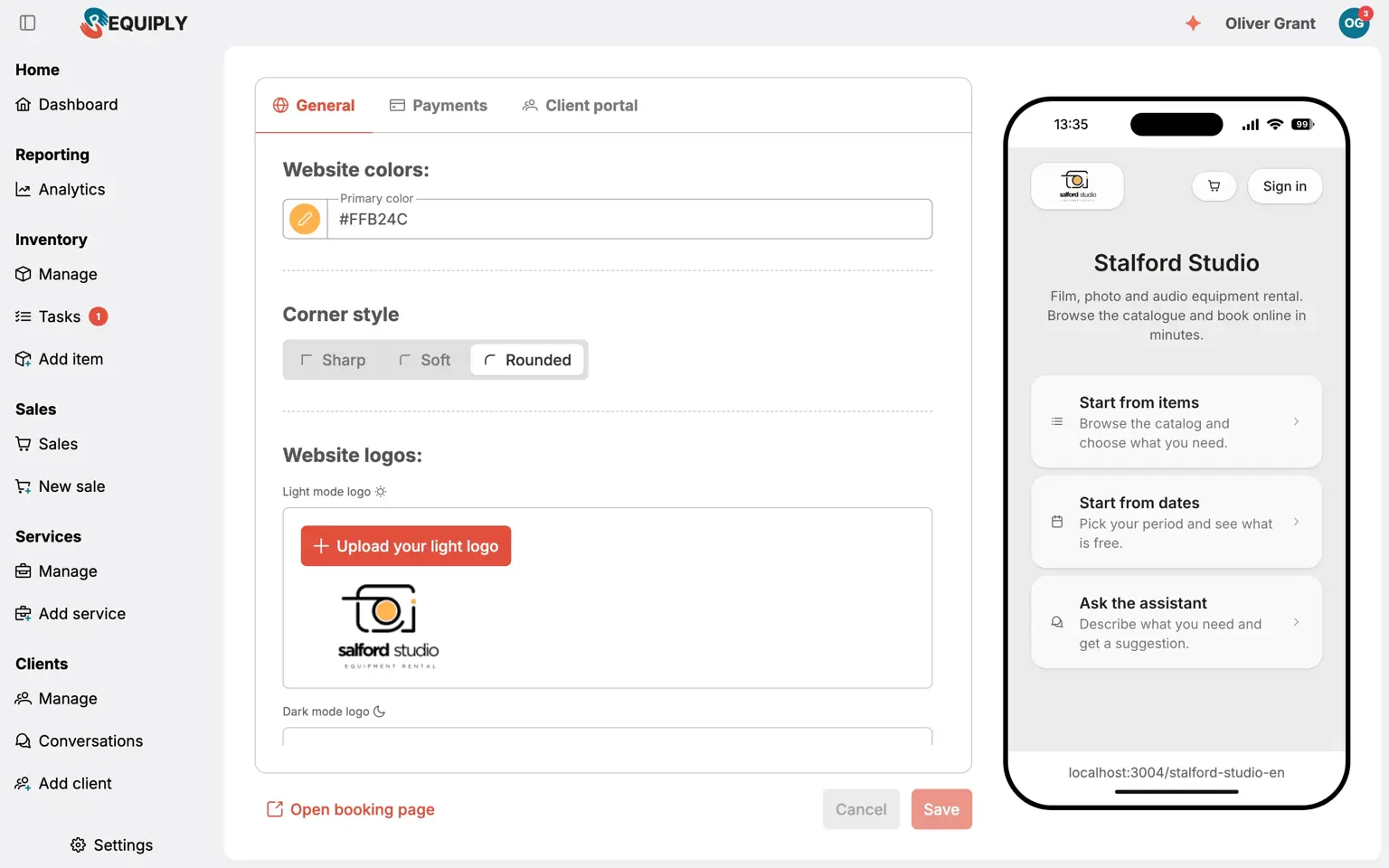
Configure how you rent
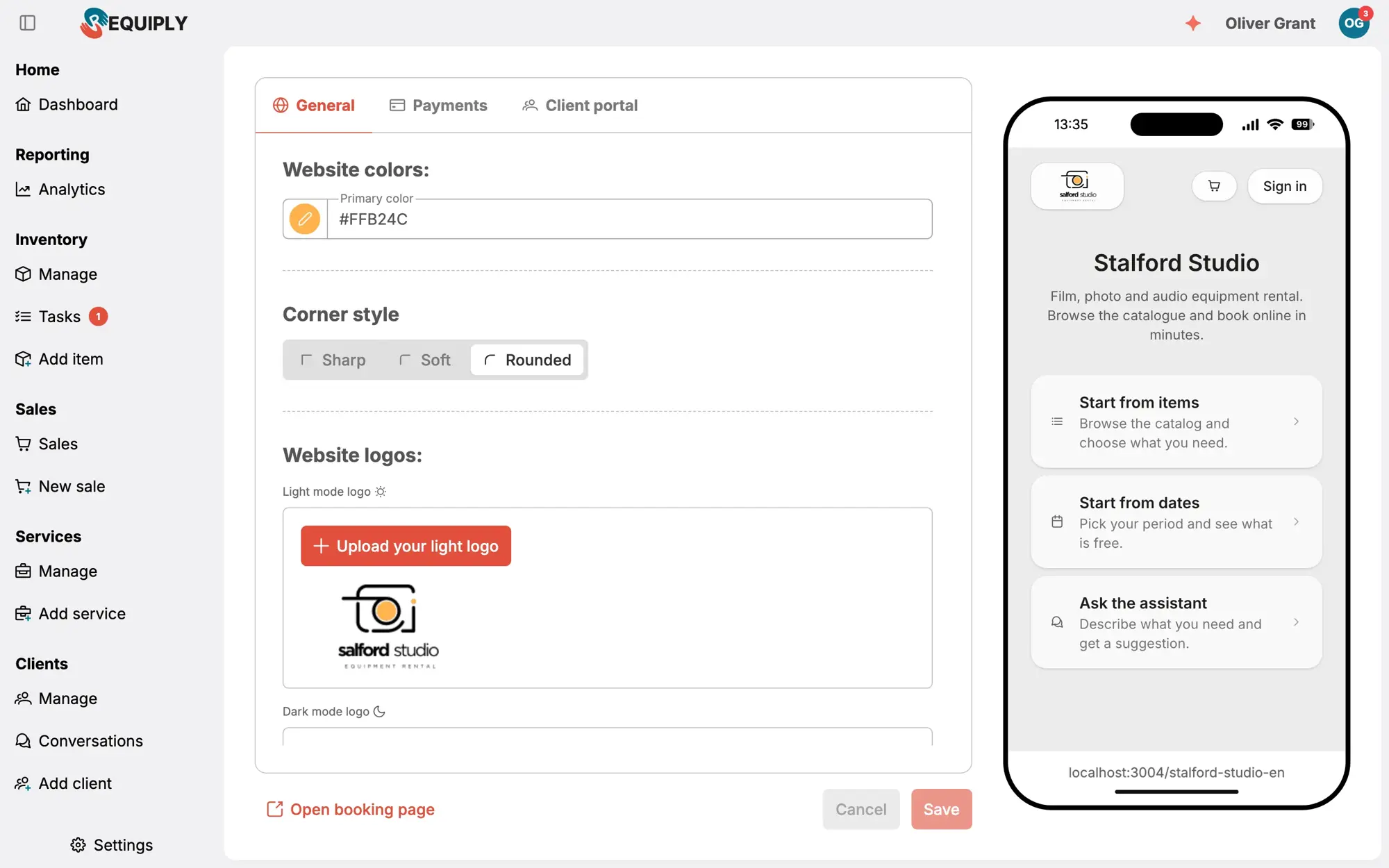
Rental periods, pricing tiers, deposits, document templates, booking page and payment providers.
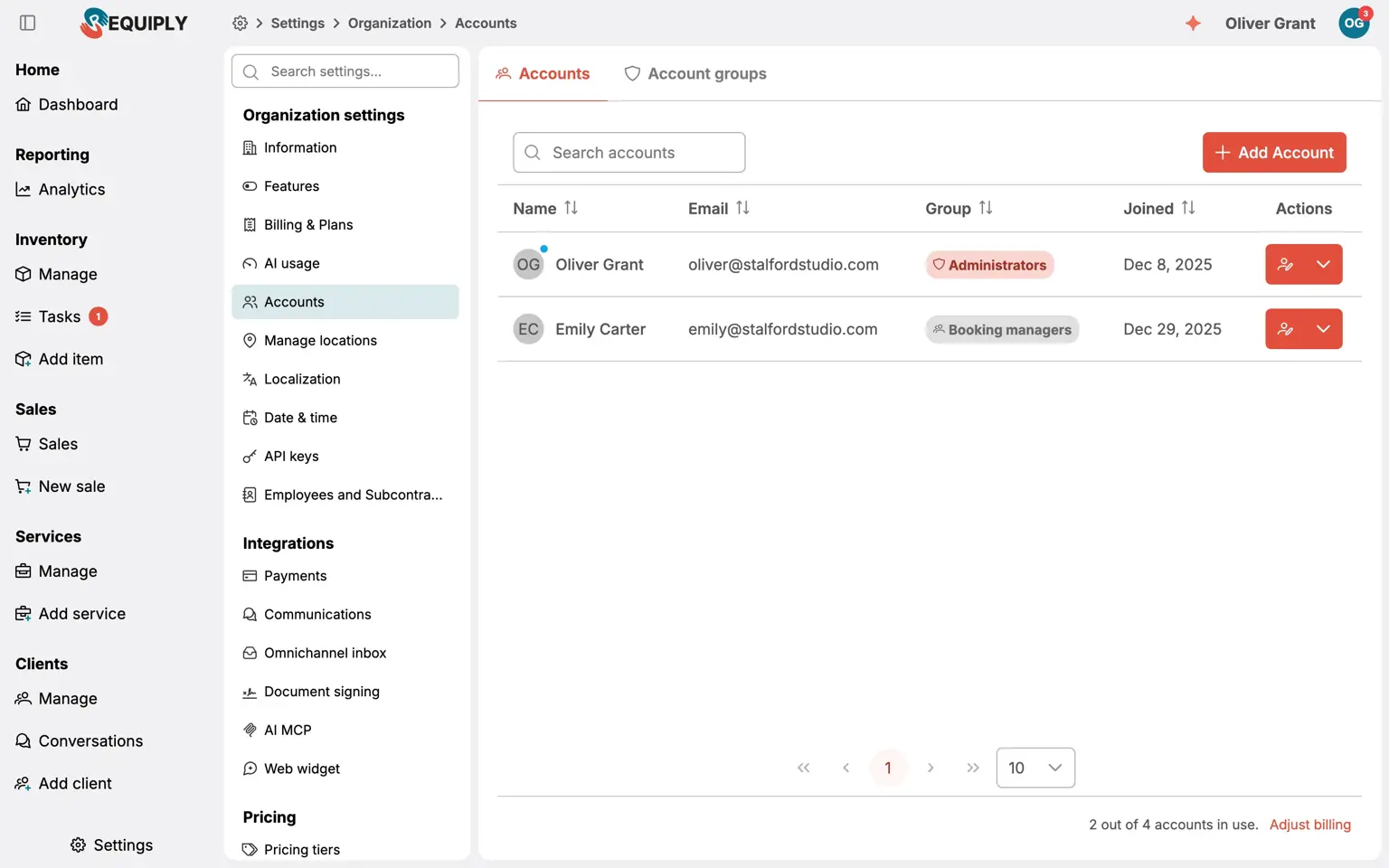
Invite the team
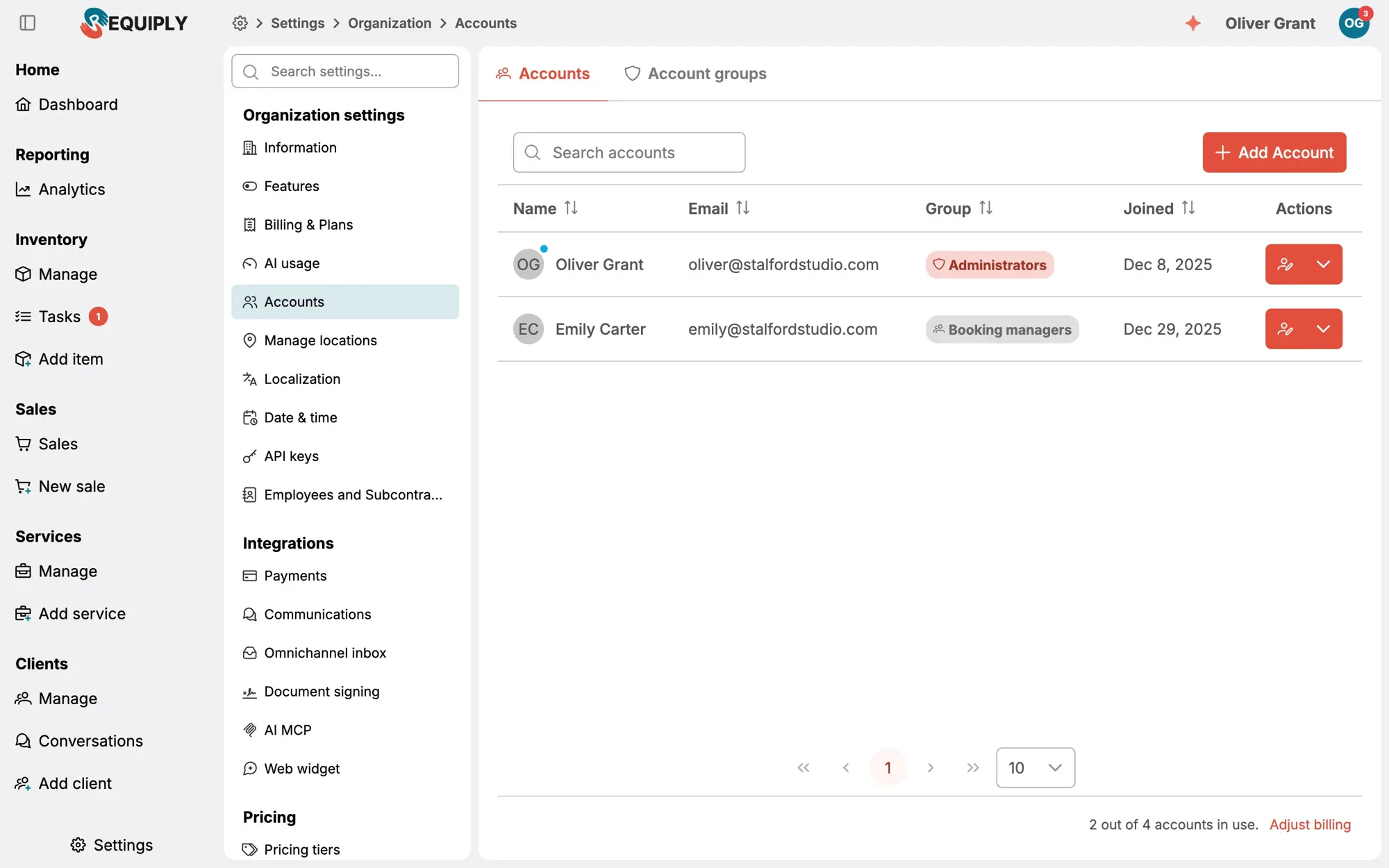
Add staff and subcontractors, set permission groups and hand them the mobile app.
Calendar and availability
See what is free. Never double-book.
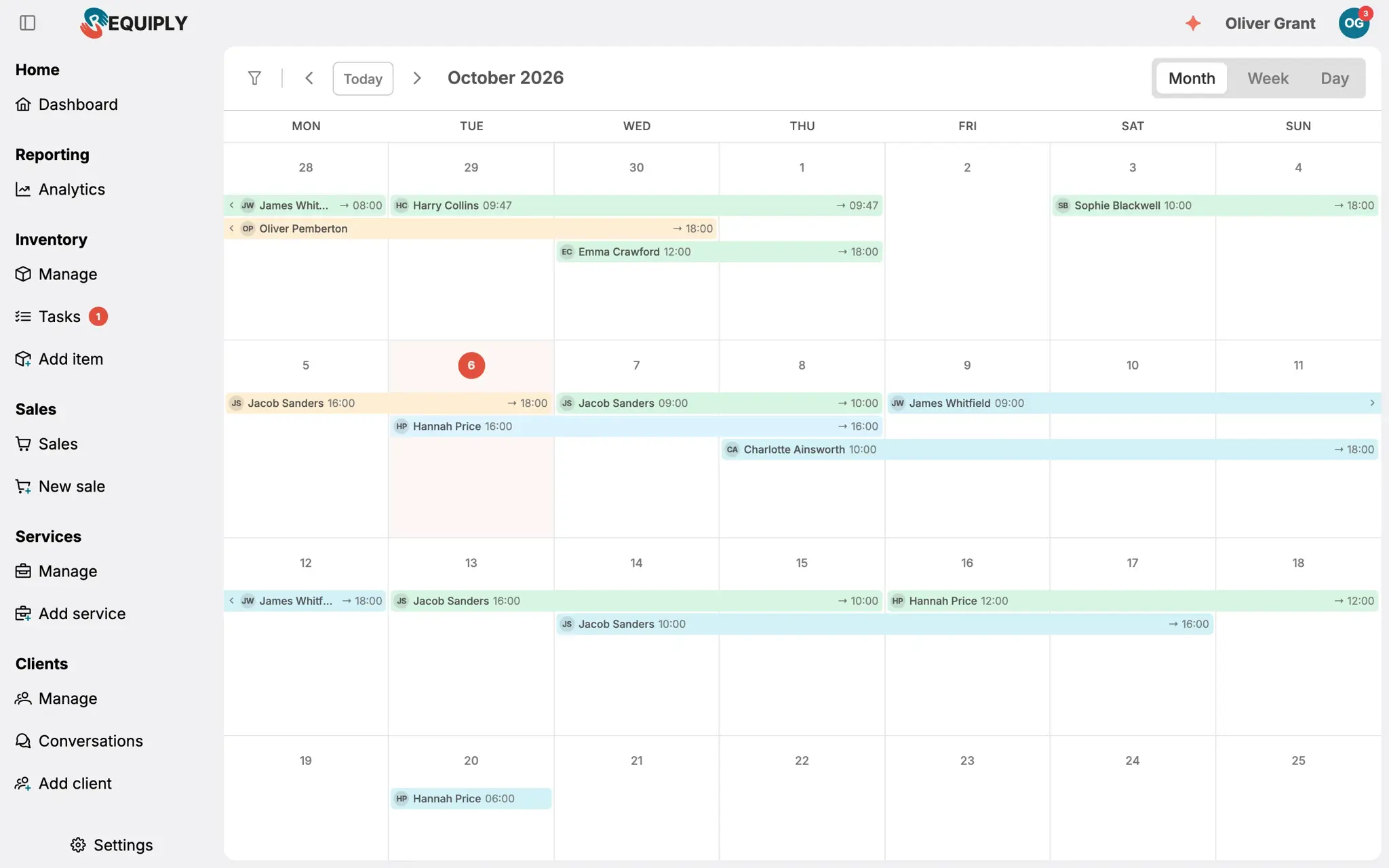
Every unit on one timeline. Bookings, maintenance and blocks share the same calendar, so a date change or a new request is checked against real availability before it is saved.
- Week and month views with filters by client and item group
- Shortage warnings before you confirm
- Change the dates and the price recalculates
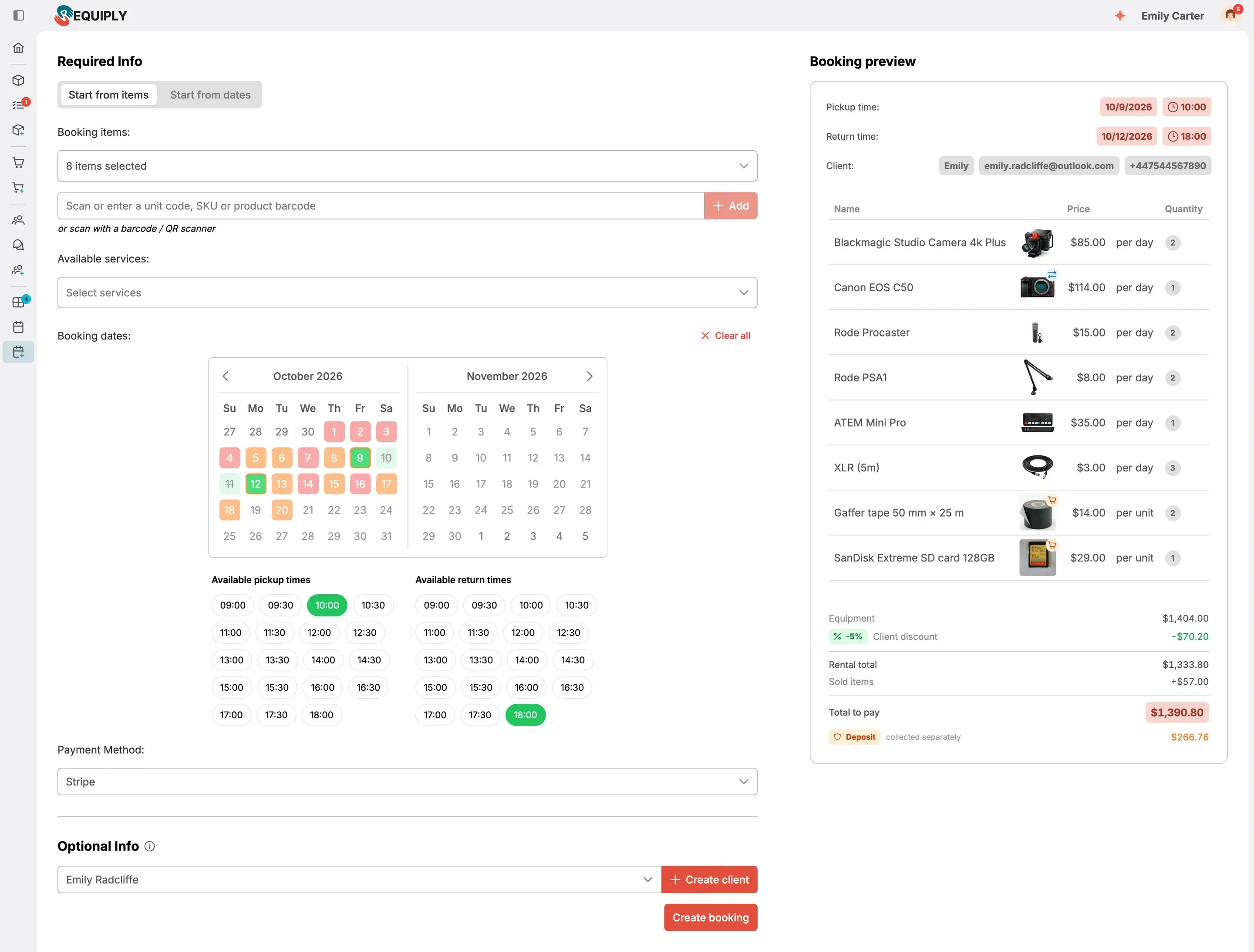
Bookings, pricing and documents
From quote to signed contract to invoice
Build a booking in one screen: rental items with photos, services, items for sale and subrented gear, with the deposit, discount and totals calculated as you go. Pick how the client pays, then send the quote, contract or invoice from your templates.
- Deposit, discounts, services, subrentals and sale items in one calculation
- Payment method per booking: Stripe online, bank transfer or pay on pickup
- Quotes, contracts and invoices from your own templates, emailed in one click
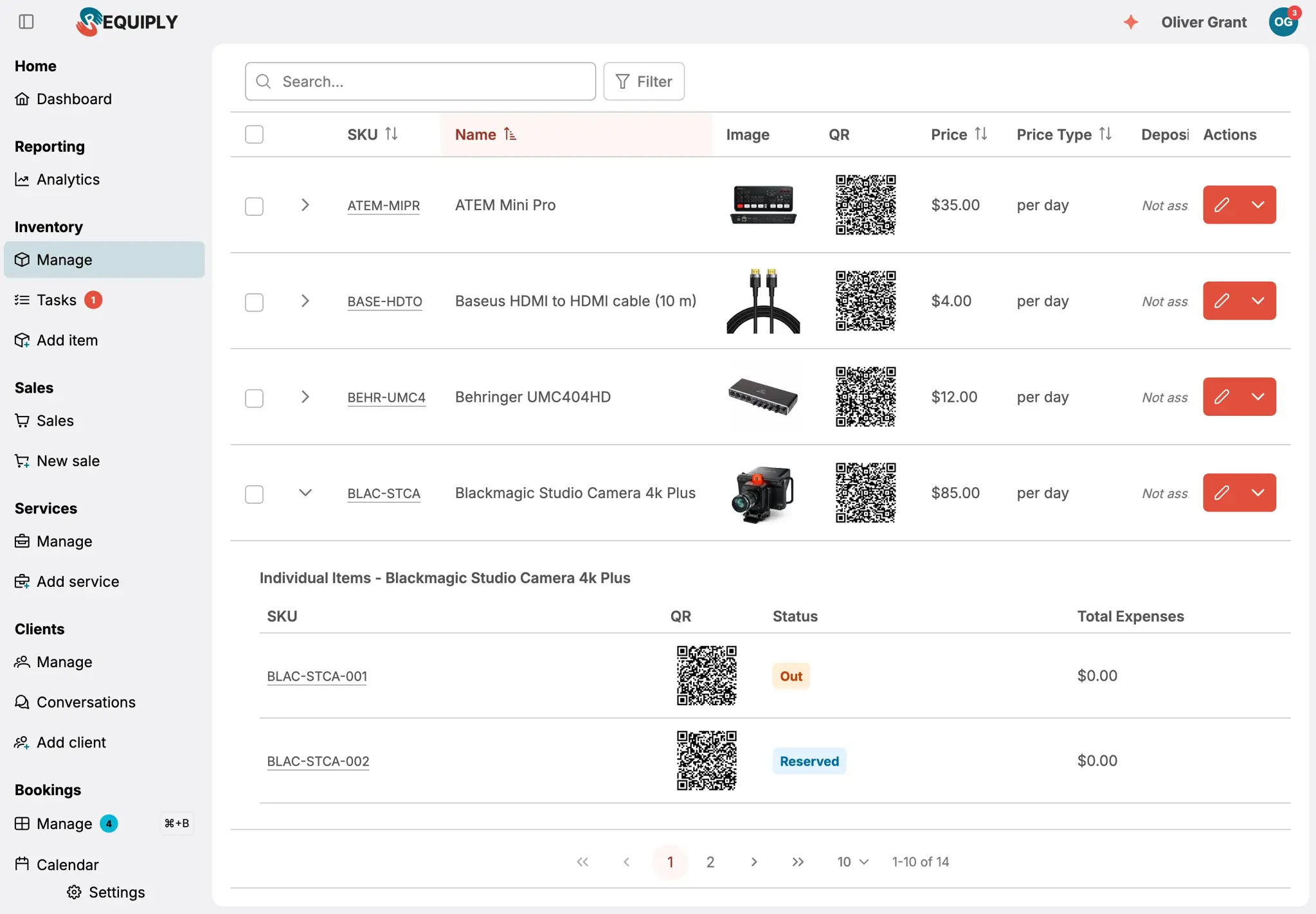
Inventory
Every unit, its status and its history
Items are groups of units. Expand a row to see each unit, its barcode, status and where it is right now. Bulk edit, import and export when you need to.
- Units with serial numbers and barcode labels
- Maintenance tasks block units from the calendar
- Services and sale items alongside rentals
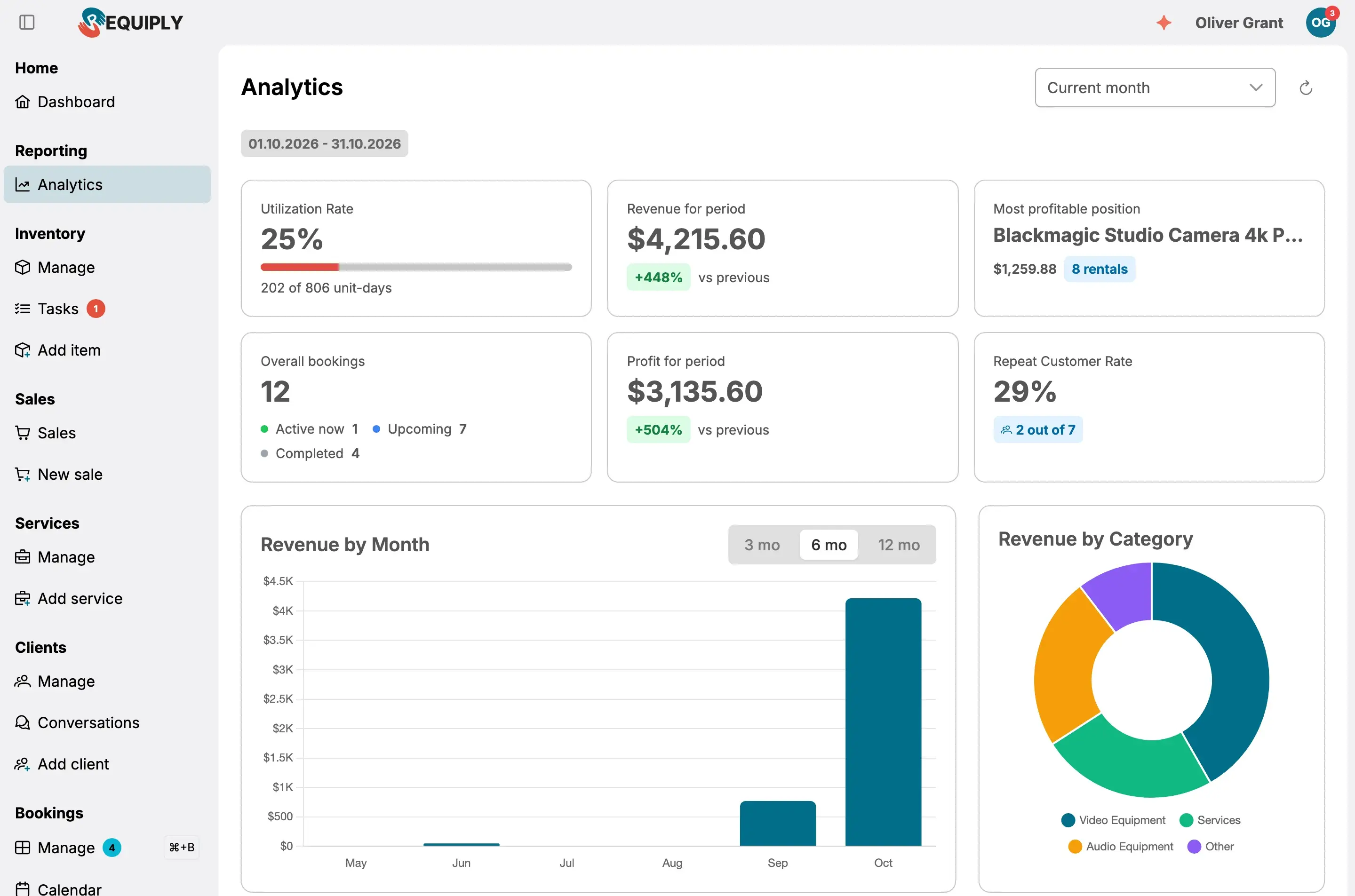
Analytics
Utilization, revenue and profit per item
Which items pay for themselves, which sit on the shelf, which clients bring the most. Reports for any period, exportable to Excel.
- Revenue and utilization per item group and unit
- Overdue payments and deposits held
- Export any list to Excel
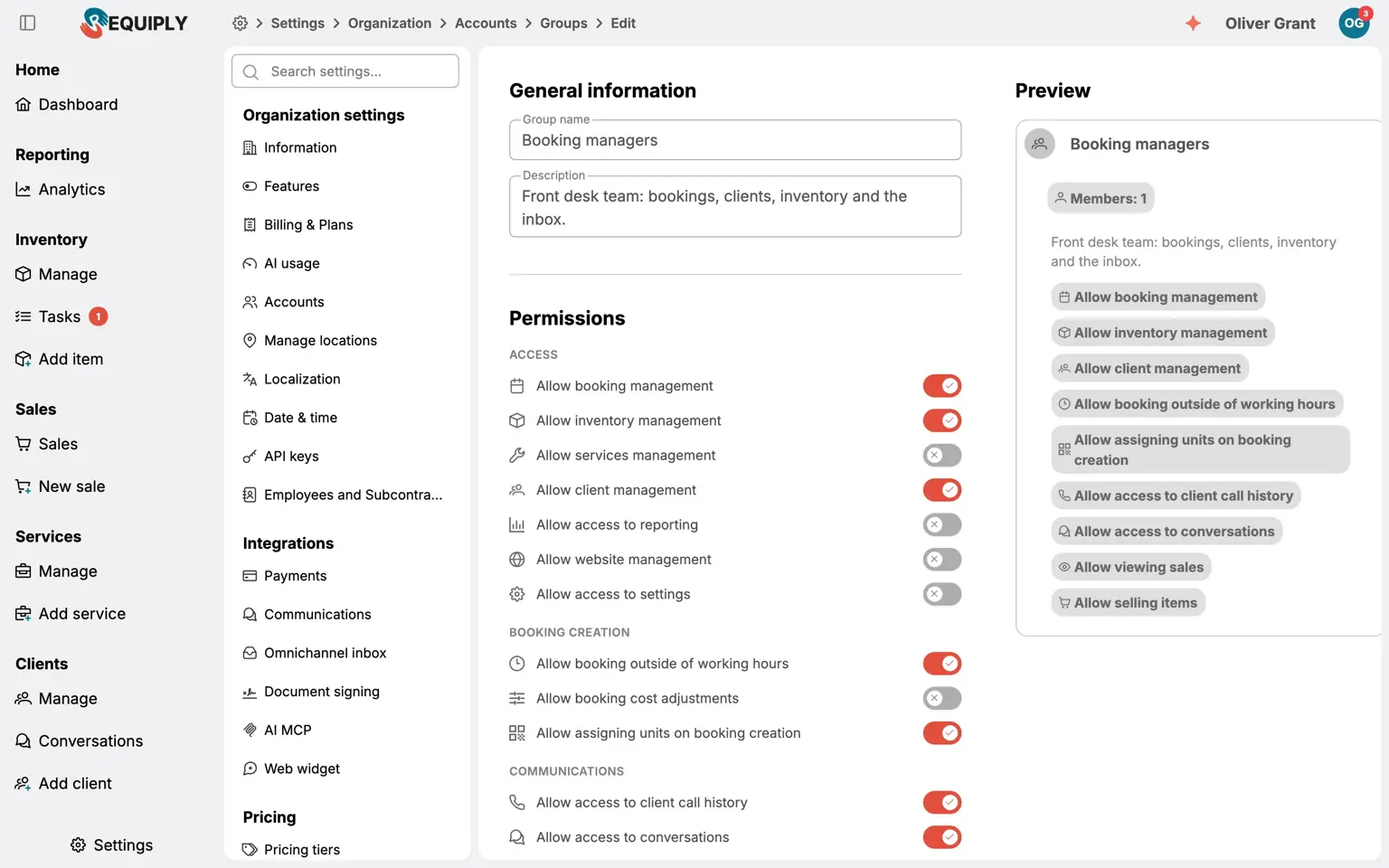
Team and permissions
One app, as many roles as you need
Owners configure, managers run the day, the counter checks bookings in and out, the warehouse scans. Permission groups decide who sees prices, reports and settings, and you can shape your own.
- Permission groups per role, down to single actions
- Staff and subcontractors with payouts
- Activity visible per member
- Owner
- Manager
- Cashier
- Warehouse operator
- Driver
- Your own role
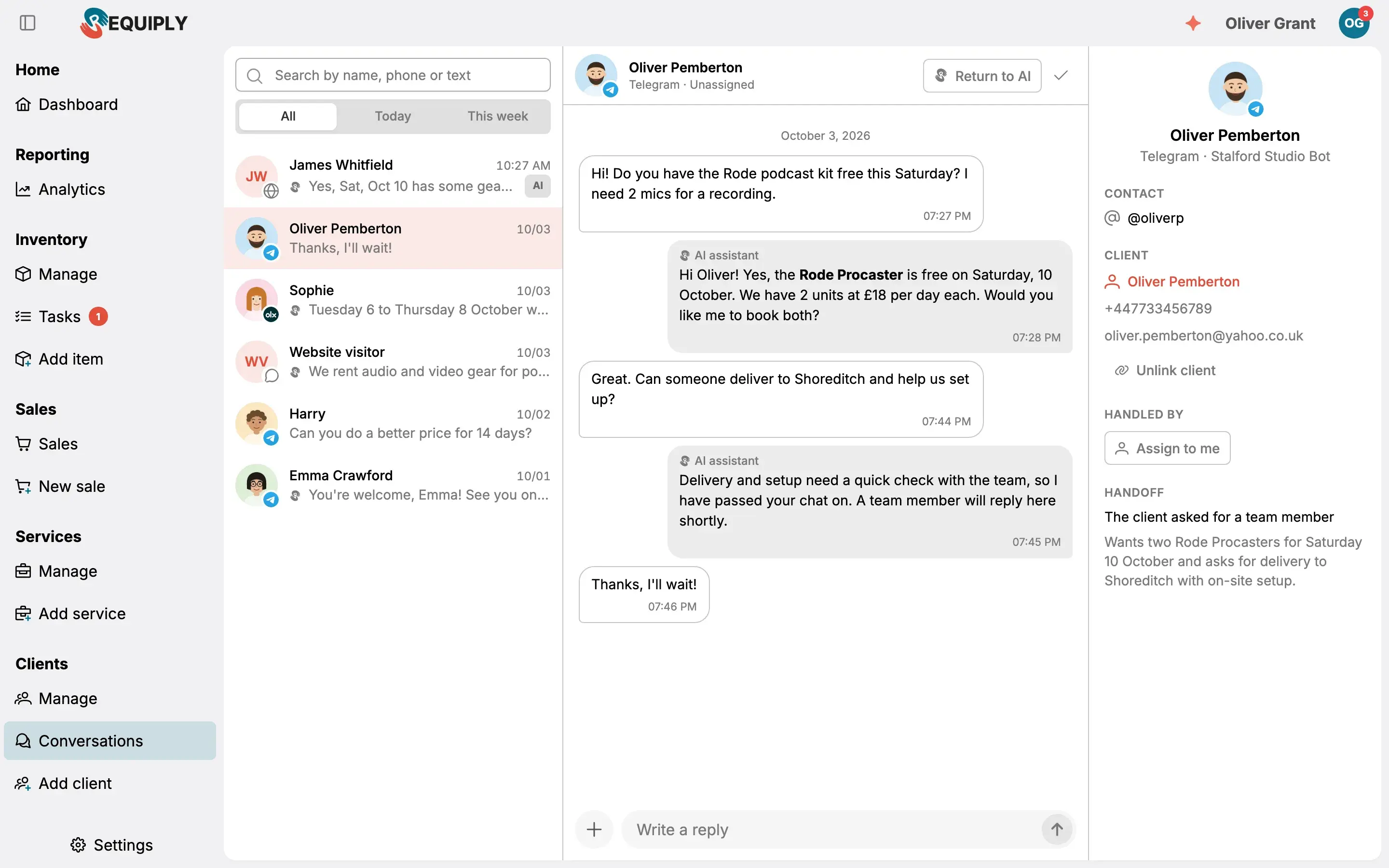
Omnichannel inbox and AI
Chats, bookings and the assistant on one screen
Telegram, Instagram, Facebook and website chats sit next to the bookings they are about. The AI bot answers first; the staff assistant answers you.
- One inbox for every channel
- AI bot for availability, prices and hours
- Staff assistant with access to your data
Two apps, one account
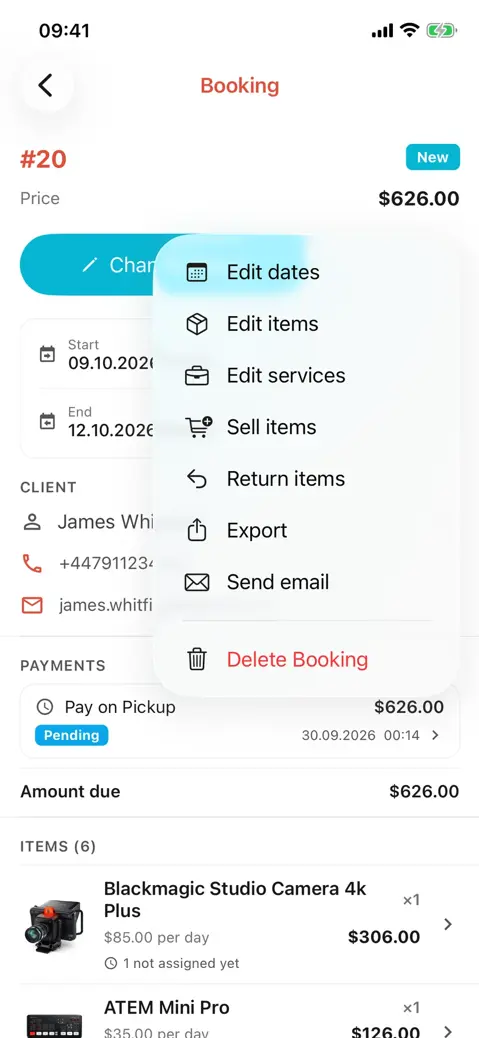
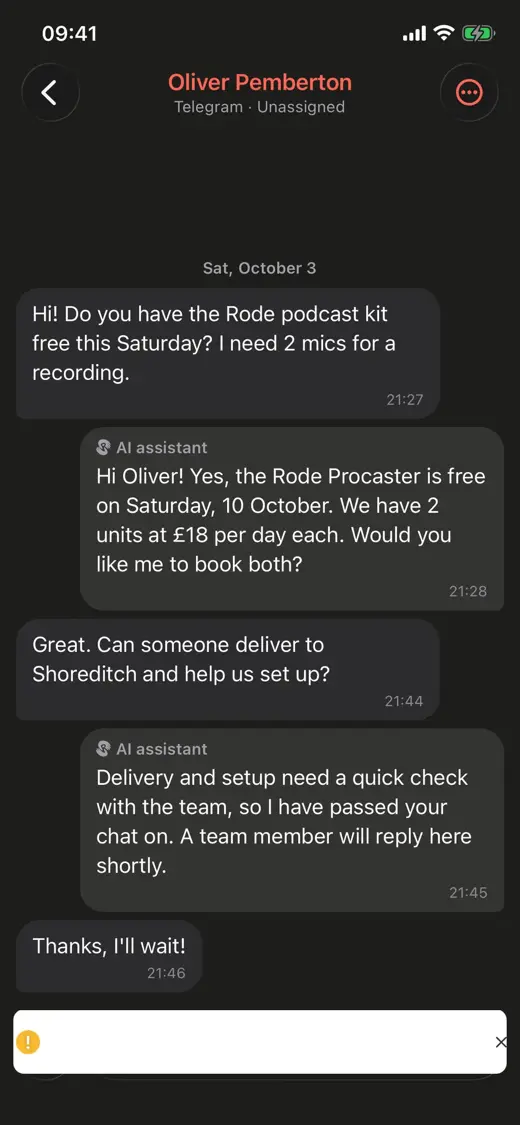
Full width at the desk, essentials in the pocket
Everything you configure in the web app is live in the mobile app. Everything the team does on the floor shows up here at once.


And much more
More than one page can show
Every feature is documented in the Requiply knowledge base. Or book a demo: we will walk you through Requiply and tell you what fits your business best.
Questions about the web app
Yes. Upload an Excel or CSV file with your items, units, prices and barcodes. You can also export any list back to Excel.