


What's New in Requiply 1.3.6?
Gear you rent in from partners now has its own supplier orders and profit, a booking fits on one page, and the AI assistant can move a client's booking dates without waiting for your team.
1. Subrentals With Supplier Orders
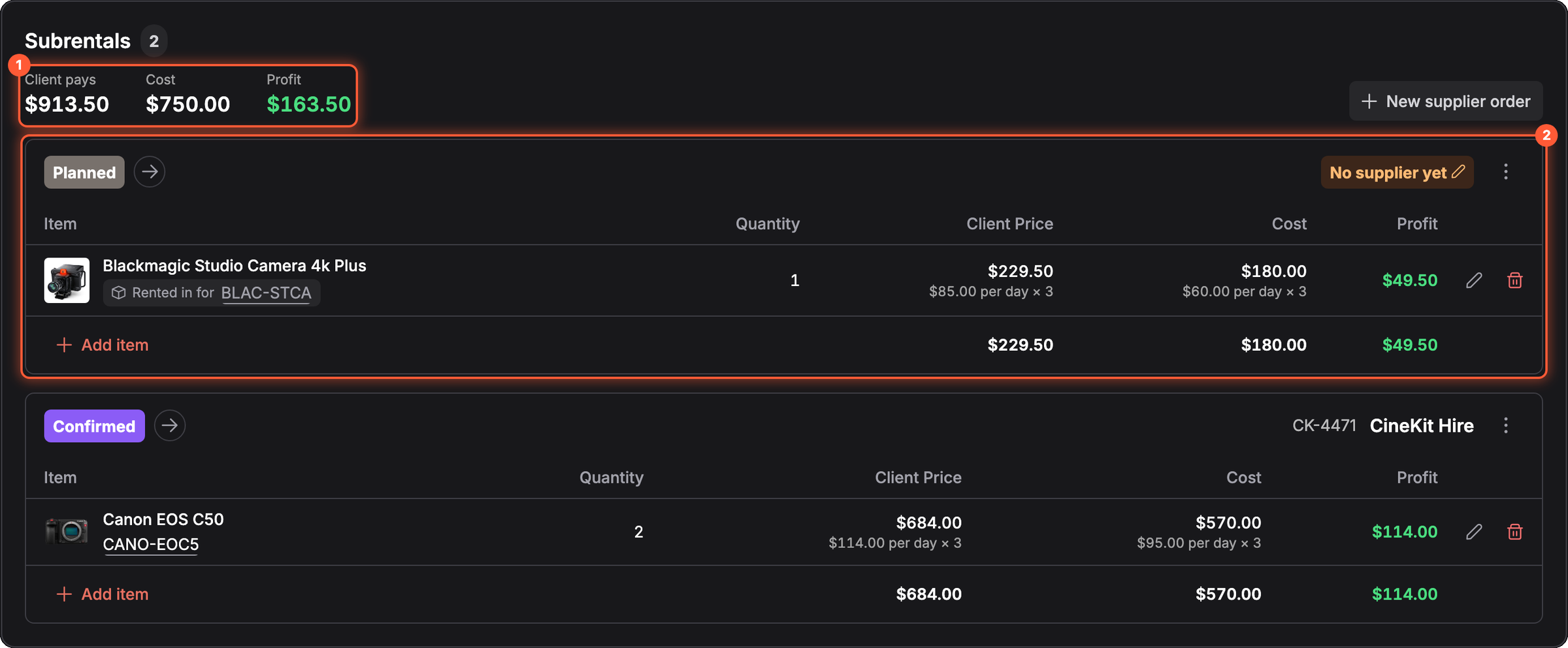
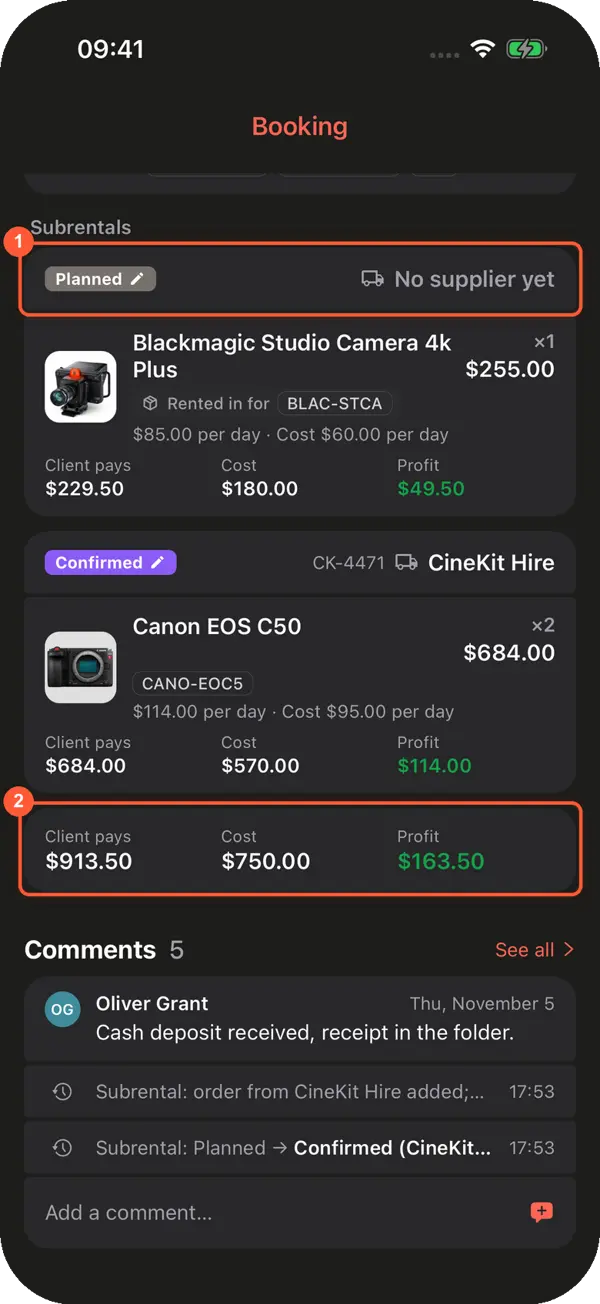
When you don't have enough of your own gear, rent it in from a partner and track it on the booking. Each supplier gets an order with its own status, from Planned to Returned, and every line shows what the client pays, what it costs you and the profit.
2. A Faster Booking Form
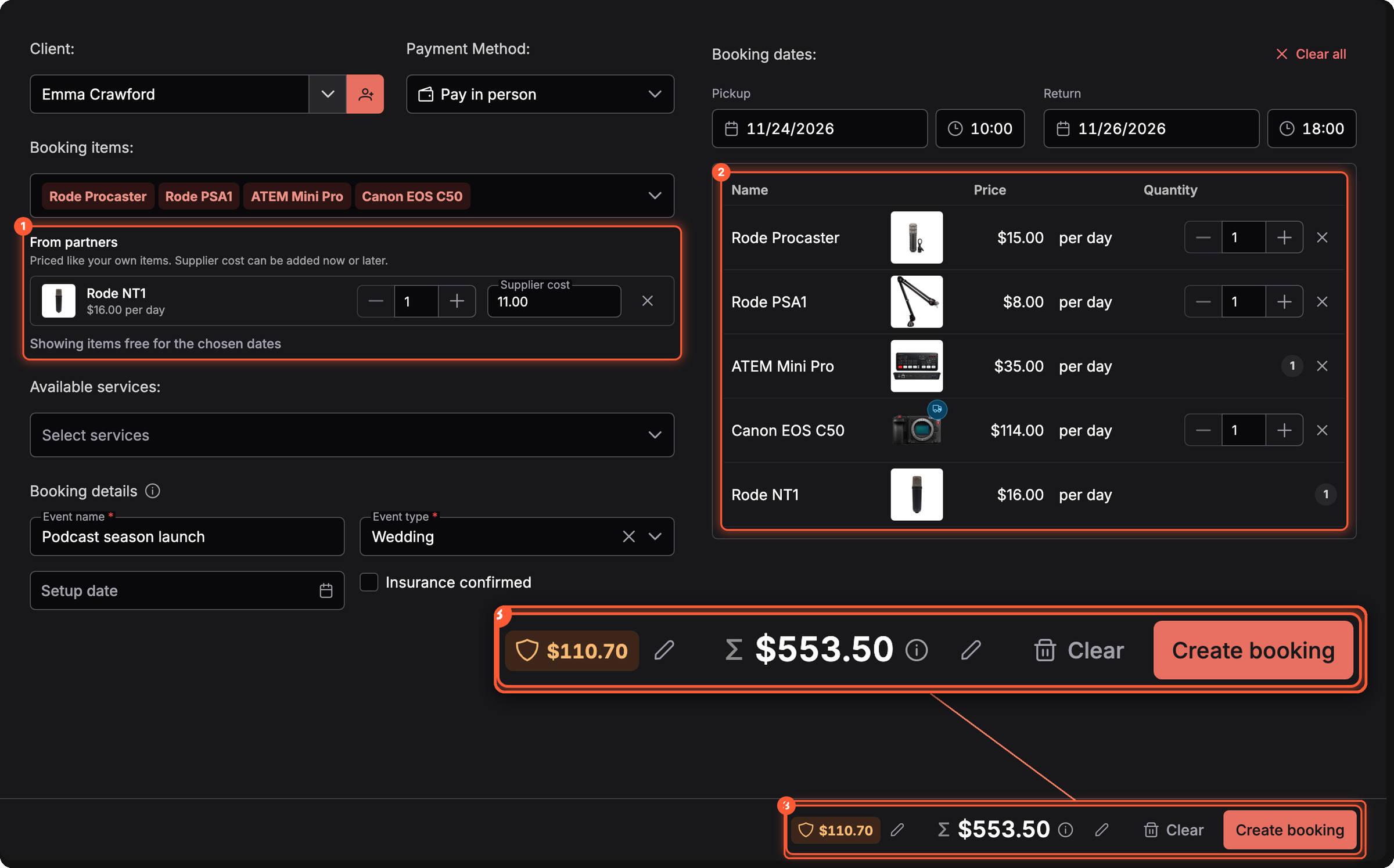
Switch the Add booking page to the Compact one-page view and the client, dates, items, details and total fit on one screen. Choose it under Settings → Bookings → Booking creation, together with how the form starts.
3. Adjust the Price of Single Products
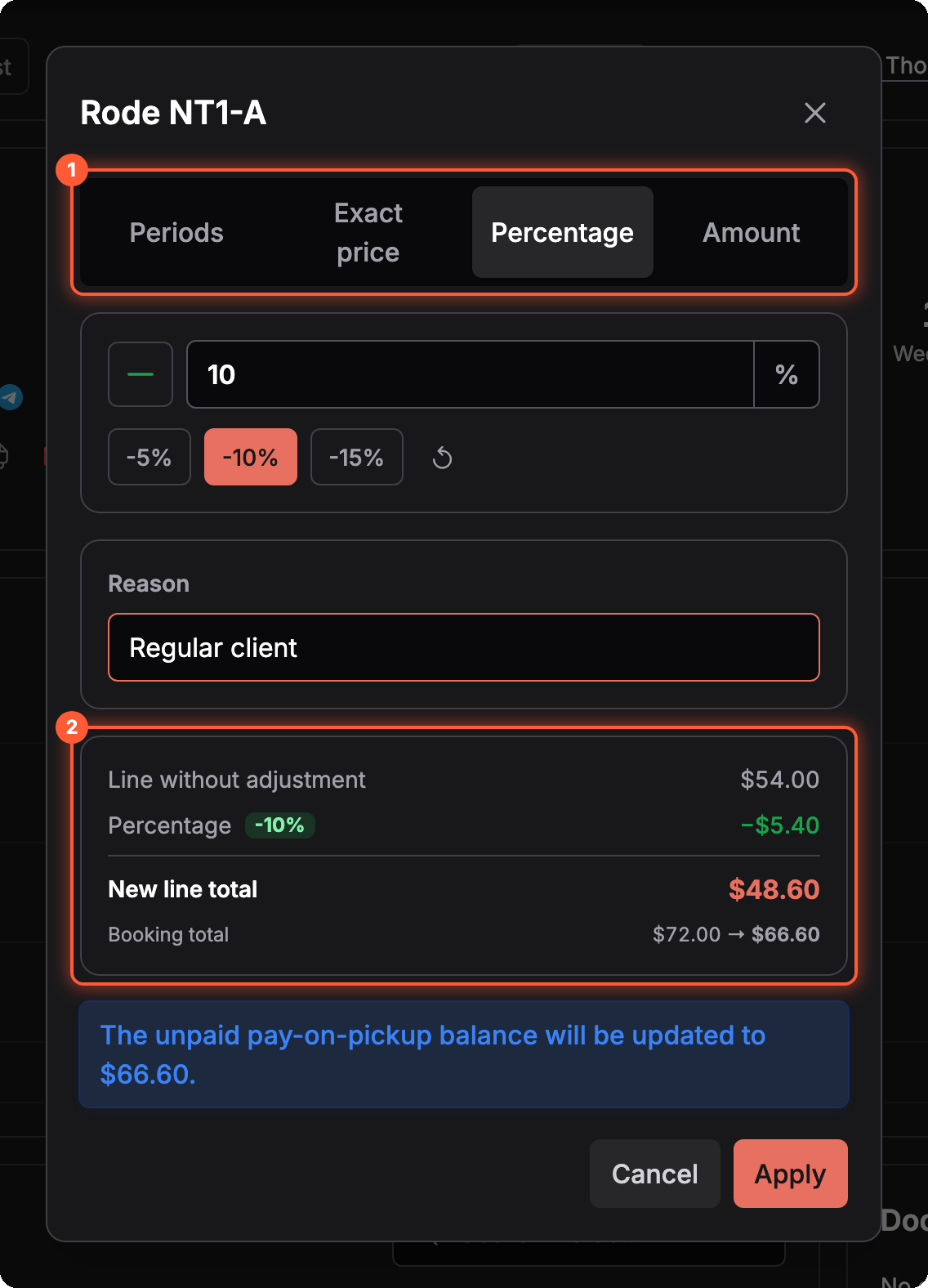
Give a discount on one camera without touching the rest of the booking. Click the pen next to a product's price, or tick several products and choose Adjust price. Change the charged days, set an exact price, or take off a percentage or an amount, and add a reason the team will see later.
Turn it on under Settings → Features → Item-level billing adjustment. The new line total, the booking total and the balance due are shown before you apply.
4. Change the Client of a Booking
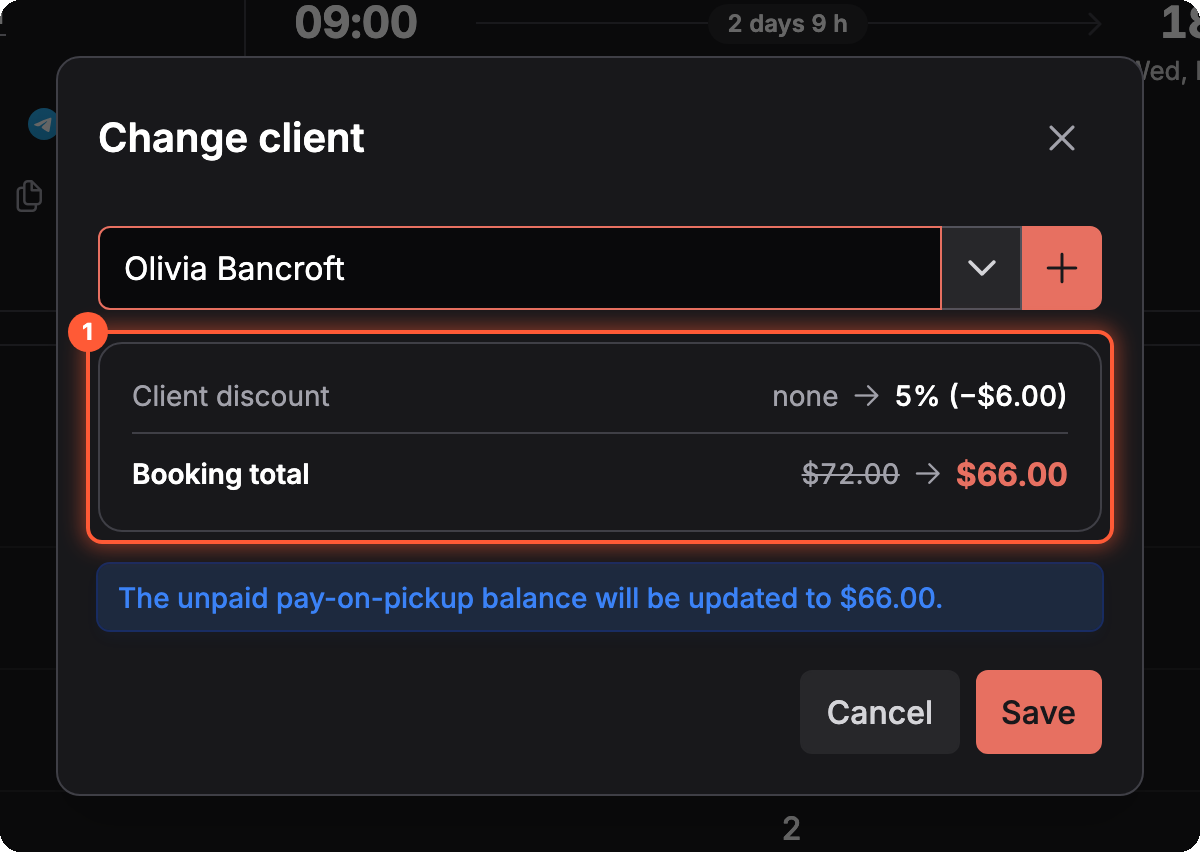
Booked under the wrong person, or the company pays instead of the employee? Change the client on the booking page. Requiply shows how the new client's discount changes the total before you save, and updates the unpaid balance.
5. The AI Assistant Moves Booking Dates
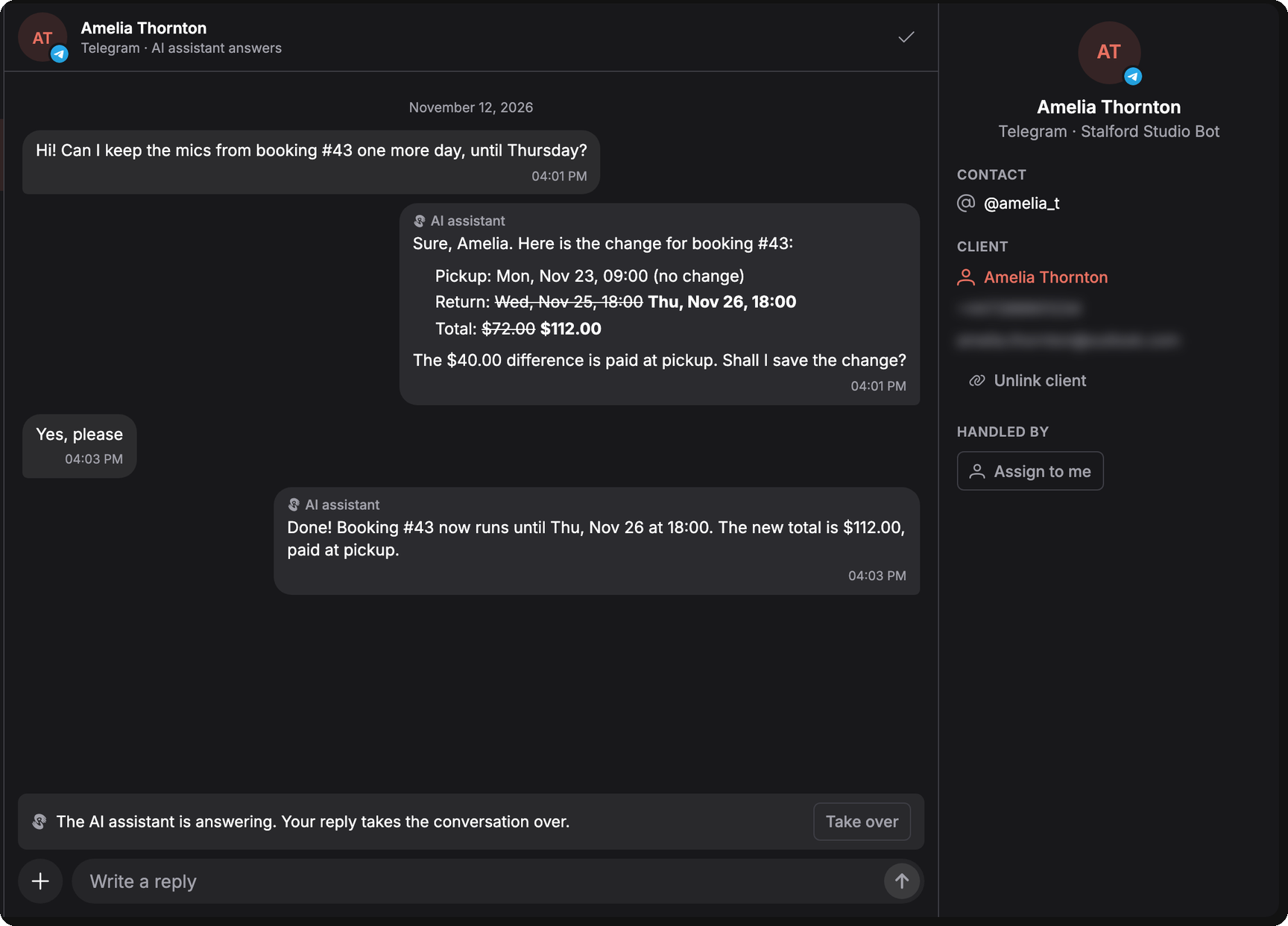
A client writes in Telegram, Instagram, OLX, the website chat or your booking page and asks to keep the gear a day longer. The assistant checks availability and your working hours, shows the new dates and price, and saves the change only after the client says yes. When the stock doesn't allow it, it offers the latest return that fits.
Turn on AI changes booking dates under Settings → Integrations → Omnichannel inbox → AI assistant. It works for bookings the client made in that chat and for verified clients. Item changes, cancellations and refunds still go to your team.
You can also let the assistant make bookings with payment instead of requests for your team to confirm. In Telegram and Instagram its replies carry Pay online and View booking buttons, and the client answers with a tap.
6. Fakturownia Invoices
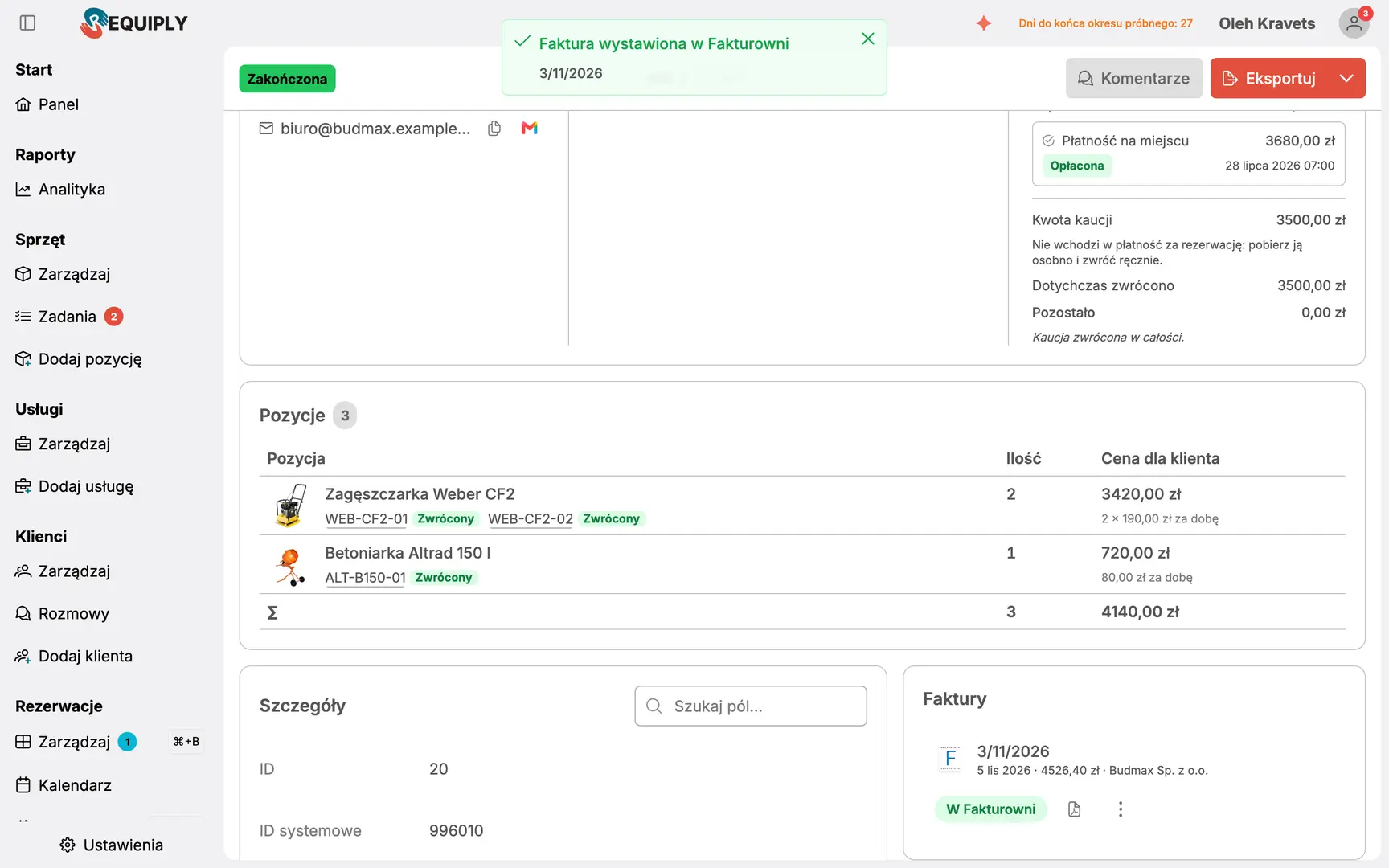
Rental companies in Poland that invoice in Fakturownia can issue the invoice straight from a booking. Clients get NIP, company and address fields, filled after the first successful invoice. The setup is in our Fakturownia guide.
7. Pinned Comments
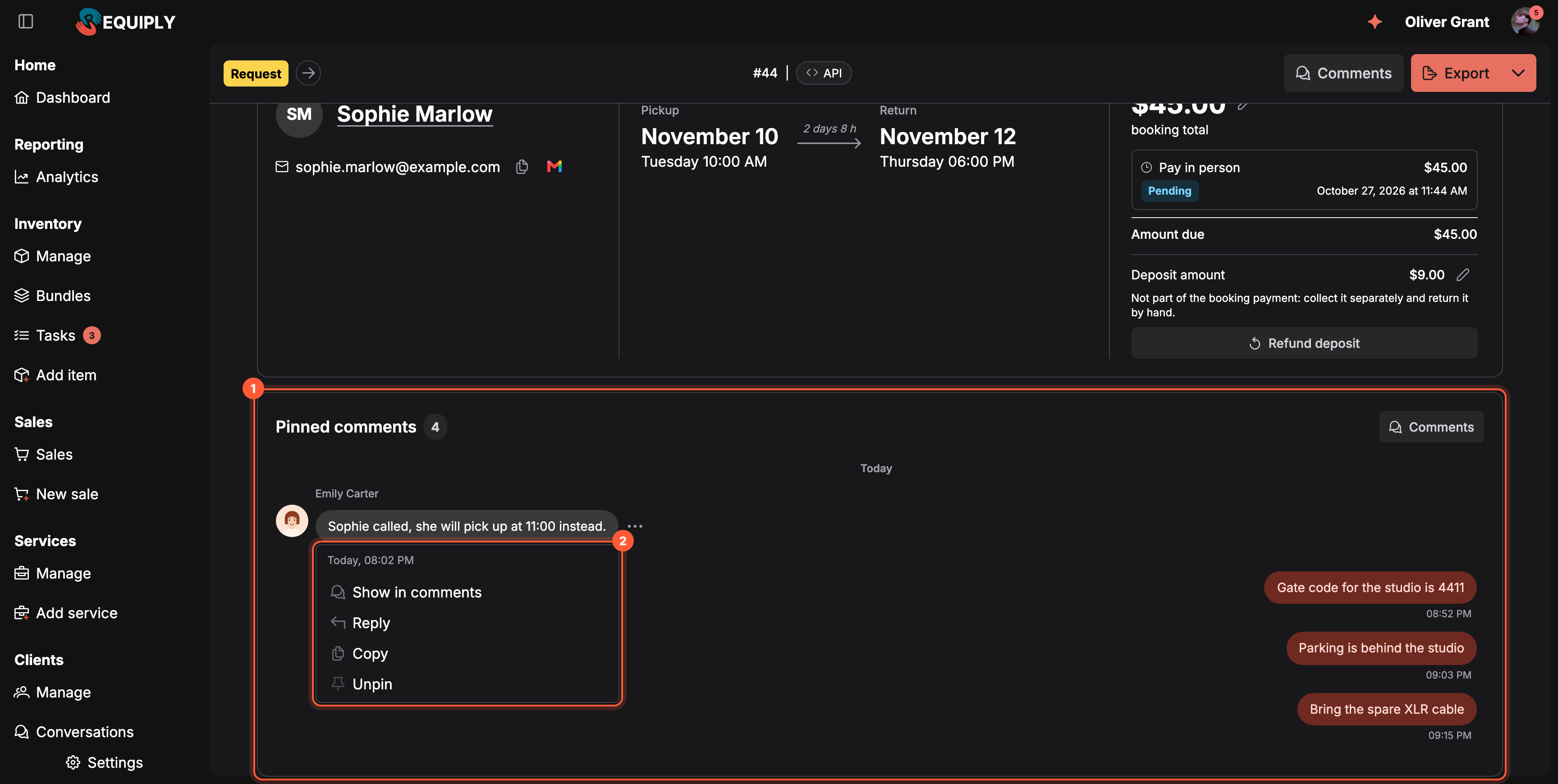
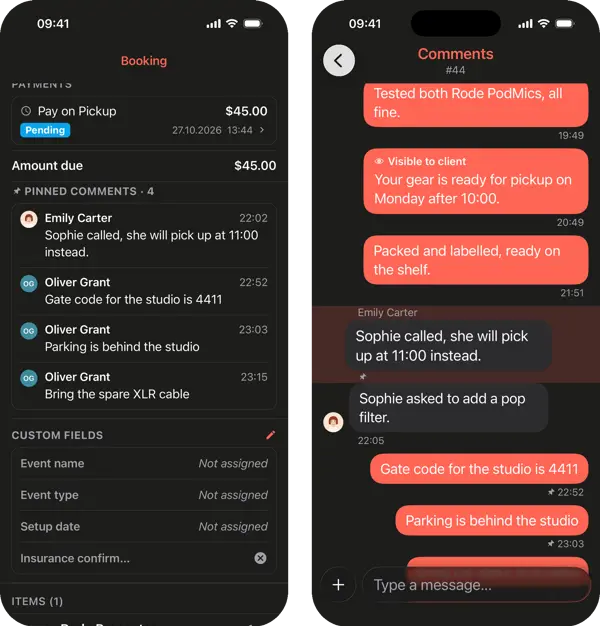
Pin the comments that matter, such as a gate code or a late pickup, and they stay on top of the booking or the item. Pin from the comment menu or start a comment with /pin. The bookings table shows how many comments each booking has, with unread ones in orange.
8. In the Mobile App


9. Smaller Improvements
Frequently Asked Questions
What's Next?
Tell us what your team still does by hand at info@requiply.com.
- Requiply version
- requiply
- equipment rental software
- rental business
- subrentals
- booking form
- price adjustment
- AI assistant
- Fakturownia
- comments
- mobile app