


What's New in Version 1.1.9?
This release focuses on getting paid and rewarding loyalty. We've added two payment providers, a full discount system with client-level and duration-based tiers, dedicated settings pages for categories and clients, and a preview of our upcoming mobile app.
1. Payment Integrations — LiqPay & WayForPay
You can now accept payments directly through LiqPay and WayForPay. Both integrations work the same way: create a booking, choose the payment provider, and Requiply generates a payment link with all items, prices, and the total amount. Send the link to your client — when they pay, cancel, or the payment status changes for any other reason, your booking updates in real time.
What You Get
LiqPay
LiqPay is powered by PrivatBank and is one of the most popular payment solutions in Ukraine. Connect it using your sandbox keys for testing, then switch to production keys when you're ready to accept real payments.
For a full step-by-step setup guide, see our LiqPay Integration Tutorial.
WayForPay
WayForPay is a widely used Ukrainian payment gateway supporting cards, Apple Pay, and Google Pay. Create a site in your WayForPay merchant dashboard, grab your Merchant Login and Secret Key, and paste them into Requiply.
For a full step-by-step setup guide, see our WayForPay Integration Tutorial.
How Payments Work in Requiply
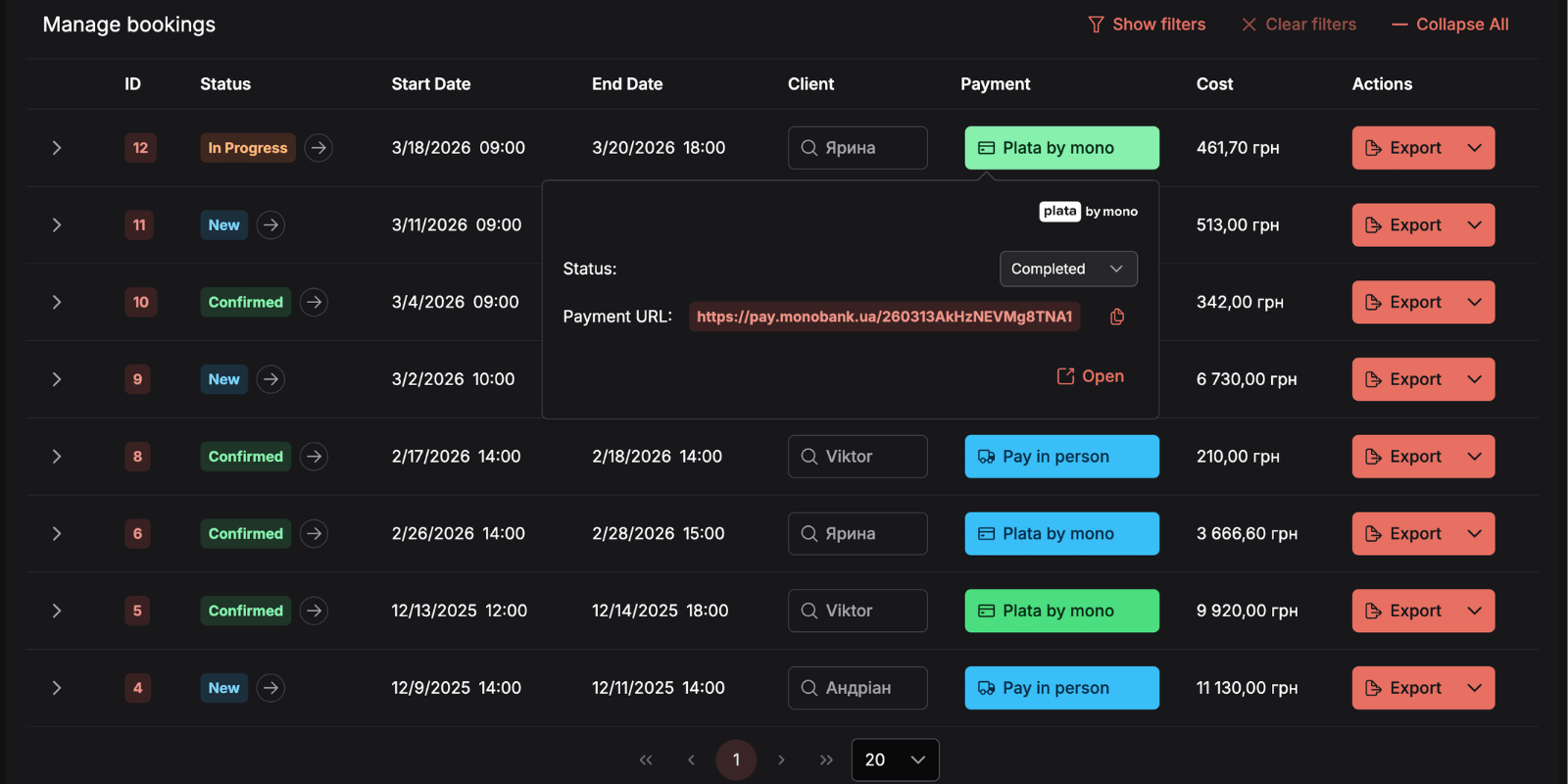
- Create a Booking — add items, set dates, and choose LiqPay or WayForPay as the payment type
- Generate a Link — Requiply builds a payment link with all line items and the total
- Send to Client — share the link via email, messenger, or any channel you prefer
- Get Paid — the booking status updates automatically when the client completes payment
You can also enable either provider on your Requiply-hosted website so clients can pay during checkout without you having to send links manually.
Practical Use Cases:
- Event Equipment Rental: A client in Kyiv books a sound system for a Saturday event. You send a WayForPay link — they pay instantly from their phone, and the booking confirms itself
- Photo Studio Hire: Generate a LiqPay payment link for a lighting kit booking. The photographer pays before pickup, and you see the confirmed status without refreshing
- Party Supplies: Enable both providers on your website — clients choose their preferred payment method at checkout
2. Categories Settings
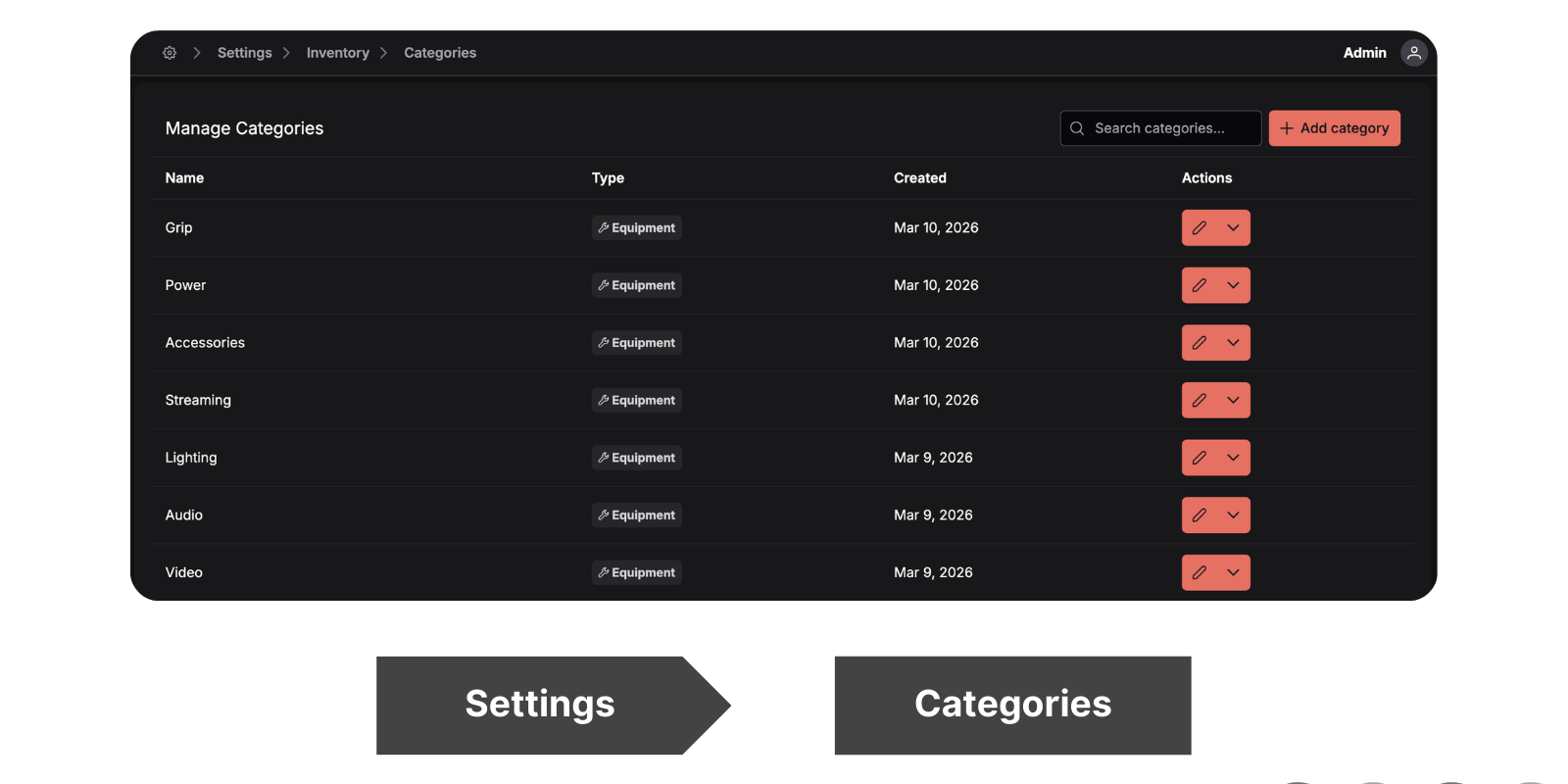
Categories now have their own dedicated settings page, giving you full control over how your inventory is organised.
Previously, categories were managed inline while editing items. Now you have a central place to see all your categories at a glance and organise them the way that makes sense for your business.
3. Client Settings & Client Discounts
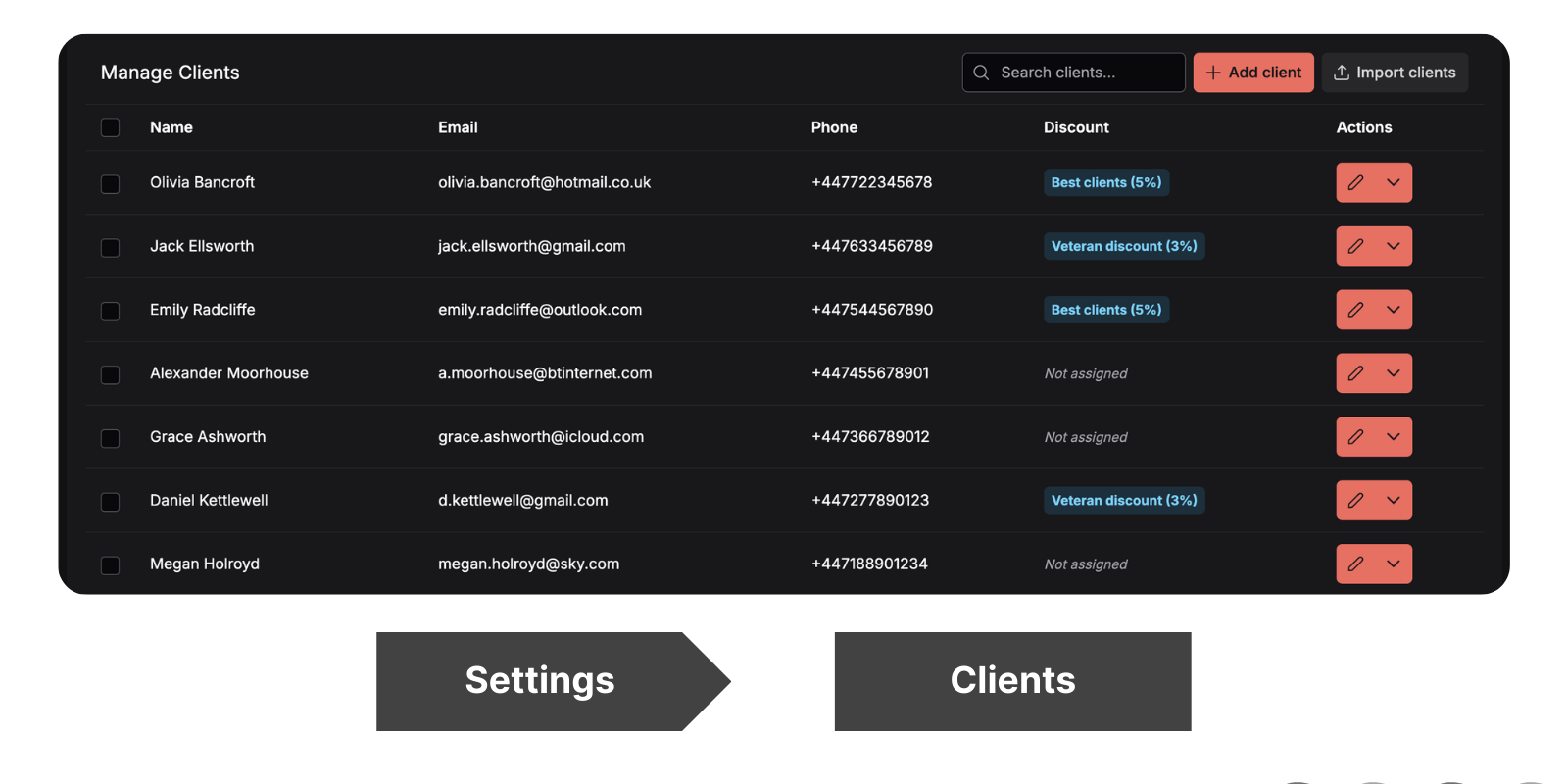
The new Clients settings page gives you a dedicated space to manage your client base. Beyond the basics, you can now assign percentage-based discounts to individual clients.
How Client Discounts Work
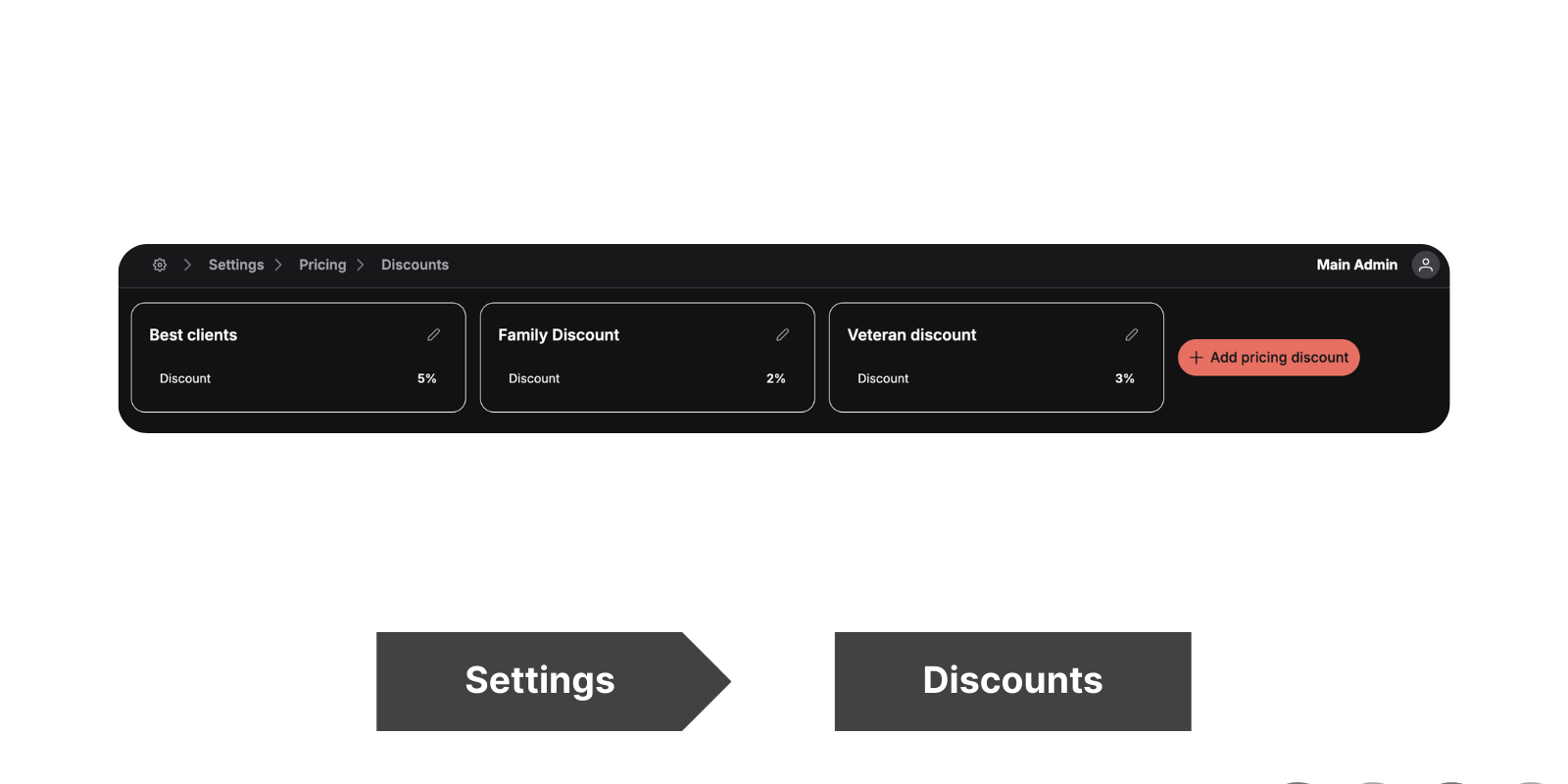
Create a discount once, assign it to your loyal clients, and every booking they make automatically reflects the reduced price. No manual calculations, no forgetting to apply the rate — it's built into the workflow.
Practical Use Cases:
- Recurring Corporate Client: A London event company books weekly. Assign them a 15% discount — every invoice they receive already shows the reduced total
- Loyalty Rewards: After a client's fifth booking, assign them a 10% discount from the client settings page. They see the savings on their next invoice without you lifting a finger
- VIP Photographers: Your top studio clients get 20% off all gear rentals. Set it once, and Requiply handles the maths on every booking
4. Discount Tiers for Inventory
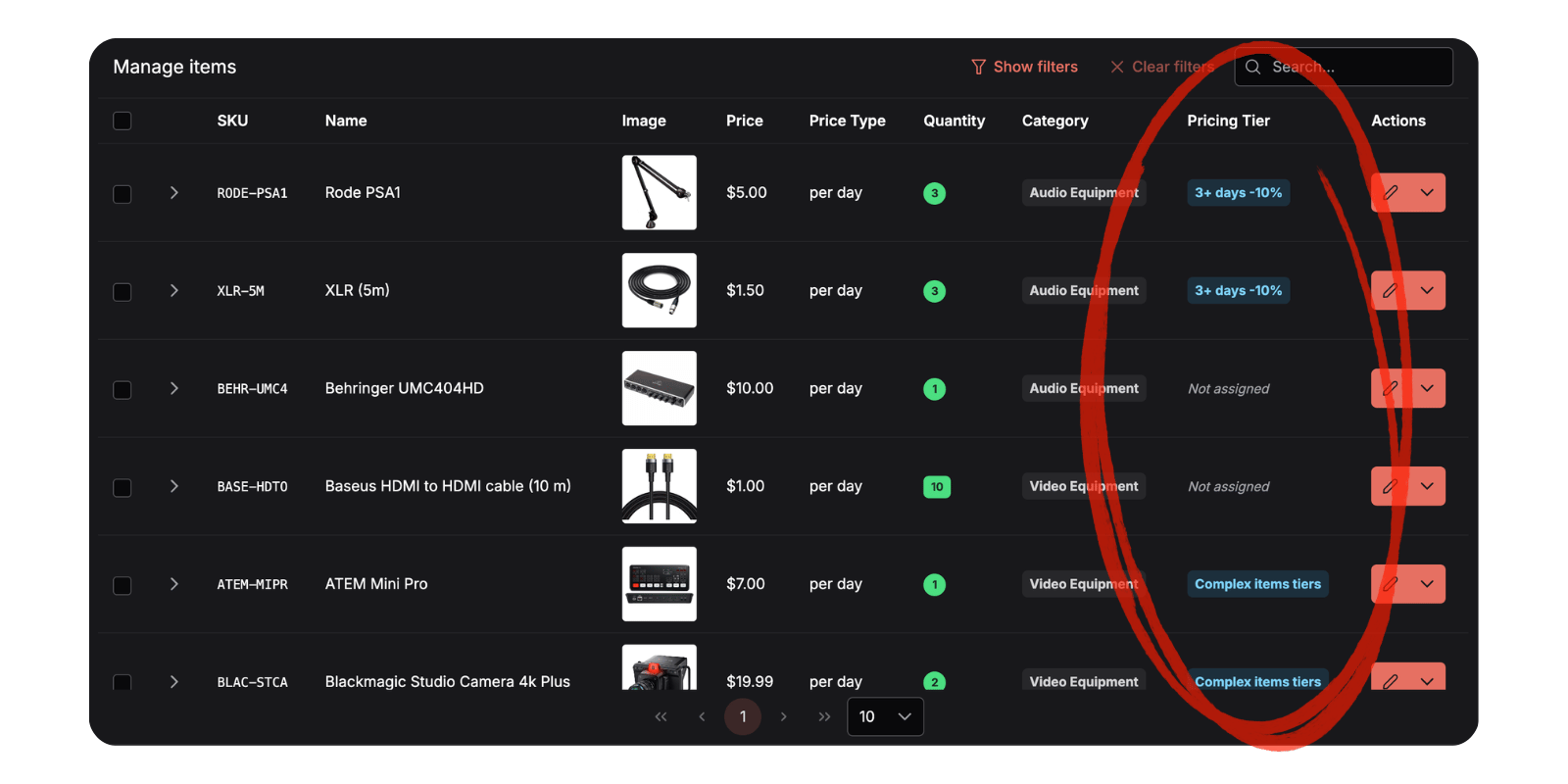
Discount tiers let you encourage longer rentals by offering better daily rates as the booking duration increases. Create tiers and assign them to items individually or in bulk through the Manage Inventory page.
How Discount Tiers Work
Example Tier Structure
| Duration | Rate |
|---|---|
| 1–2 days | 100% (full price) |
| 3–5 days | 90% (10% off) |
| 6+ days | 85% (15% off) |
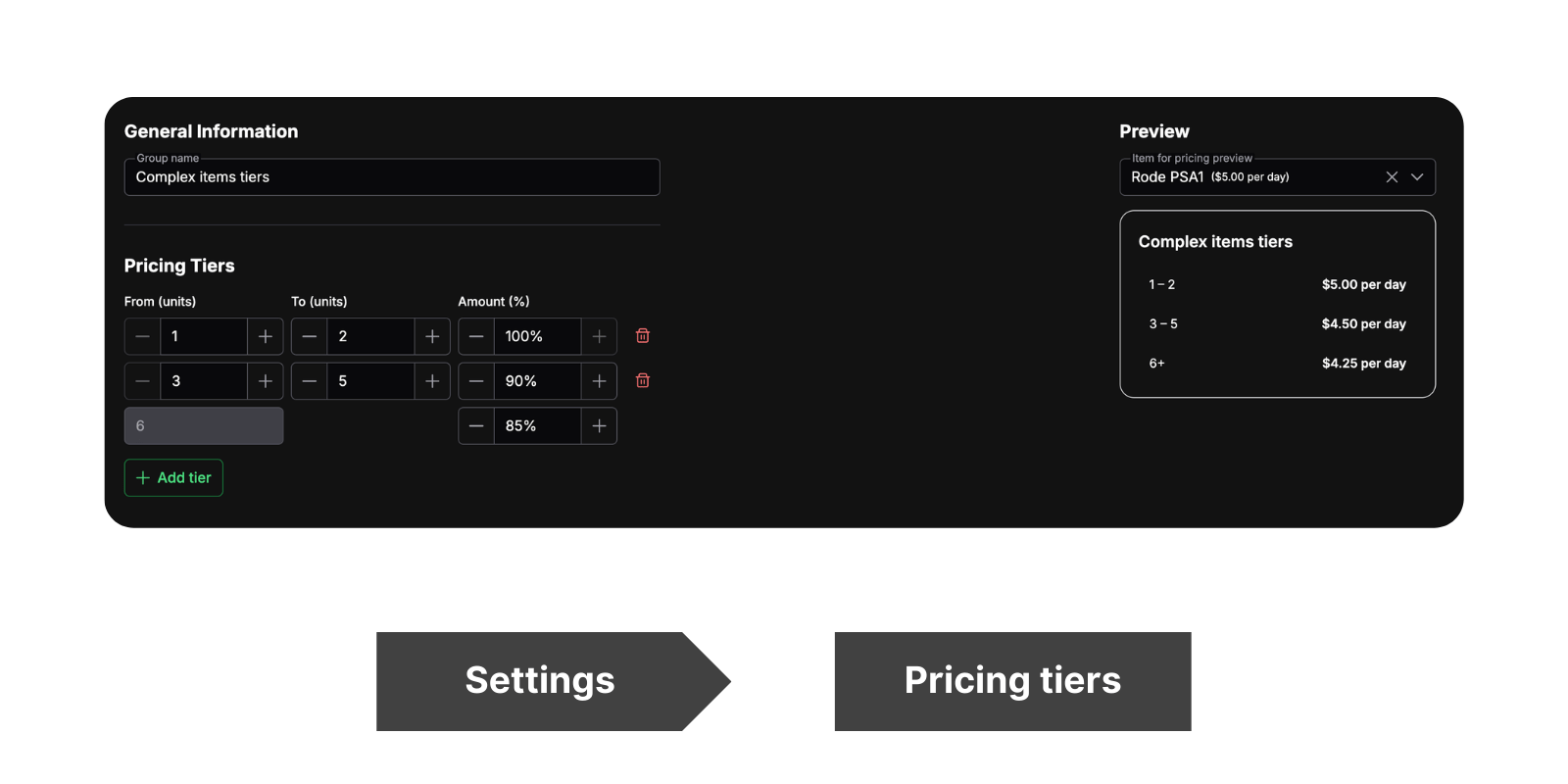
When a client books an item for 4 days, Requiply automatically applies the 3–5 day tier and calculates the price at 90%. For a 7-day booking, the 6+ day tier kicks in at 85%. The pricing is per day (or per your configured pricing duration).
Practical Use Cases:
- Construction Equipment: Encourage contractors to book a Hilti demolition hammer for a full week instead of 2 days — they save 15%, and you get a longer booking with less turnover
- Camera Rental: A filmmaker renting a RED Komodo for 5 days pays 10% less per day than a 1-day rental. Longer shoots become more affordable, and your gear stays booked
- Bicycle Fleet: Tourists renting bikes for 6+ days get 15% off the daily rate — they're happy with the deal, and you have guaranteed bookings for the whole week
5. Mobile App — Coming Soon
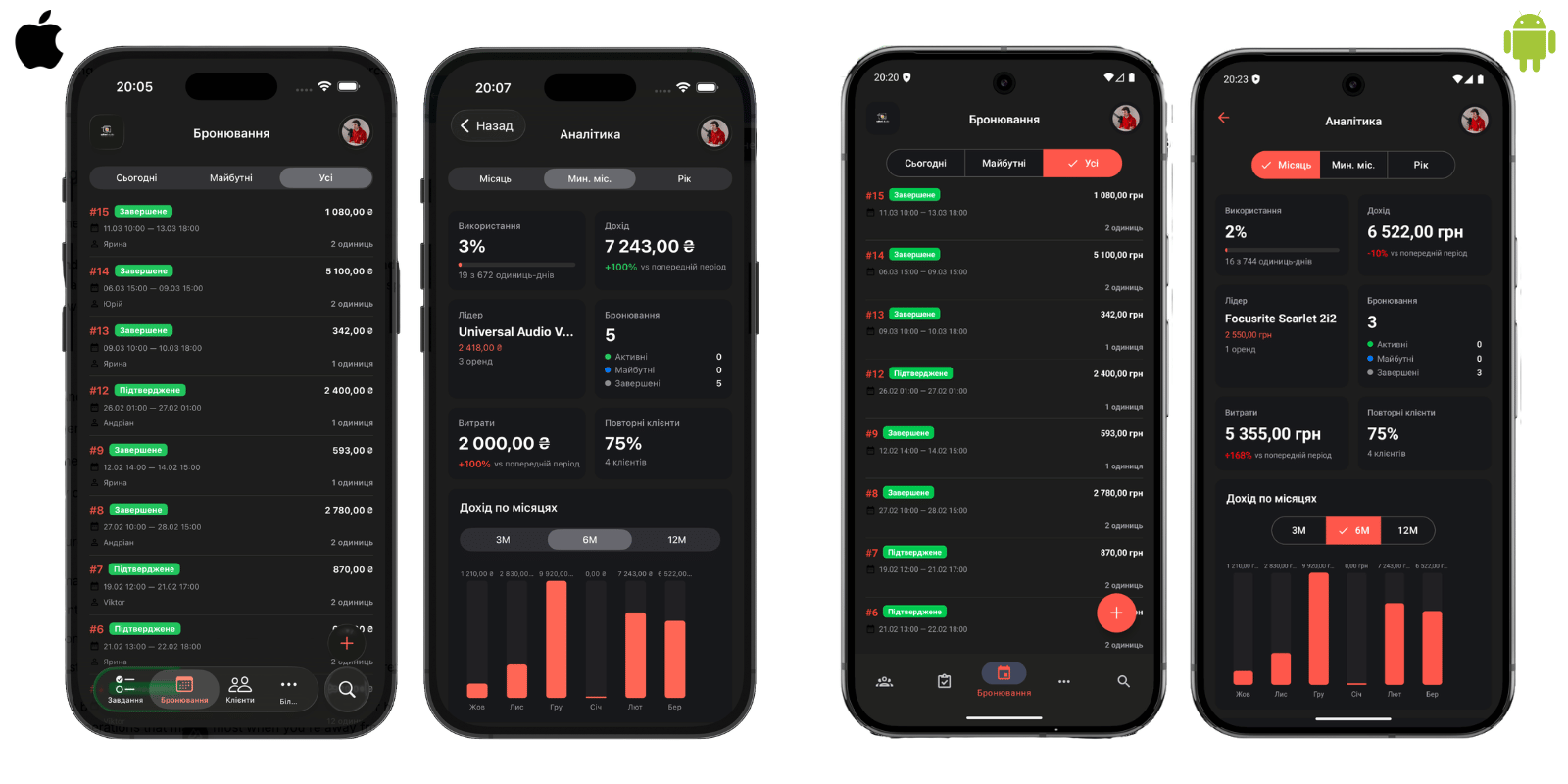
We're building a mobile app for iOS and Android. Many of you have asked for it, and we understand why — rental businesses don't operate from behind a desk. Whether you're on a beach setting up water sports gear, at a construction site, or running between wedding venues, you need control from your pocket.
What to Expect
The first version will focus on the features you need most in the field:
- Cashier workflows — create and manage bookings, process payments
- Manager overview — monitor inventory, check availability, handle client requests
- Owner dashboard — keep an eye on your business from anywhere
- Maintenance tasks — update task statuses, add comments, and log expenses without returning to a computer
Some advanced settings features won't be available in the first release — those are better handled on a larger screen. We're prioritising mobility and the daily operations that matter most when you're away from your desk.
What's Next?
With payment integrations, a full discount system, and the mobile app on the way, Requiply is becoming a more complete solution for rental businesses of every size. We're continuing to refine these features based on your feedback and will share more about the mobile app as we approach launch.
Have questions or suggestions? Write to us at info@requiply.com — we're always happy to hear from you!
- Requiply version
- requiply
- payment integration
- LiqPay
- WayForPay
- discounts
- discount tiers
- client management
- mobile app
- rental software