Requiply 1.2.9: Dashboard, Pickup Checklists, Barcodes and Permission Groups
Requiply 1.2.9 is a wide release of small, practical changes. A dashboard that opens on your day's pickups, returns and money. Pickup and return checklists where every unit is confirmed by hand or by scan. Printable barcode labels. Detail pages you configure yourself. Permission groups instead of per-account toggles. Item editing on bookings that already exist. And a mobile app that finally does everything the web booking page does.
Version 1.2.8 was about the client. This one is about the day.
1.2.9 has no single headline feature. It has a lot of small ones, and most of them come from the same question: what does the person opening Requiply in the morning actually need to do before lunch? They need to see today's pickups. They need to hand the gear over without losing a unit. They need to fix a booking someone got wrong. And they need to do it from a phone, in a warehouse, with a scanner in the other hand.
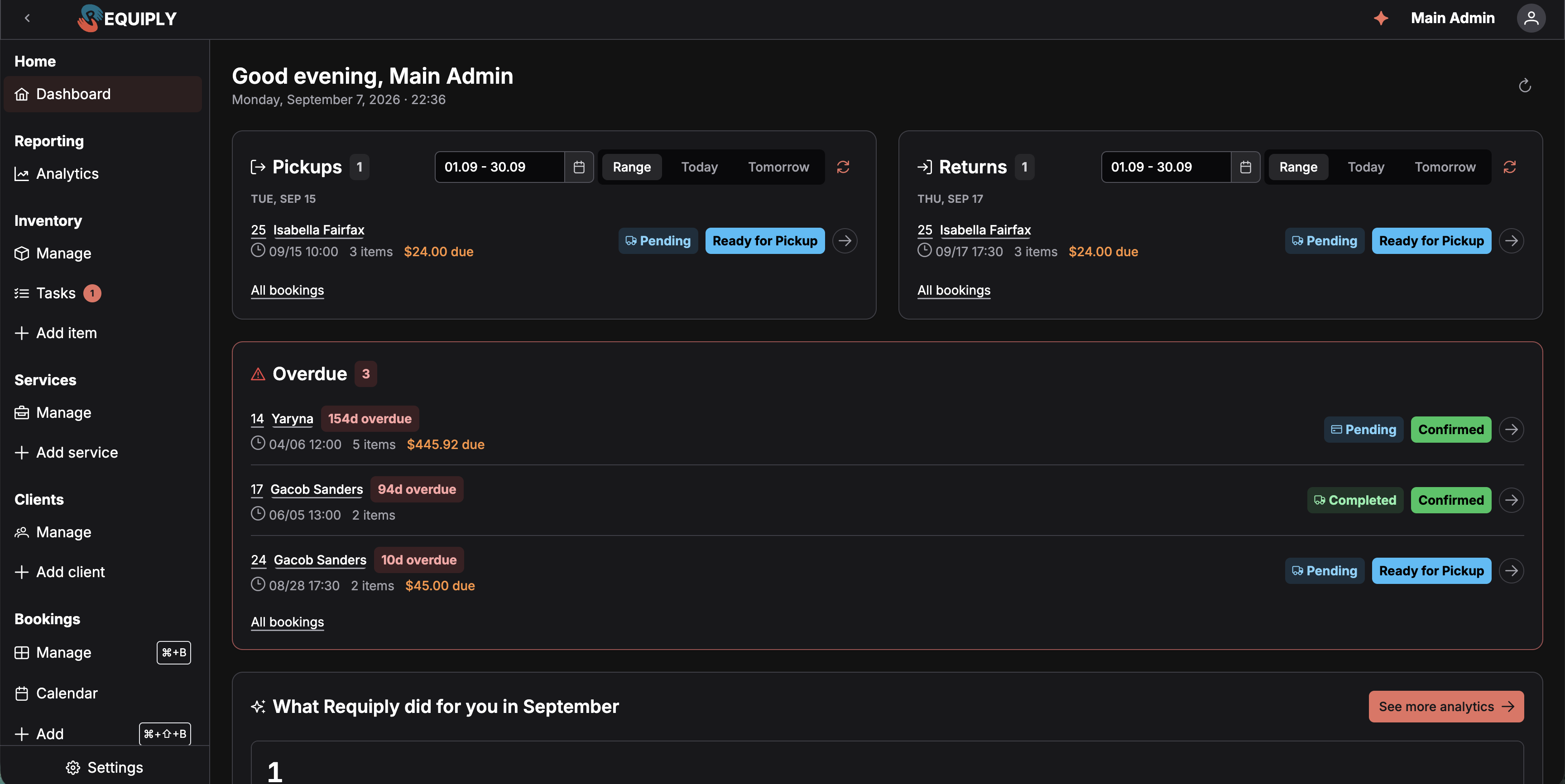
Requiply now opens on a dashboard instead of a list. It answers three questions at a glance: what is going out, what is coming back, and where the money is.
Pickups and returns side by side, each switchable between Today, Tomorrow, or any date range you pick, with the client, item count and outstanding balance on every row
Overdue bookings in their own list, with how many days each one is late
Money: collected this month against last month, outstanding across active bookings, and deposits still waiting to be refunded
A monthly summary of what Requiply did for you: booking requests that arrived through the booking page, widget, chat or AI connectors, payments captured online, and messages delivered to clients
Every account can pick which page opens after login, so the dashboard is a default and not a rule
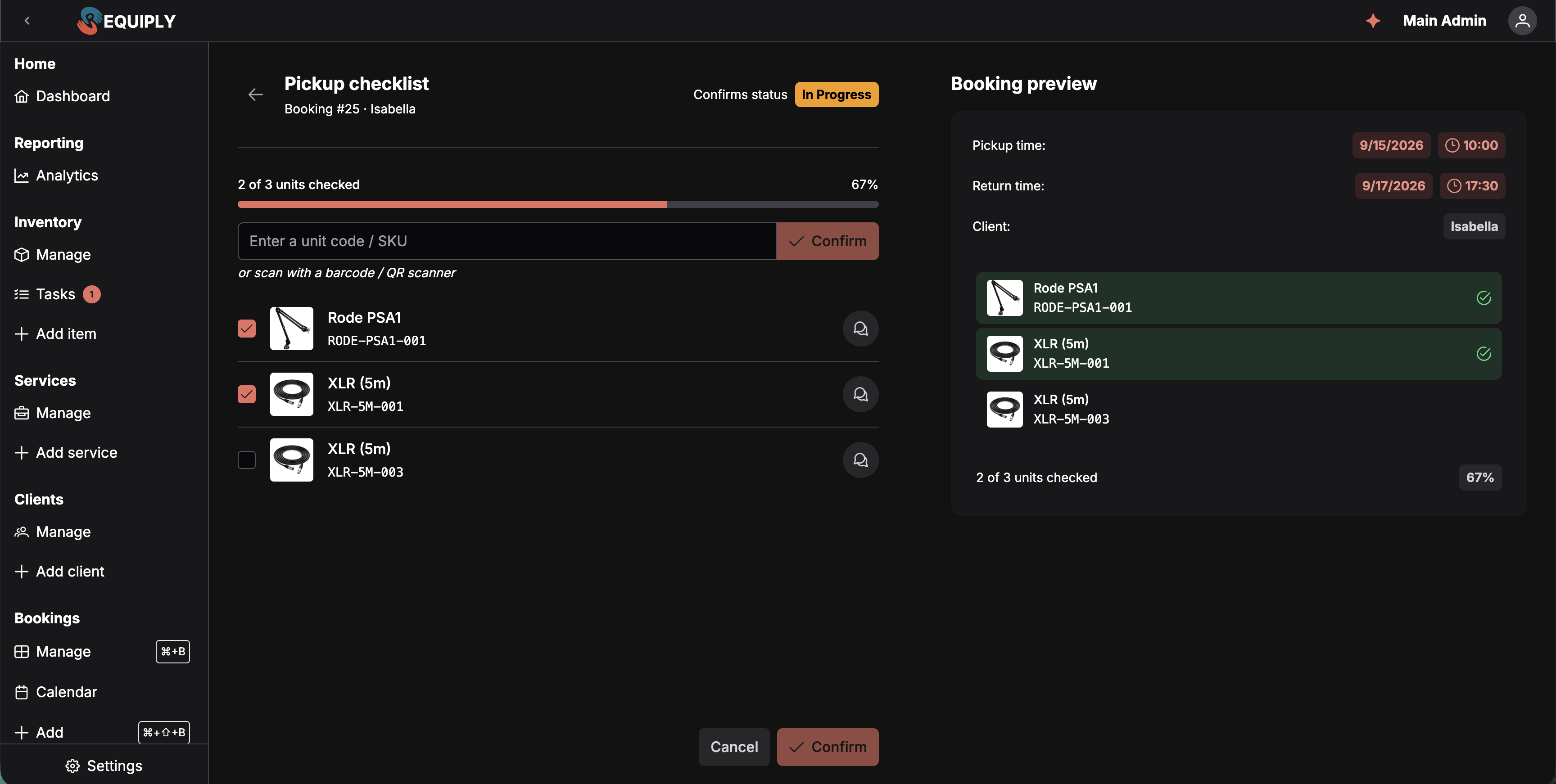
A booking status can now be flagged as a pickup or a return. When a booking moves into that status, Requiply opens a checklist and refuses to move on until every unit is accounted for. Progress is saved as you go and written to the booking timeline.
Confirm each unit by hand, or scan it with a barcode or QR scanner and let the row tick itself
Scan a unit from the same product that was not the reserved one and Requiply offers to swap it in, checking availability first
Leave the checklist half done and pick it up later from the booking
Statuses carry their own lifecycle configuration, so you decide which of your statuses mean pickup and which mean return
The bigger change underneath is when a booking gets tied to specific units. Small operations are happy assigning them the moment a booking is created. Larger warehouses are not: staff grab whatever is closest to the door.
New organization setting: assign units at booking, or reserve quantities only and assign at pickup
In deferred mode, bookings hold quantities and the exact units are scanned or picked during the pickup checklist
Auto-assign remaining fills in whatever is left when scanning stops being worth the time
A new Ready for pickup state sits between confirmation and handover
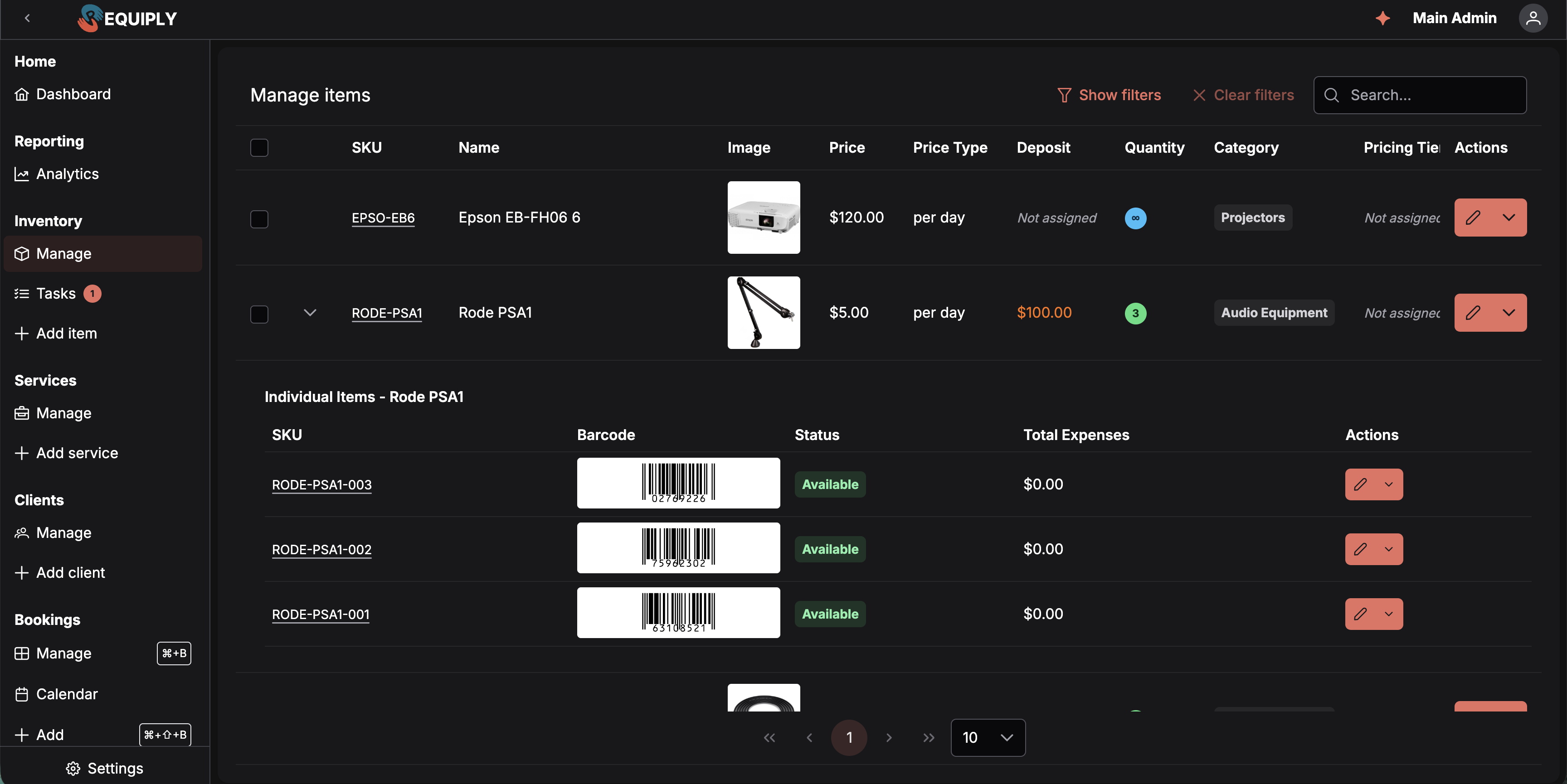
Scan codes stopped being QR only. Inventory units now carry barcodes, and you can print them on real labels.
Pick your primary barcode type per organization: Code 128 for anything, or EAN-8 for short codes on small labels
Export printable label sheets with preset or custom sizes in millimetres, with a warning when an EAN-8 would print below the GS1 minimum and stop scanning reliably
Hide the SKU on tiny labels so the barcode uses the full height
Tie an external barcode that came with the equipment to a Requiply unit, with clear conflict handling when the code already belongs somewhere else
Scan any of these codes in the mobile app to open the matching unit
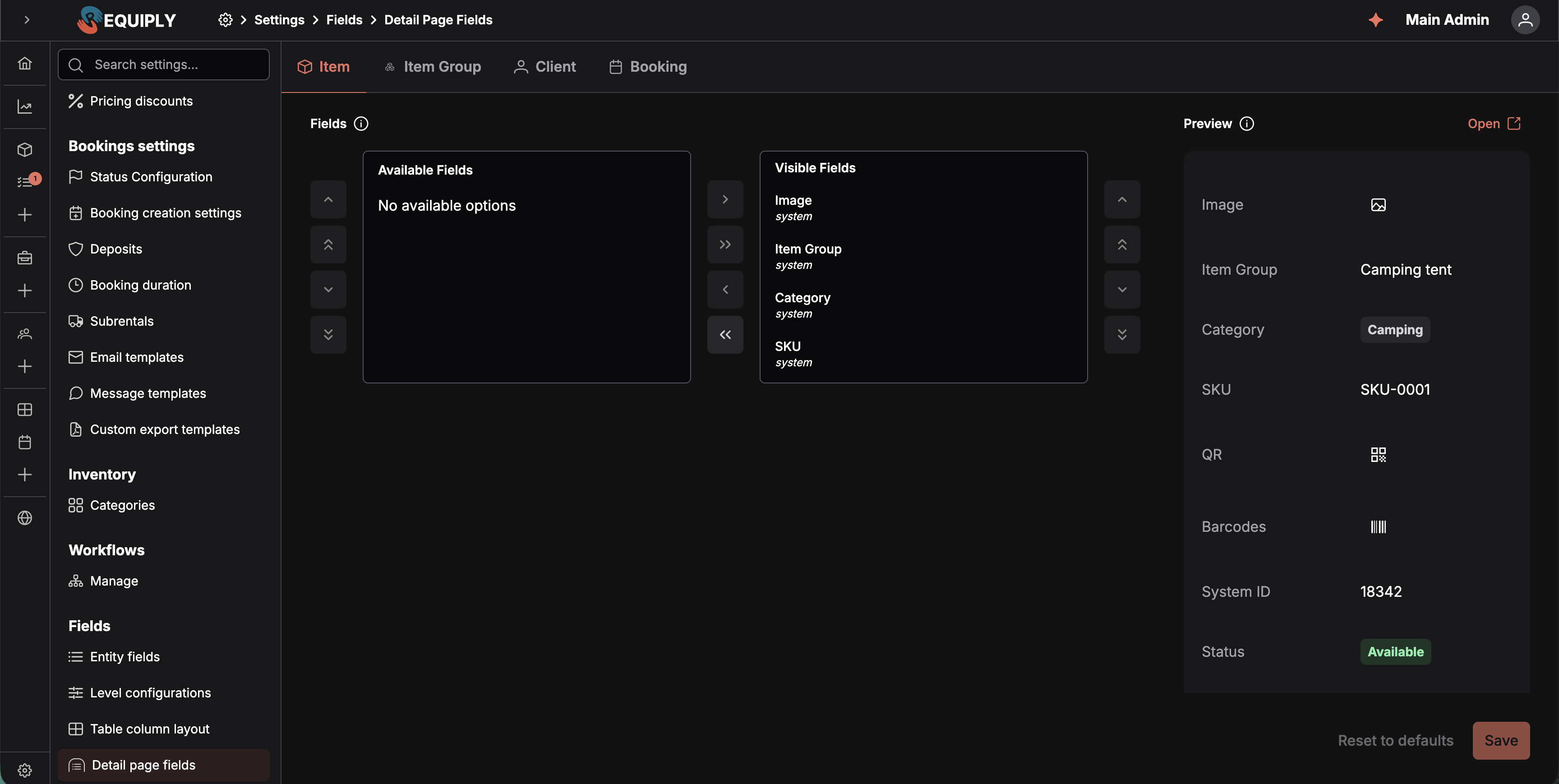
Booking, client, product and unit pages used to show the fields we chose. Now they show the fields you choose, in the order you put them, with a live preview while you configure.
One place to configure both the table columns and the detail page layout for every entity
System fields and custom fields sit in the same list and can be reordered together
Field search on detail pages, for records with a lot of fields
Two new custom field types: phone, and date with a chosen format, optional time and a timezone note
Units gained a serial number field, and products gained a full price field for what the equipment cost you
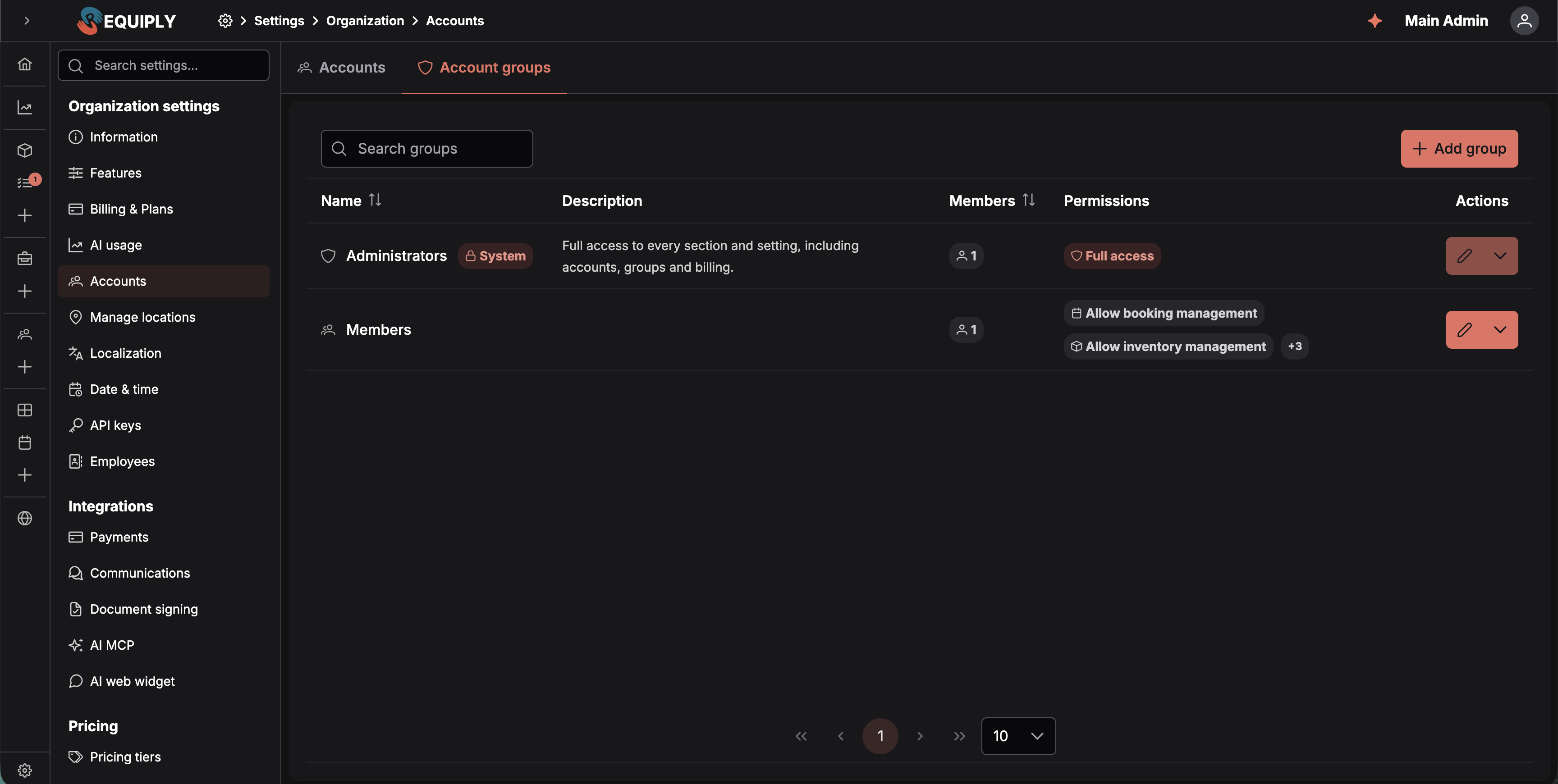
Permissions moved off individual accounts and onto groups. Instead of ticking the same six toggles for every new hire, you build a group once and assign people to it.
Permission groups with their own tab in Settings, each account belonging to exactly one
A built-in Administrators group with full access, including accounts, groups and billing
Settings access is now split: a group can be given the Settings section without being given administrator-only areas
Accounts are invited by email or by link instead of being created with a password, with resend and a proper profile setup screen
Password reset and forgot-password flows for people who invite themselves back in
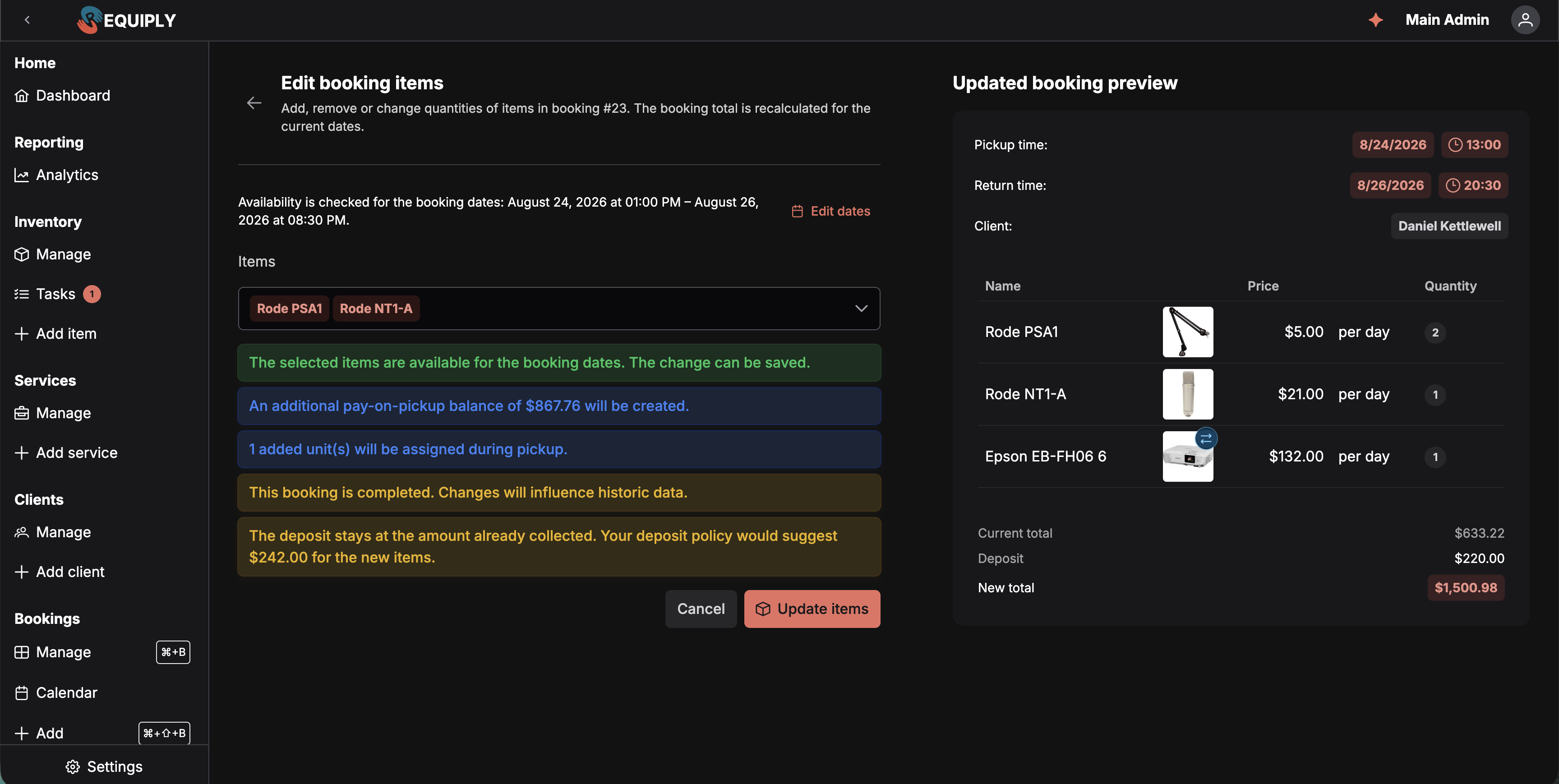
Dates were already editable. Items were not, which meant cancelling and rebuilding a booking because somebody wanted one more tripod.
Add, remove or requantify items on an existing booking, with availability checked against the booking dates before anything is saved
The total is recalculated live, and the preview tells you exactly what happens to assigned units: released, reassigned, or left for pickup
Honest warnings where they matter: an open pickup checklist, a booking already in progress, a completed booking whose history you are about to change, or a deposit that no longer matches your policy
Cheaper bookings that need a refund, and online payment links that need replacing, are blocked with a reason instead of silently going wrong
Some services should never be discounted: subcontractors, pass-through costs, anything with a fixed price you do not control. A service can now be marked as excluded, and client percentage discounts skip it while still applying to everything else on the booking.
Refunds follow a strict state machine now, so a payment provider sending an intermediate webhook after a refund can no longer walk a refunded payment backwards
Subscription plans are snapshotted when taken, fixing the fallback that could resolve the wrong plan on a first subscription
The in-app pricing page matches the website, including the Scale plan and account limits
The free trial is 7 days
Workflow processing and transactional email moved to the Requiply API, which makes automations faster and their failures easier to see
Checklist, dashboard and booking pages had a performance pass
Feature flags were consolidated, so what your plan includes is decided in one place
No. Checklists are an organization feature you turn on, and even then they only open for the statuses you flag as pickup or return. If you leave every status unflagged, nothing changes for you.
Existing bookings keep the units they already have. The setting changes how new bookings reserve inventory: quantities are held, and the exact units are chosen during the pickup checklist. You can move back to assigning at booking at any time.
Code 128 unless your labels are small. It encodes any value and is read by virtually every scanner. EAN-8 is an 8-digit code that fits compact gear, but it has a minimum print size: Requiply warns you when a chosen label would push it below spec.
They were carried into groups. Administrators are in the built-in Administrators group, and existing permission combinations became groups you can rename, edit or merge. Each account belongs to one group and takes its permissions from it.
1.2.9 spent its time on the parts of the day that happen away from a desk: the handover, the label, the phone in the warehouse, the booking that needs fixing while the client waits.
Next we are going back to the office side of that: better reporting on what all this activity actually adds up to, and more of the booking page under your control.
Have questions or suggestions? Write to us at info@requiply.com. We would especially like to hear how the pickup checklist behaves in a real warehouse, with real scanners and real gear that walks off shelves.
Tags
Requiply version
requiply
dashboard
pickup checklist
return checklist
barcodes
EAN-8
Code 128
permission groups
custom fields
export templates
booking items
mobile app
rental software
Try Requiply for free
Automate your rental business and save 10+ hours per week