Requiply 1.3.3: Offline Mobile App, Catalog Filters and Holidays
Requiply 1.3.3 for equipment rental: a mobile app that works on a weak signal, a category tree with product filters, holidays, deposit adjustments and faster handovers.
This release keeps the counter running when the internet doesn't, helps clients find the right gear on your booking page and takes the guesswork out of handovers and deposits.
No connection: inventory and prices from the phone. A weak signal: the booking still goes through.
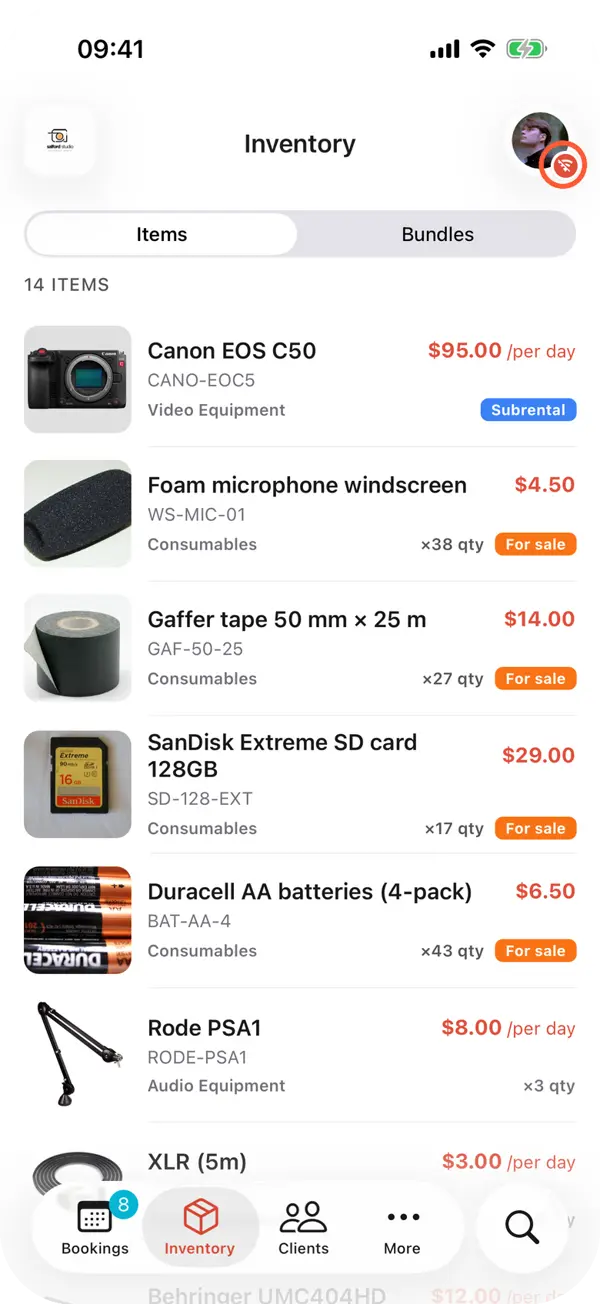
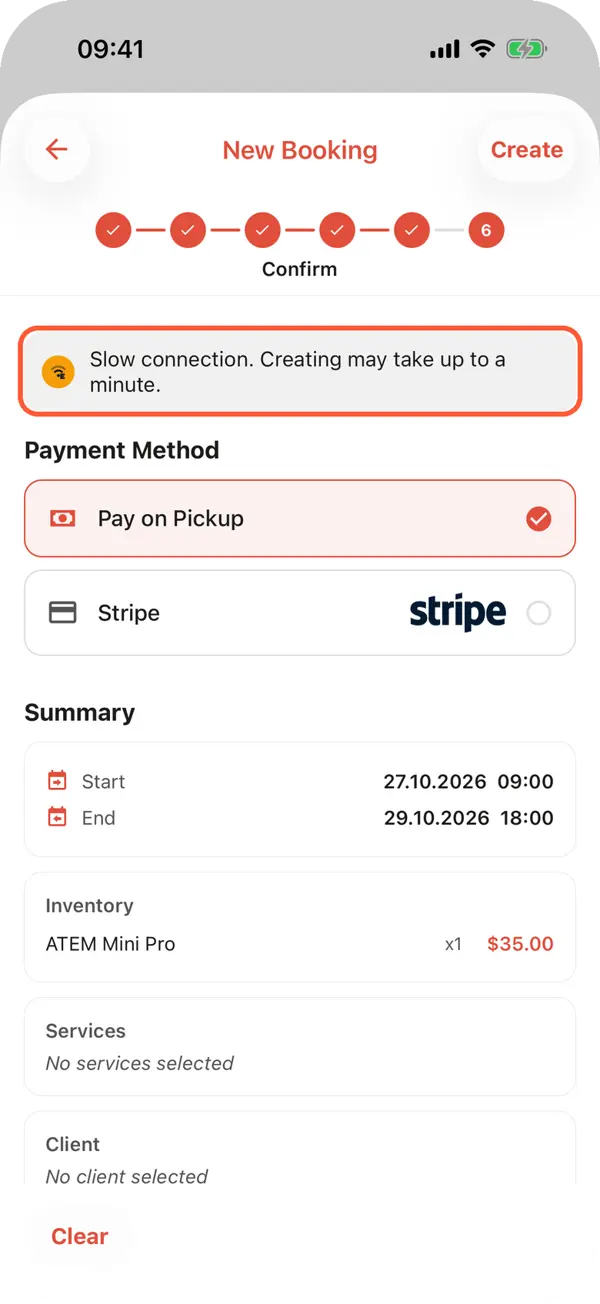
Rentals happen on job sites, in basements, at outdoor events and in the mountains, where the signal is often one bar. The app now notices a weak connection and adapts instead of freezing, so bookings and new clients go through even on 2G.
A booking sent on a dropped connection is sent again once the network is back, never twice
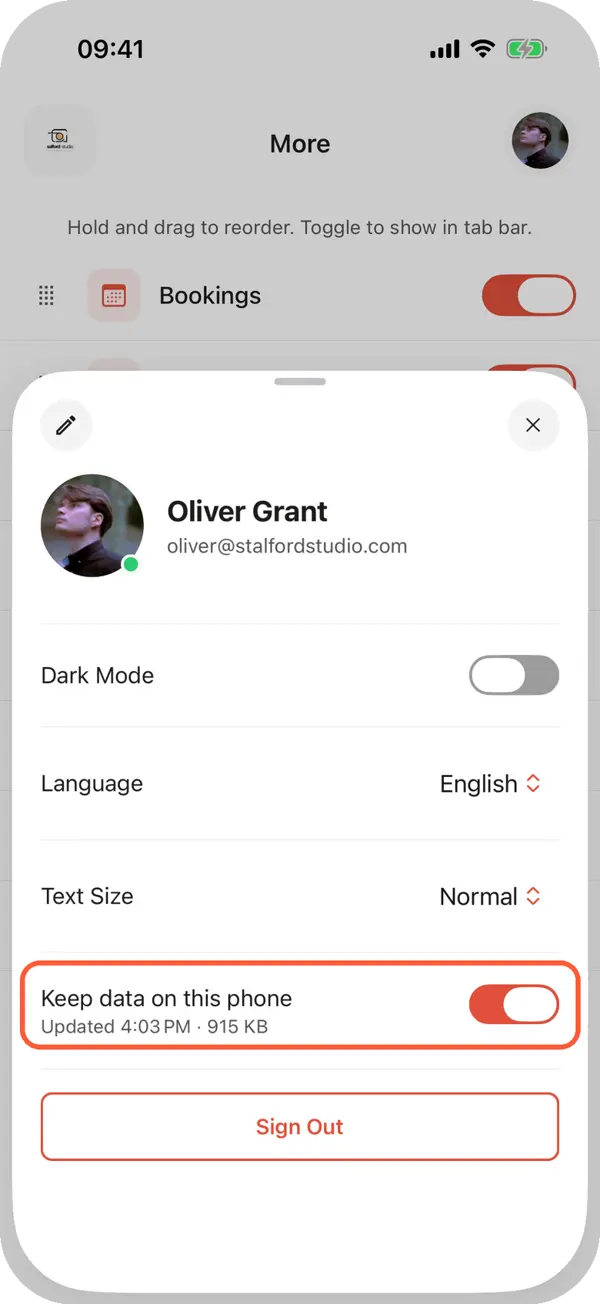
Keep data on this phone keeps products, prices, clients and bookings on the phone, encrypted
With no connection, browse inventory, find clients, scan codes and prepare a booking
A badge on your avatar shows a weak or missing connection; tap it to see what works right now
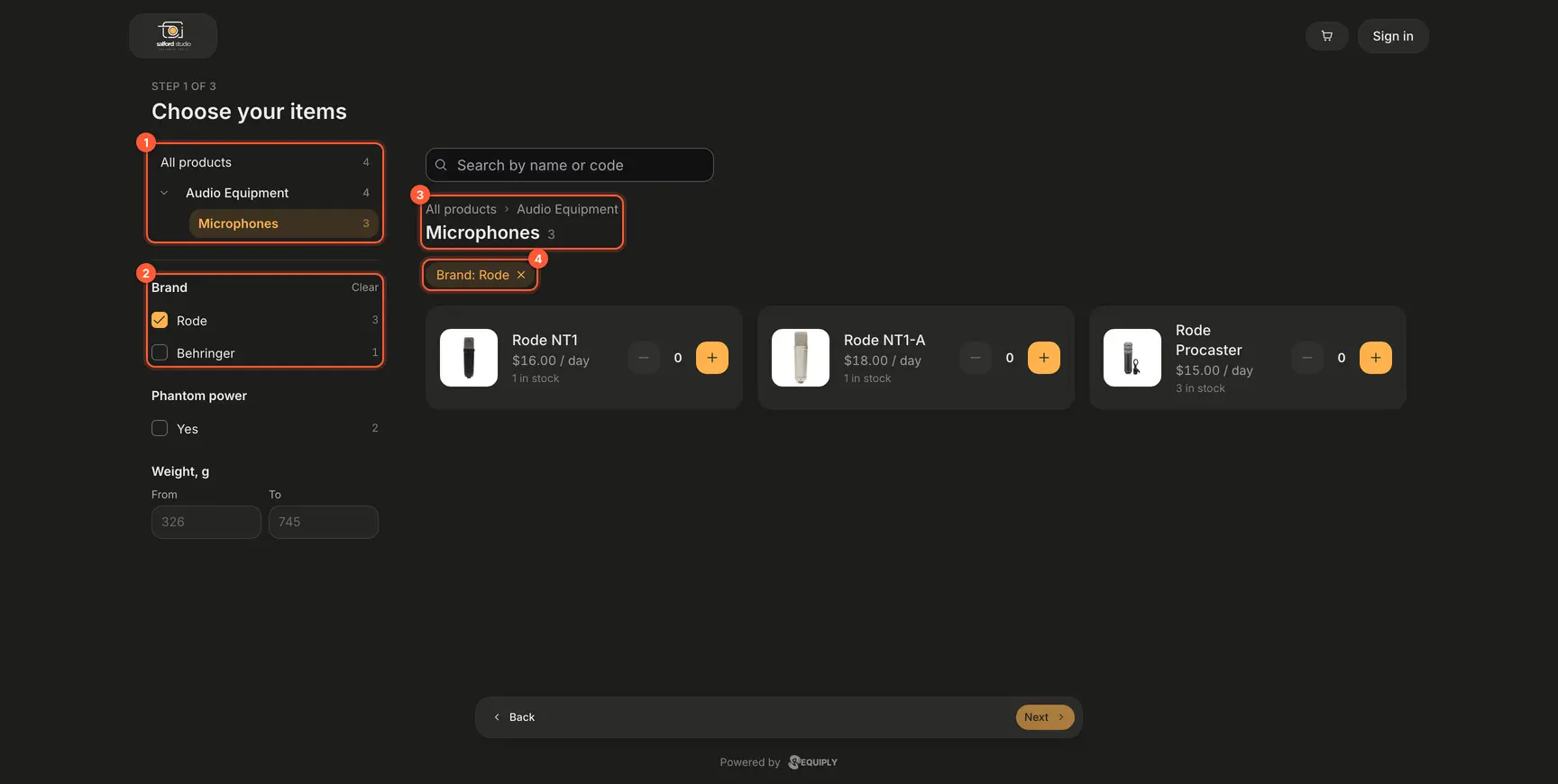
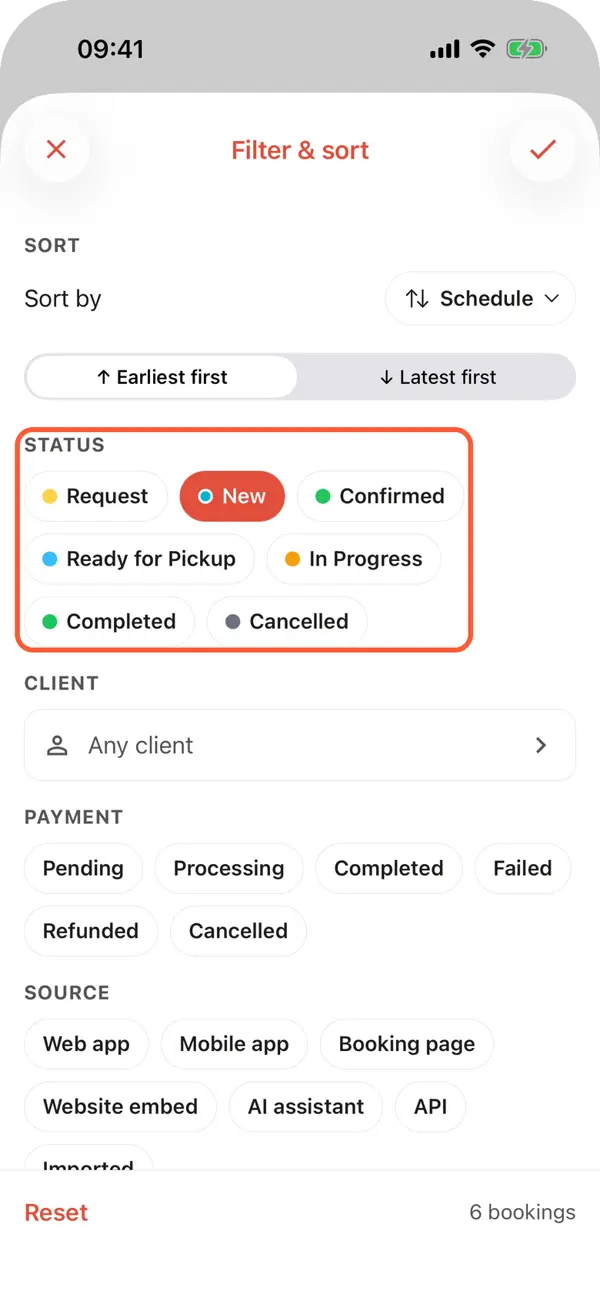
Clients open a subcategory and filter by the specifications you choose.
Categories can now nest up to five levels: Audio Equipment → Microphones, Video Equipment → Switchers. Every product can carry a description, and any product field can become a filter on your booking page and website.
Drag categories into order or move them with arrows, then save
A Description on each product, shown in the portal and sent to your website
Turn on Filter on the booking page and website for fields like Brand, Connector or Weight
The inventory filter by category includes its subcategories
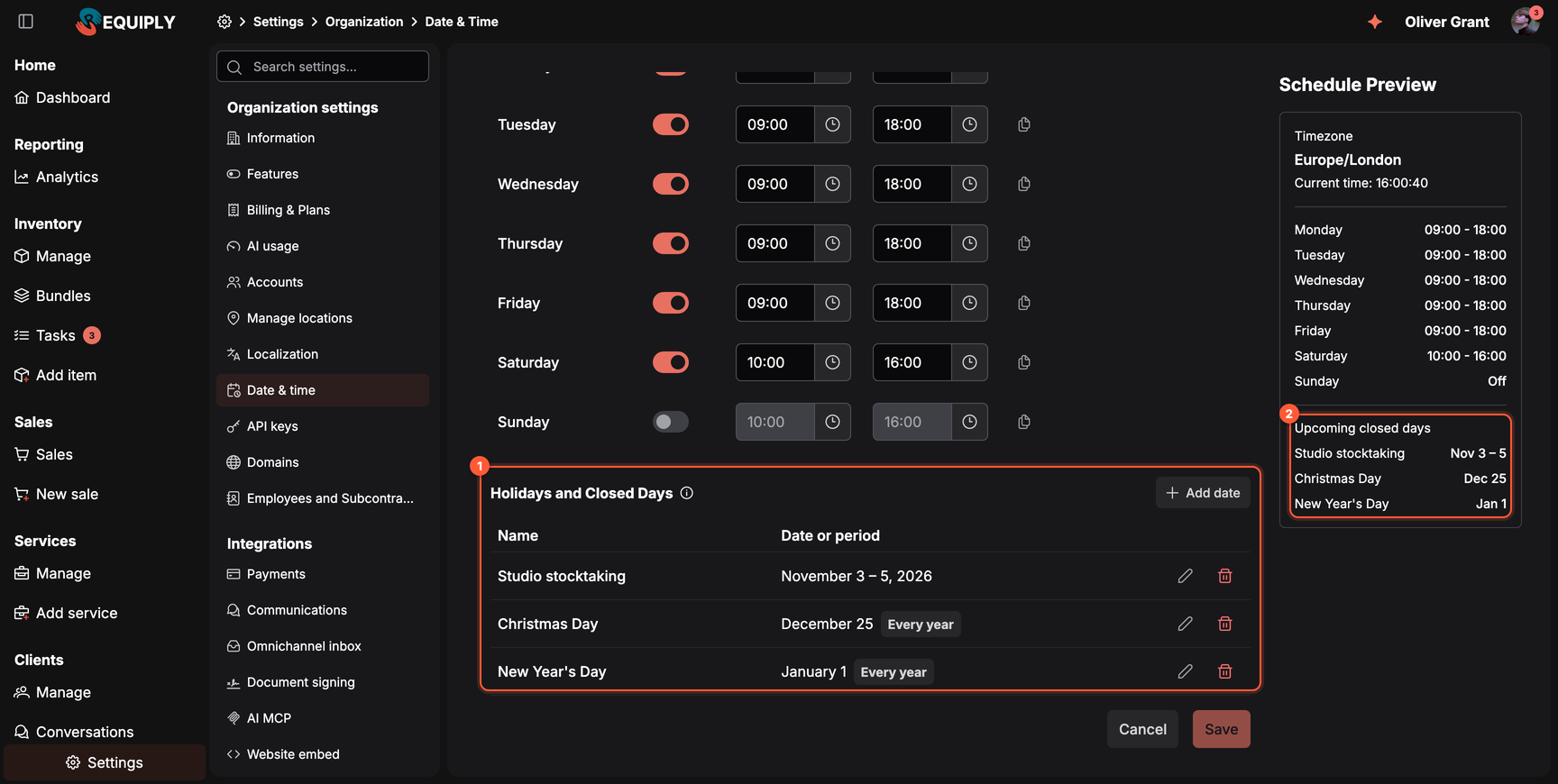
Add public holidays and one-off closures under Settings → Date & time. A holiday works like a closed weekday: no pickup or return can fall on it, in the app, the client portal, the API and the AI assistants, while a rental can still run through it.
Repeat a date every year, or close a single day or a whole period
Refusals name the holiday, in your organization's language
Full Day buffers and the AI's working hours treat holidays as closed
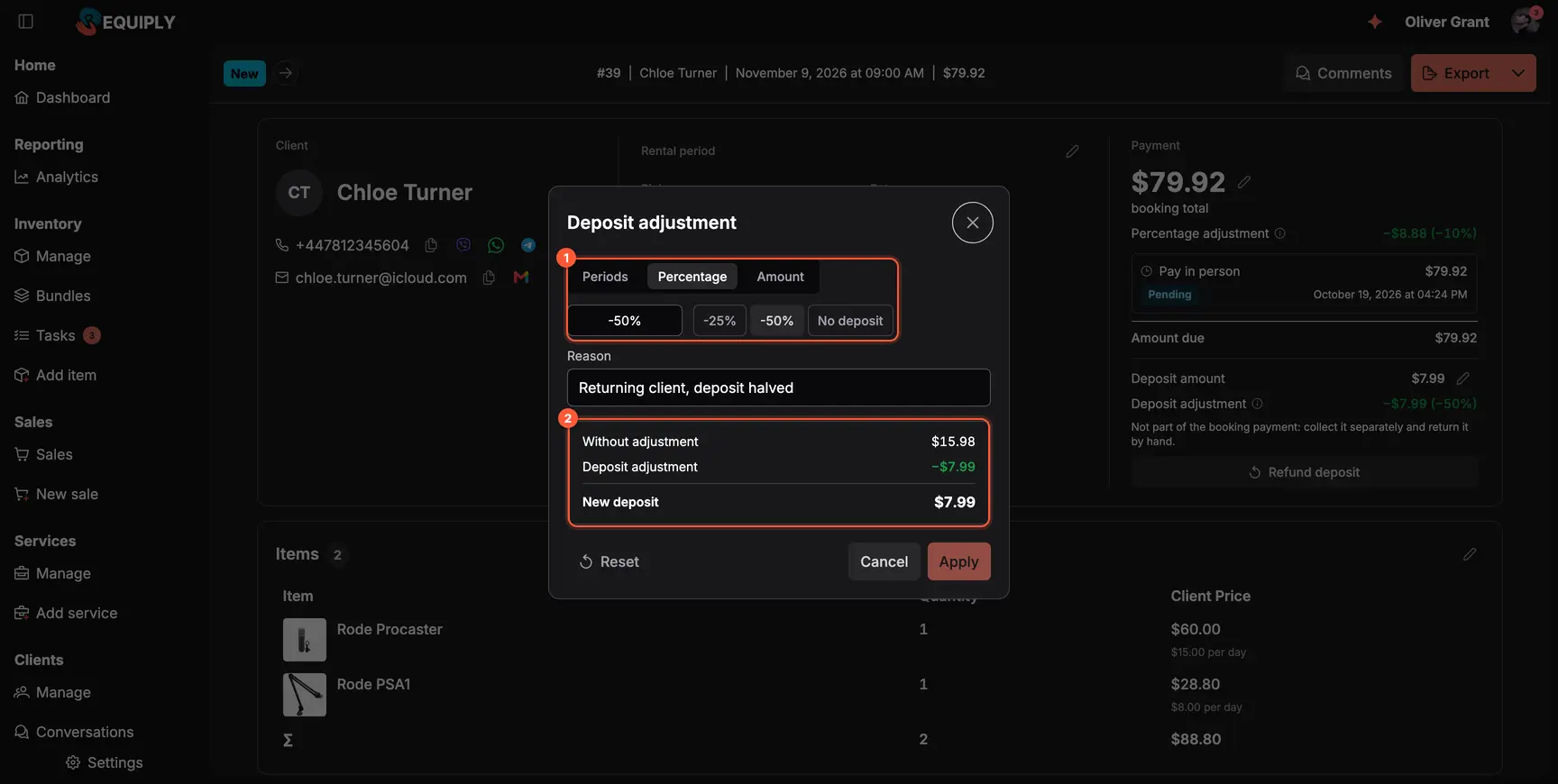
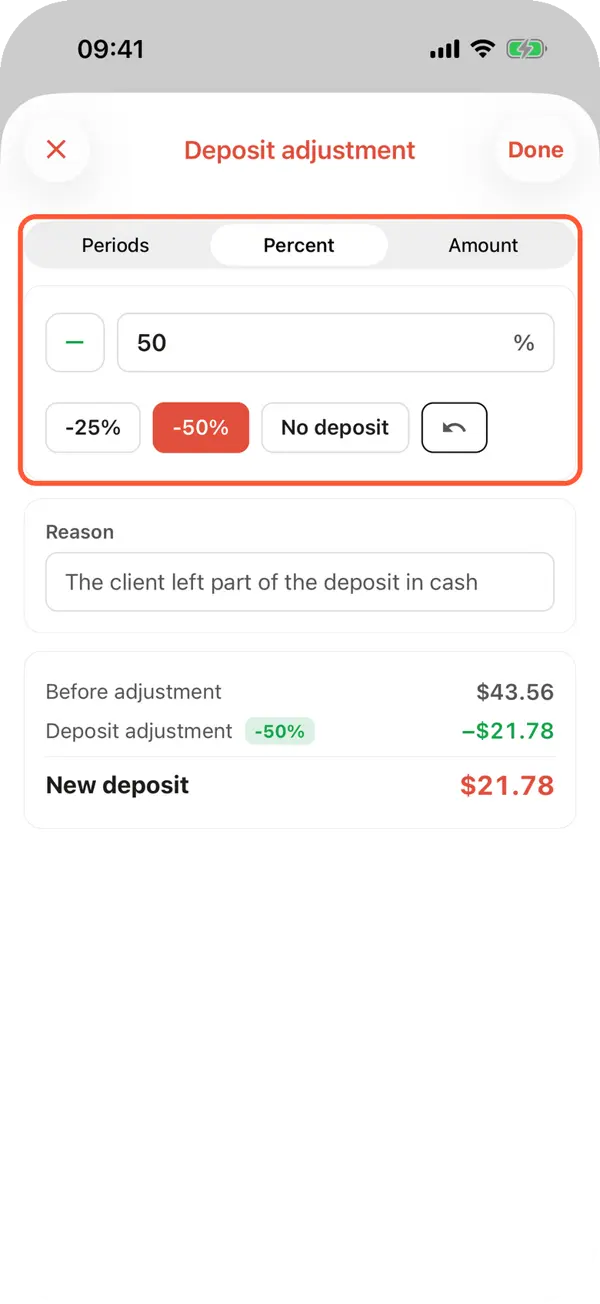
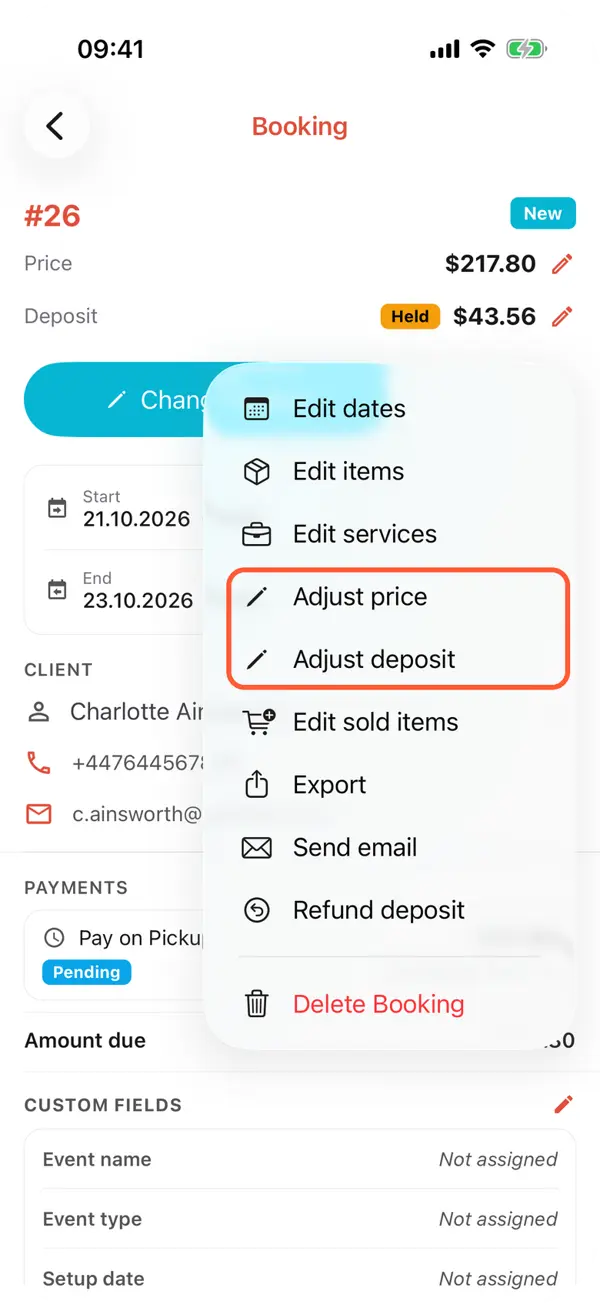
Halve the deposit for a regular client, or waive it, with a reason everyone can see.
A regular client, a short rental or a deal made on the phone: the deposit no longer has to follow the policy. Use the pencil next to the deposit on the booking, or the Deposit button while creating it. Choose a percentage, an amount, a number of periods or No deposit, and add a reason.
The price adjustment moved into the same kind of dialog on the booking page, so both are edited in one place.
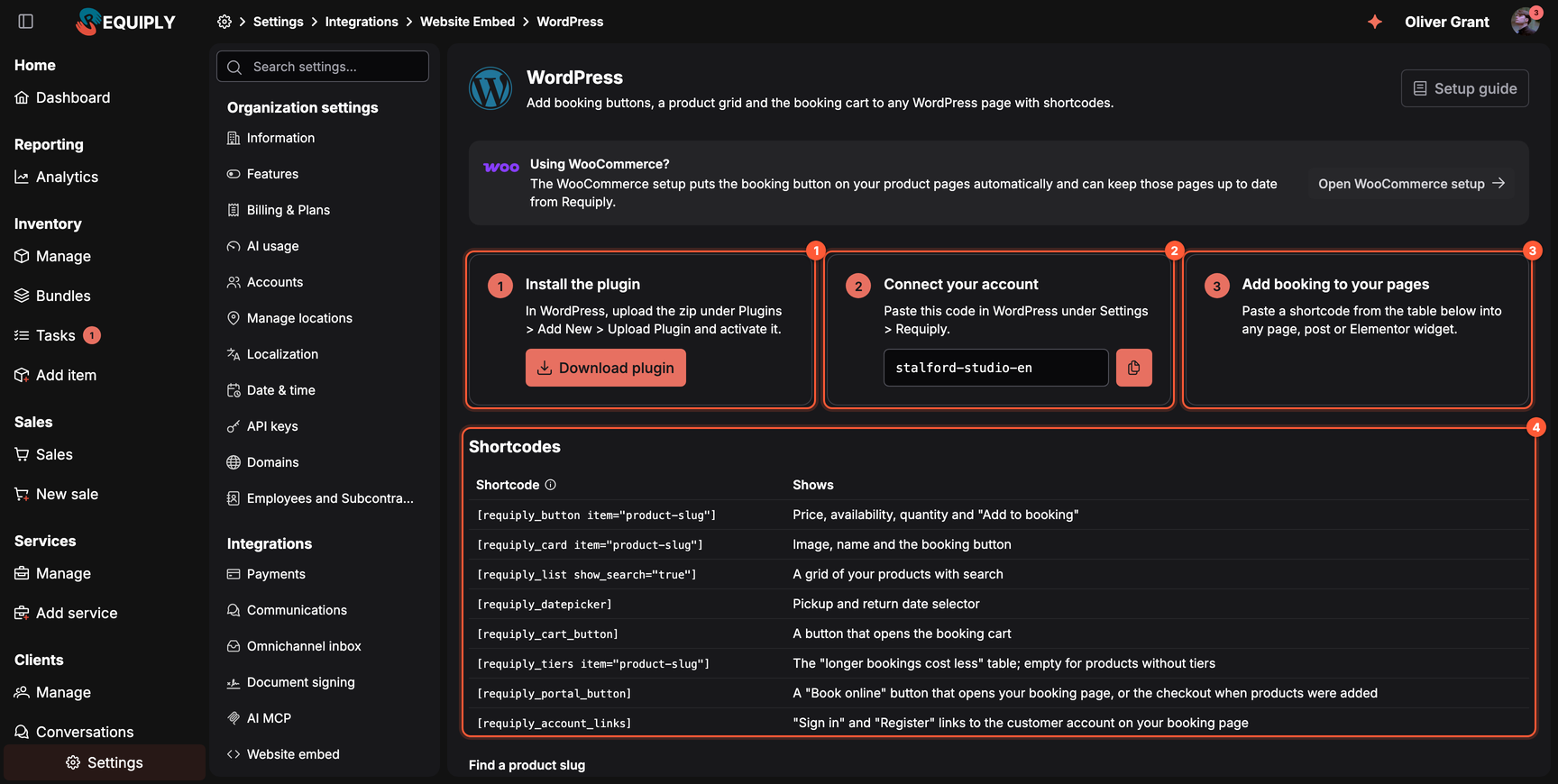
Your products and booking cart can now live on your own website. On WordPress, install the plugin and add shortcodes; on WooCommerce, the booking button goes on your product pages. Guides: WordPress and WooCommerce.
Offer services like delivery or setup at checkout, with a price per day, per hour or on request
Your client portal appears on Google once you're on a paid plan, with clean product addresses
Use your own domain for the portal
Coming from Booqable? The [importer](/blog/migrate-from-booqable) moves your data in minutes
Yes, on the phone. With Keep data on this phone turned on, the Requiply mobile app shows inventory, prices and clients, scans codes and prepares bookings with no connection, and it creates bookings on a weak 2G signal. Saving a booking needs at least a weak connection, because the server checks availability.
Add the holiday under Settings → Date & time → Holidays and closed days. Pickups and returns cannot fall on it in the app, the client portal, the API or the AI assistants. Turn on Repeat every year for fixed dates like Christmas.
Yes. Create a product field such as Brand or Weight, turn on Filter on the booking page and website, and fill it in on your products. A filter appears once at least two products have different values.
Yes. Open the booking and use the pencil next to the deposit, or the Deposit button while creating the booking. Choose a percentage, an amount, periods or No deposit and add a reason. A deposit already paid with the booking is refunded instead of adjusted.
Next we want the phone to take a booking with no connection at all and send it the moment a signal appears. Tell us at info@requiply.com where your team loses signal most often.
Tags
Requiply version
requiply
equipment rental software
rental business
offline mode
mobile app
rental catalog
product filters
holidays
security deposit
check-in and check-out
website booking
wordpress
Try Requiply for free
Automate your rental business and save 10+ hours per week