Requiply 1.3.2: One Inbox, Bundles and AI for Equipment Rental
Requiply 1.3.2 for equipment rental businesses: Telegram, Instagram and OLX chats in one AI-assisted inbox, rental bundles with one discount, and an assistant that knows your bookings.
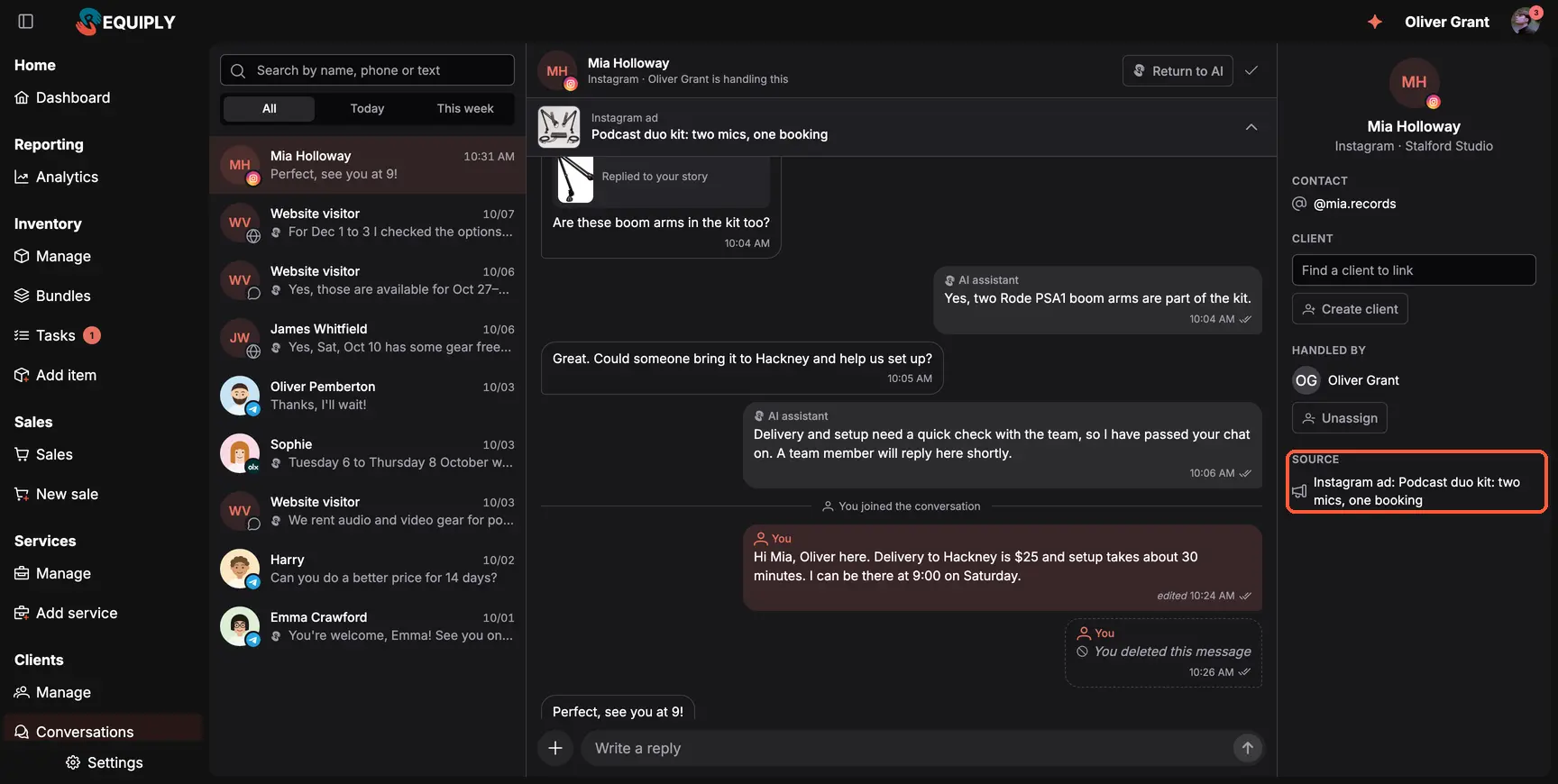
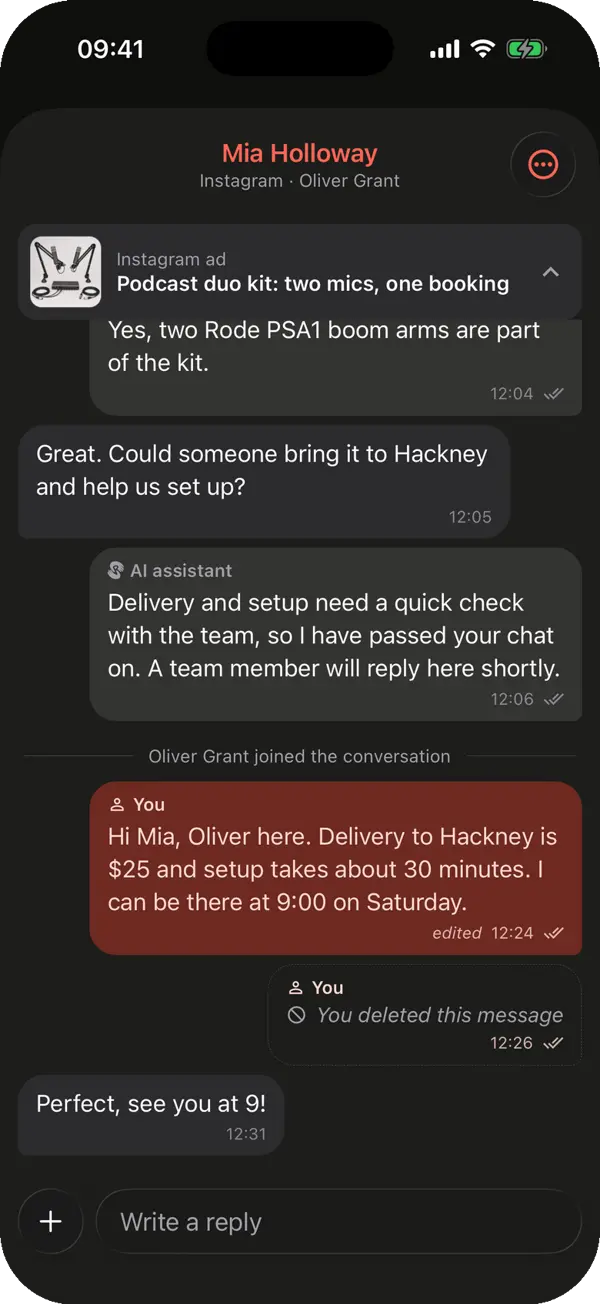
A chat that started from an Instagram ad (Source, highlighted): the AI answered first, then a team member took over.
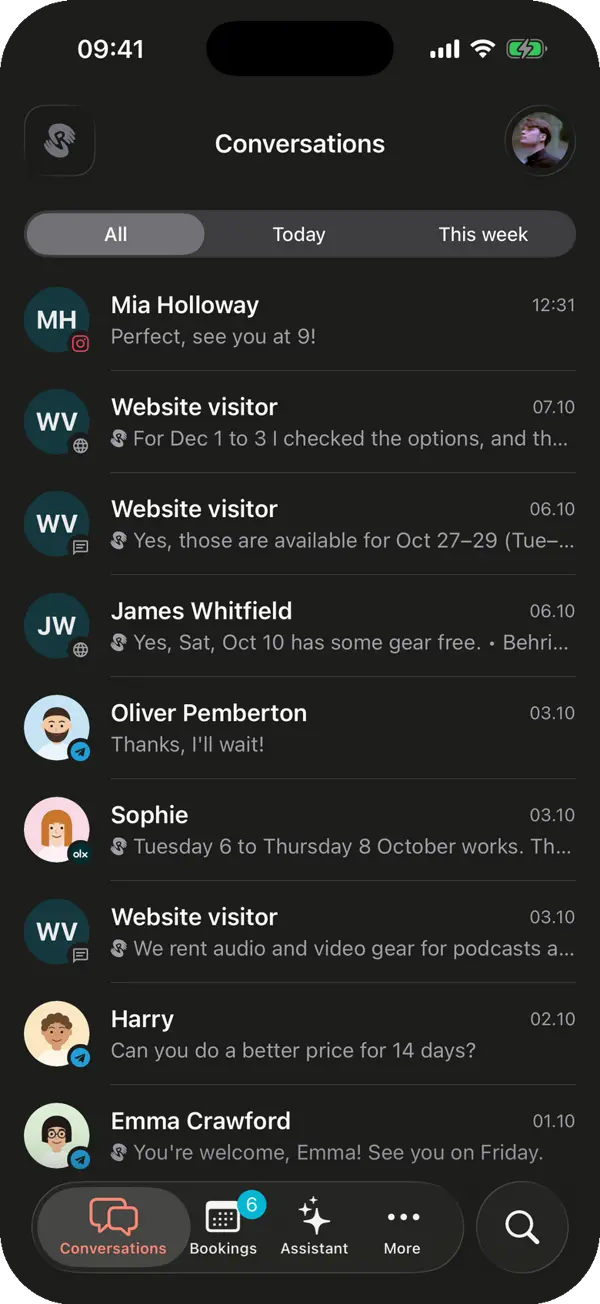
Clients write wherever suits them: in Telegram, under your Instagram story, on OLX, in your website chat or in the client portal. Each channel used to live on someone's phone, and requests got lost. Switch on Conversations under Settings → Features and every chat lands in one list.
The AI answers first: it checks availability and prices, files booking requests and hands the chat to your team with a short summary
Choose when the AI answers: always, outside working hours or never
Take over, assign, return to AI or close a chat, and edit or delete your own replies
Posts, reels and story replies show as cards, and a Source line shows the ad the client came from
Every conversation is linked to its client card
The inbox is in beta on every plan; AI answers need the Advanced plan. The knowledge base explains how to connect each channel.
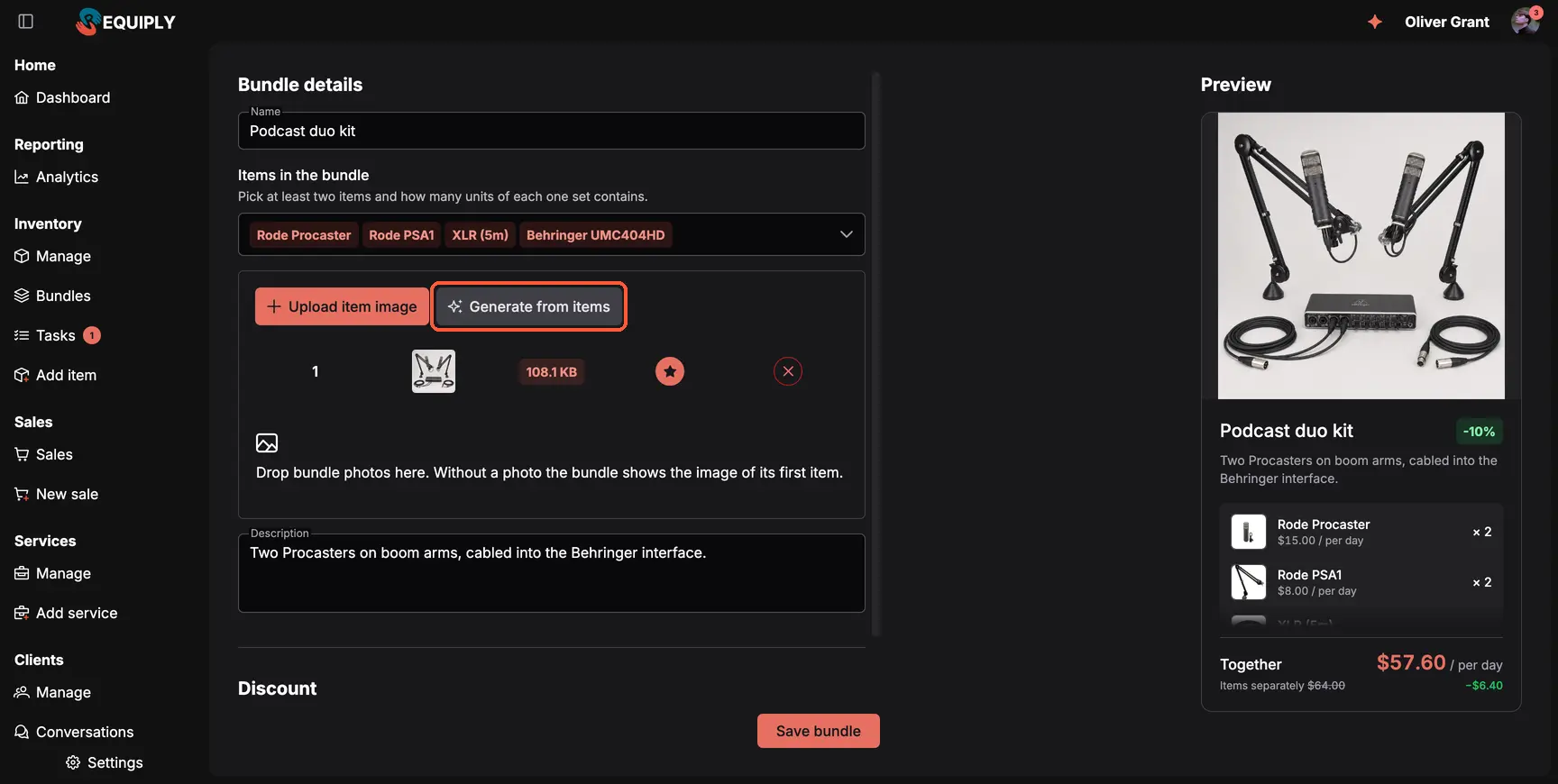
Generate from items (highlighted) turned four product photos into one picture of the whole kit.
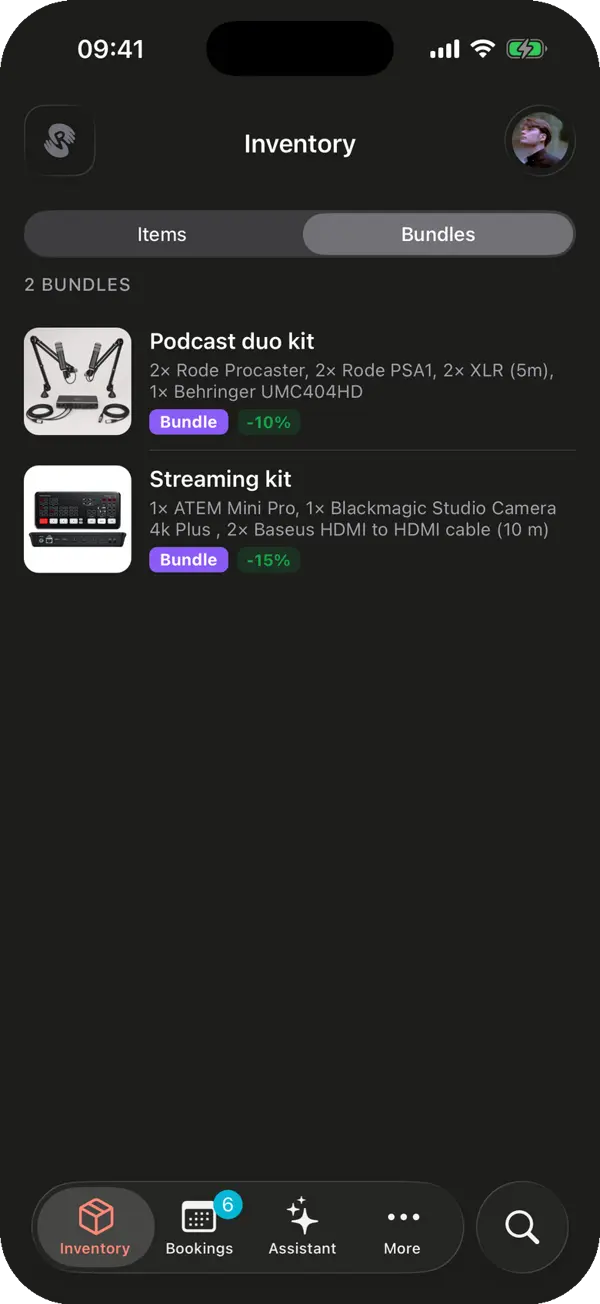
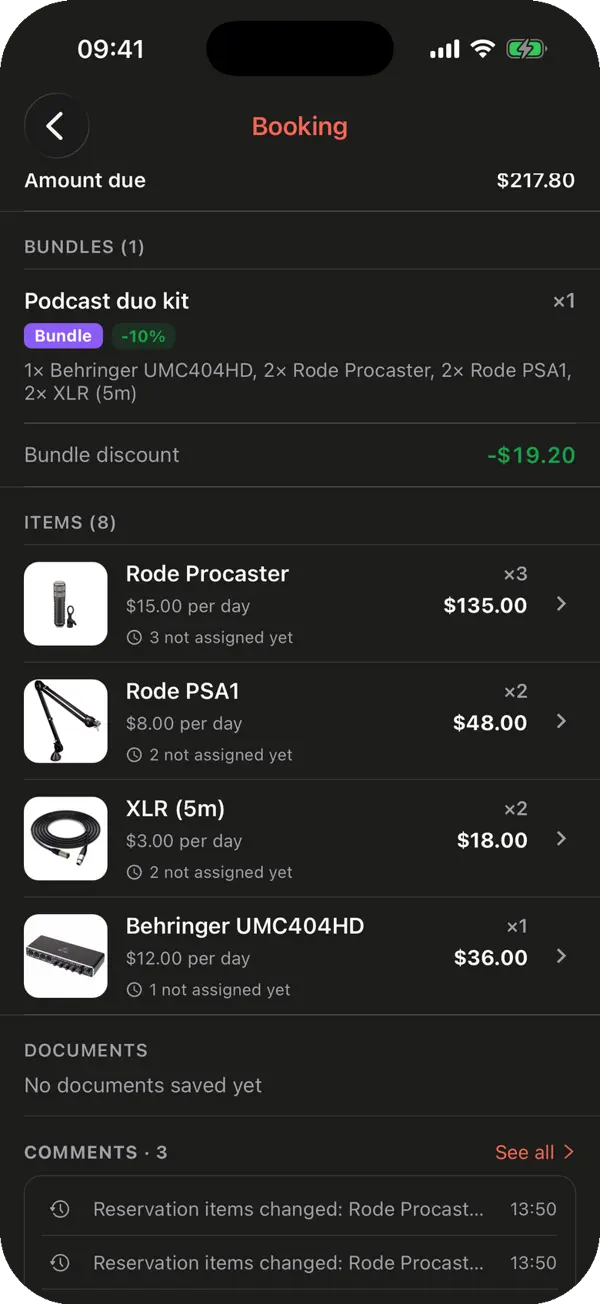
A podcast studio rents two microphones, boom arms, cables and an interface together almost every time. Instead of five lines per booking and a discount worked out by hand, switch on Bundles under Settings → Features. The kit becomes one item with one discount.
Pick the items, how many of each go in the set, and the bundle discount
AI makes a studio photo of the whole kit from your product photos, for 15 AI credits
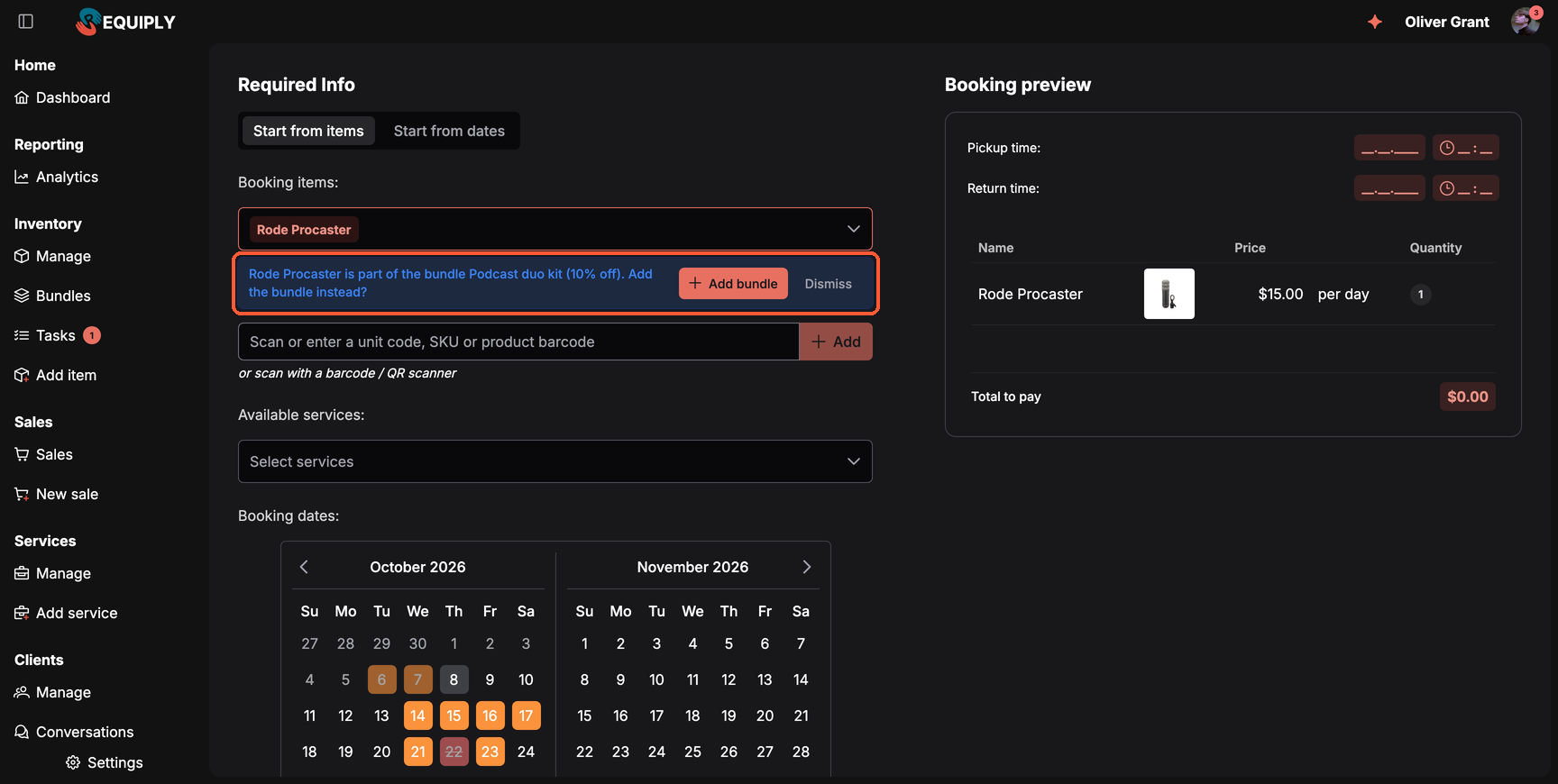
A bundle is offered only while every piece is free
Discounts apply in order: bundle, client, booking adjustment
Works on the web, in the mobile app, the client portal, the AI assistants and the API
When someone picks one item of a kit, Requiply offers the whole bundle: to staff in the booking form, to clients as a Book it as a set card in the portal. The AI assistants also mention the bundle before quoting a price. You decide who sees the suggestion: your team, your clients or both.
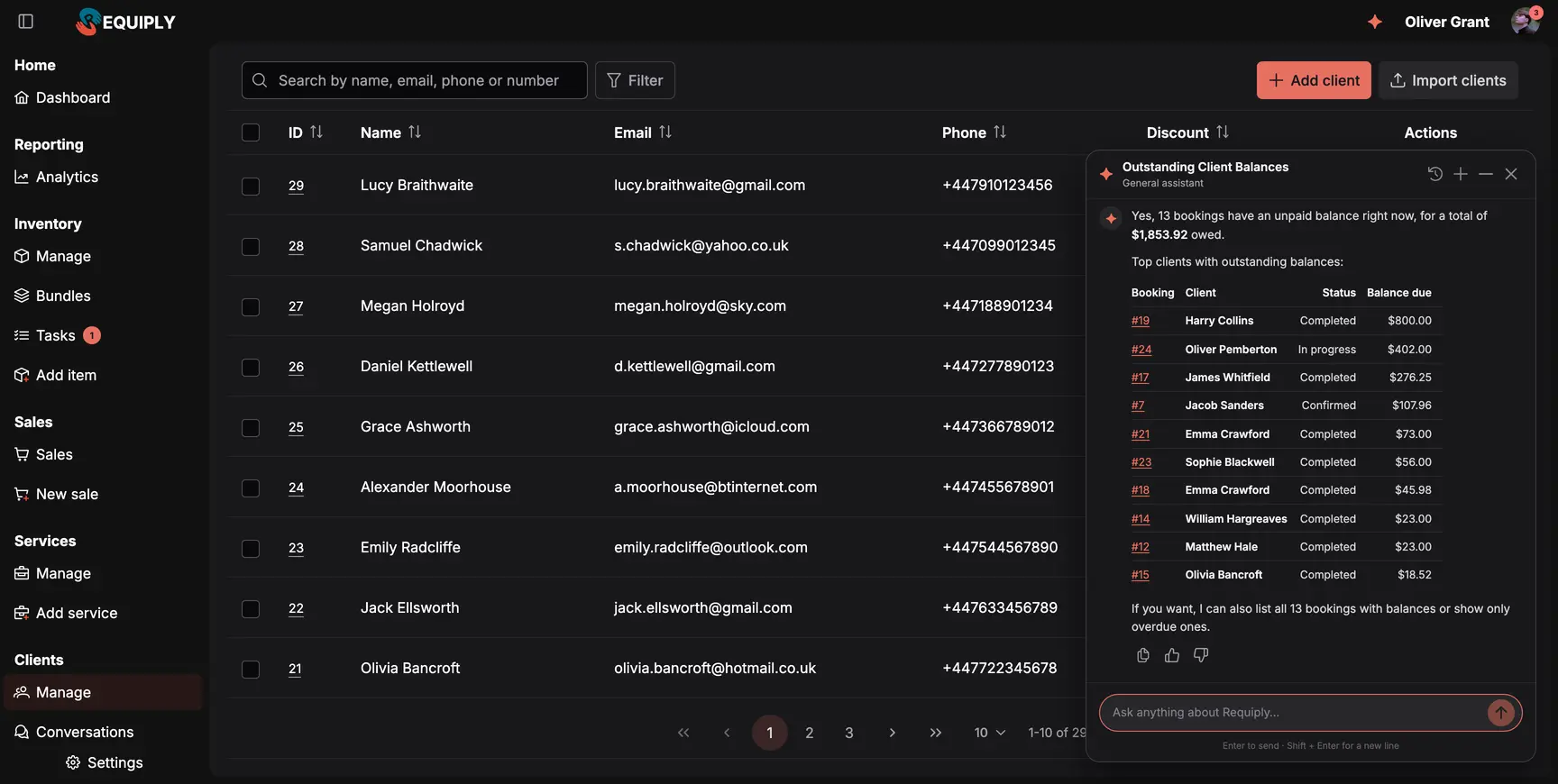
The total first, then the bookings behind it, each one a link.
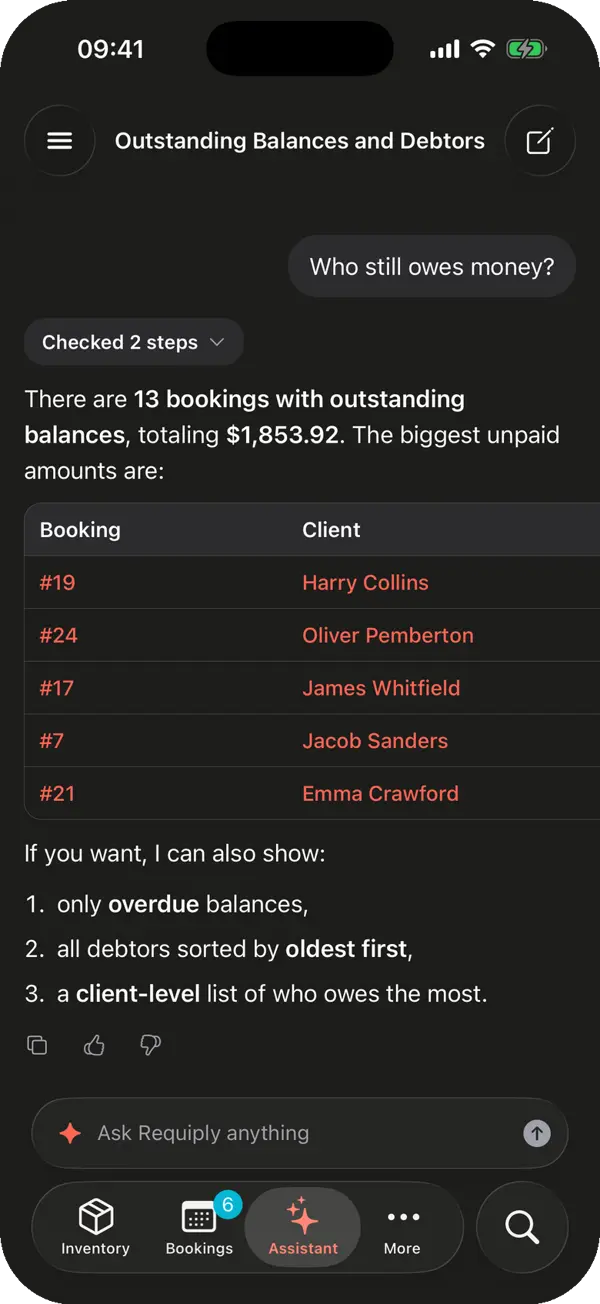
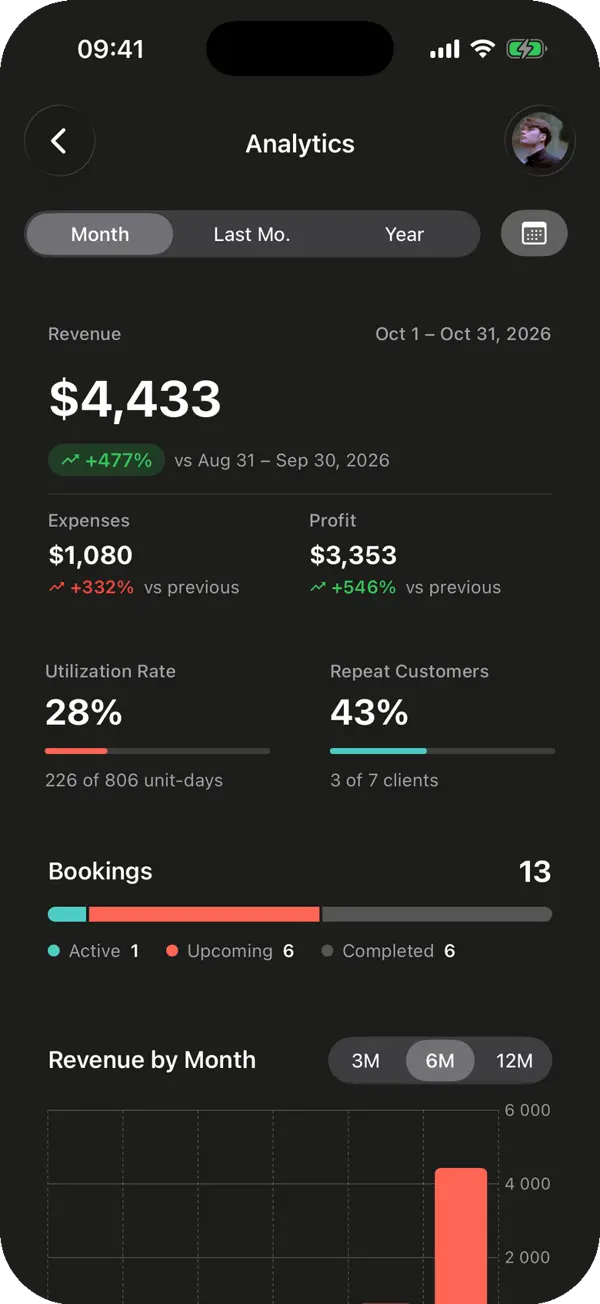
The Requiply Assistant no longer only explains how Requiply works. It now answers questions about your rental business: "What goes out and comes back today?", "Which clients owe me money?", "What's my revenue this month?", "Is the Streaming kit free this weekend and what would it cost?"
Answers lead with the number, then a short table linking every booking, sale and item
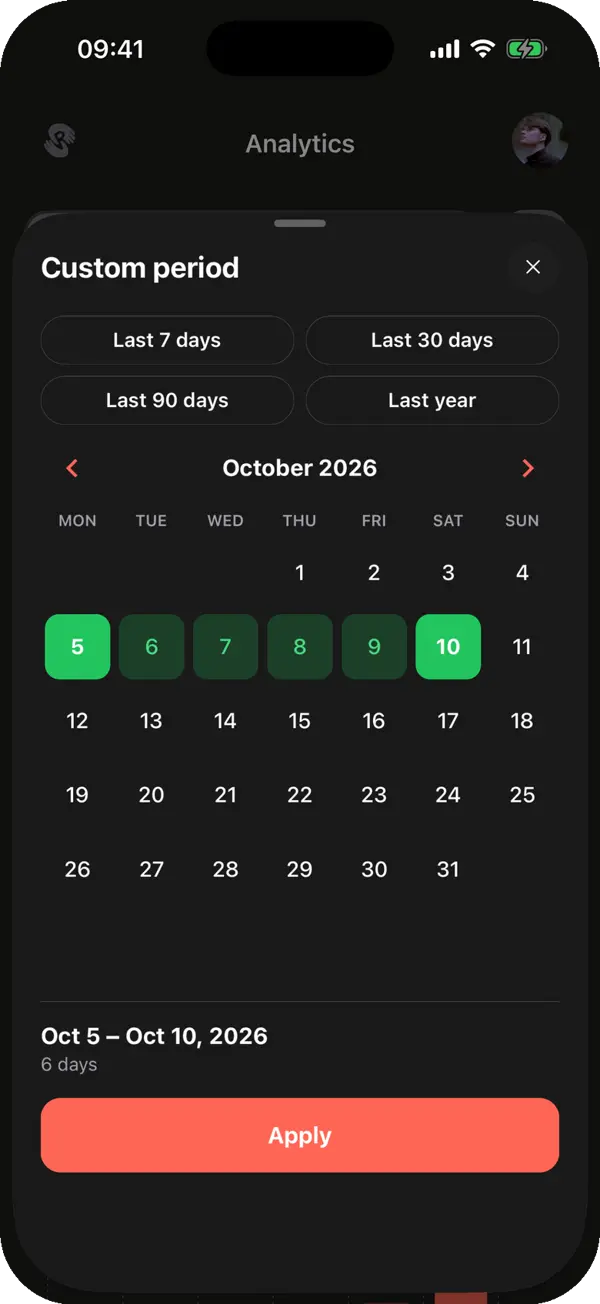
Today or last month means your organization's time zone
How-to answers come from the knowledge base with a screenshot of the screen you need
It answers in the language you write in, and drafting email, message and document templates now costs half the AI credits.
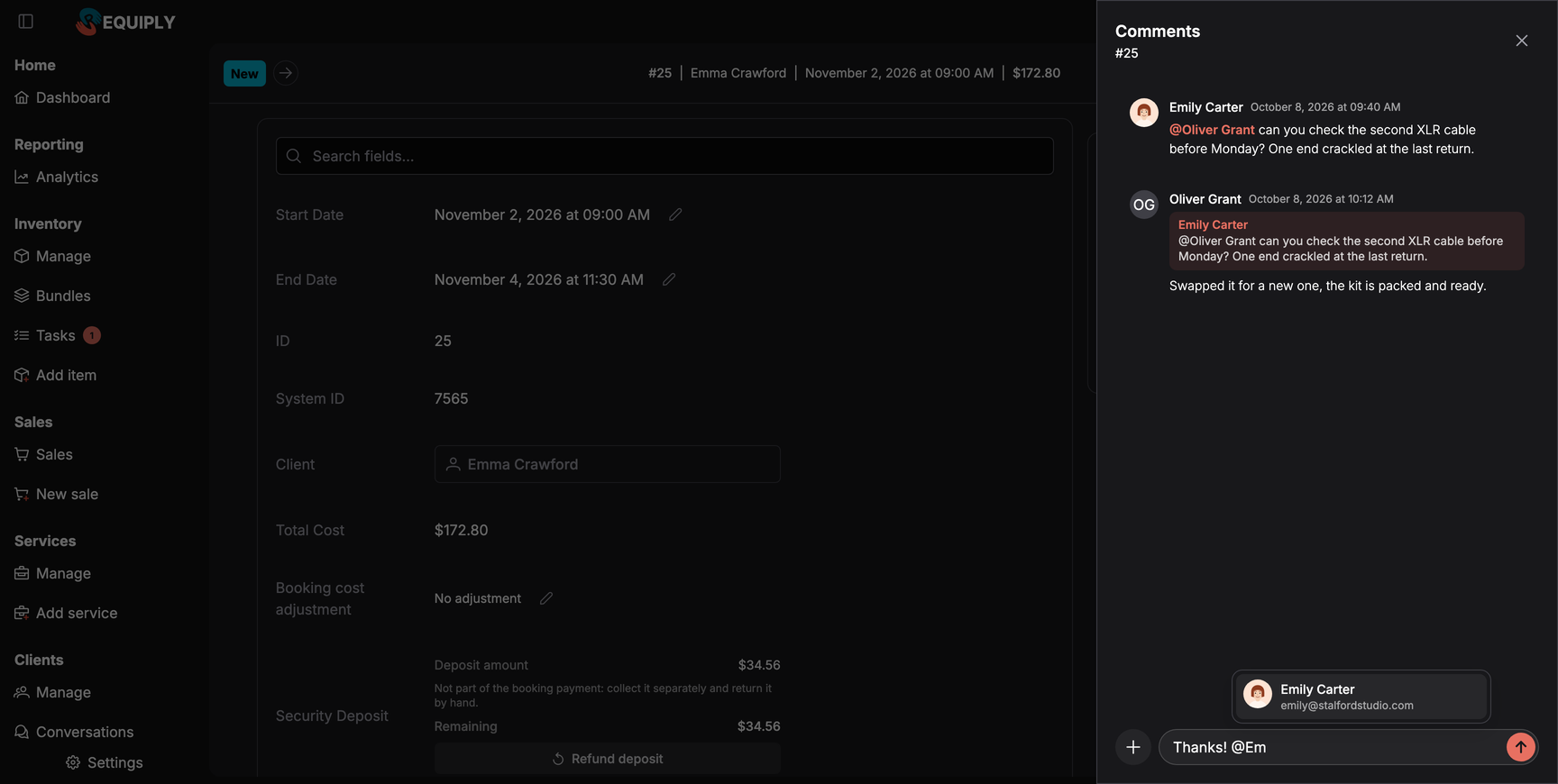
Comments on bookings, items, clients and tasks became a conversation. Type @ to mention a teammate, or reply to a comment with a quote that links back to the original.
Mentioned teammates and the author of the comment you reply to get a push
Assigning someone to a task or a booking's service sends a push too
Several events on one booking arrive as one notification, and a tap opens the exact comment
A new workflow action pushes to a whole group, such as everyone in the warehouse
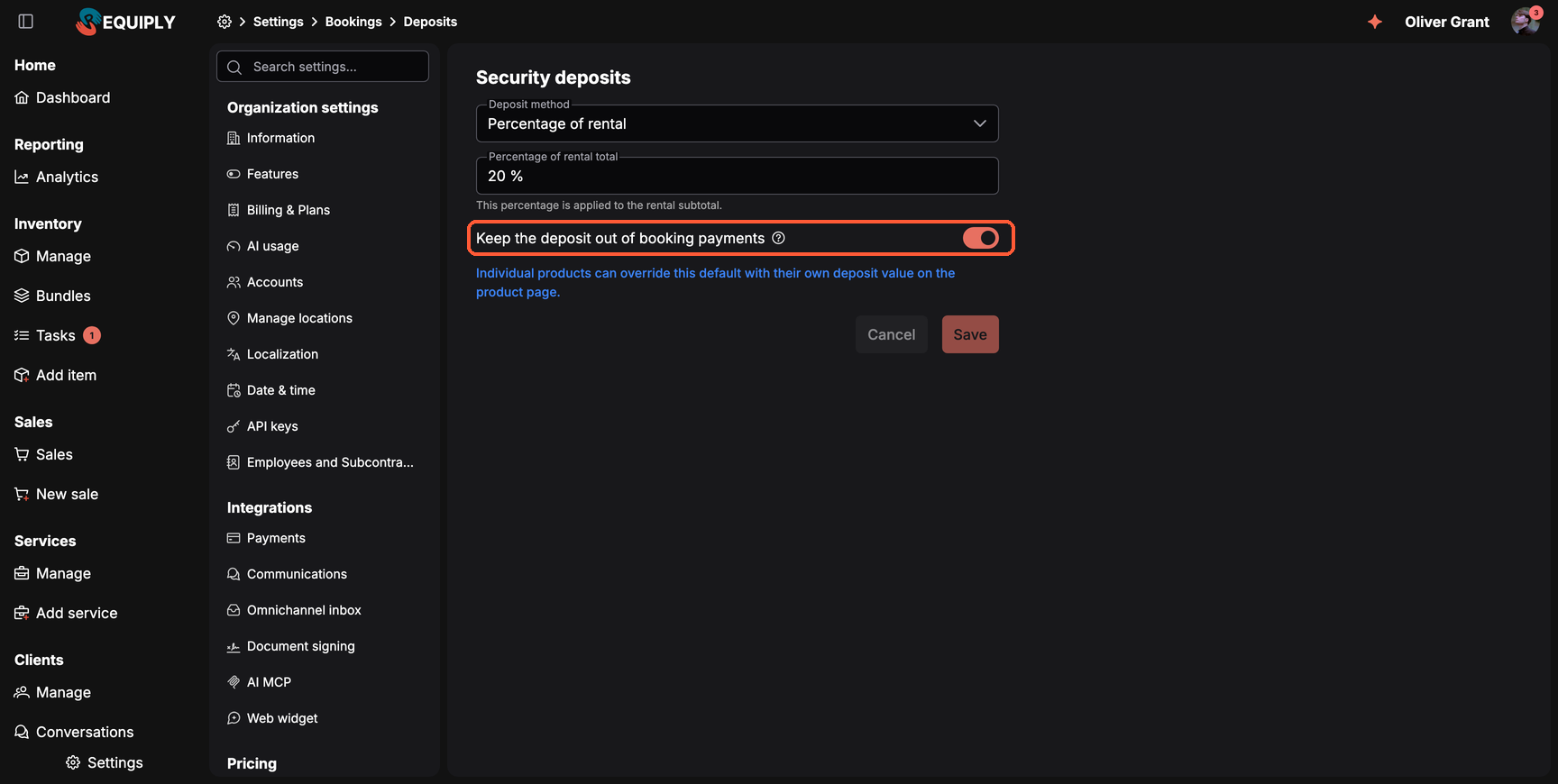
Many rental companies take the deposit in cash or as a separate transfer. Collected through a payment link, it mixes with rental income, which is an accounting problem in some countries. Keep the deposit out of booking payments under Settings → Bookings → Deposits leaves only the rental cost in online payments. The deposit shows separately as collected separately on the booking, in the portal and in the app.
Switch on Conversations under Settings → Features and connect your channels. Telegram, your website chat and the client portal chat work today, and OLX is in beta. To connect Instagram Direct, write to info@requiply.com with your Instagram handle.
Create a bundle from the items that always go out together and set a discount for the set. On a booking, the bundle adds its items as ordinary lines, so availability, unit assignment and checklists work as before.
No. It only reads your workspace data and sees what your own permissions allow. For an AI that makes changes after you confirm a preview, connect Claude or ChatGPT through the AI integration.
Keep the deposit out of booking payments (Settings → Bookings → Deposits) is on by default: online payments cover only the rental and you collect the deposit separately. It applies to new bookings; existing bookings stay as they were created.
Next we want to turn more conversations into bookings without leaving the chat. Write to us at info@requiply.com and tell us which channel your clients use most and which kits you rent most often.
Tags
Requiply version
requiply
equipment rental software
rental business
omnichannel inbox
instagram
telegram
bundles
rental kits
ai assistant
push notifications
deposits
mobile app
Try Requiply for free
Automate your rental business and save 10+ hours per week