Requiply 1.3.1: Client Portal, Sales, Partial Returns and a Cleaner Workspace
Requiply 1.3.1 collects everything shipped since 1.3.0: a client portal with customer accounts and an AI booking assistant, sales of consumables with stock tracking, partial returns with damaged and lost units, statuses you fully own, a cleaner workspace with a configurable menu, and booking changes in the mobile app.
1.3.0 brought the phone and the calendar into Requiply. 1.3.1 opens it up to your clients and to the shelf behind the counter.
Clients now have a portal of their own where they book, sign in and follow their rentals. The memory cards and batteries you sell next to every rental finally have a place in the system. The rest of the release is about the moments after a booking is made, when a client adds a service, keeps a cable for two more days or brings a microphone back broken.
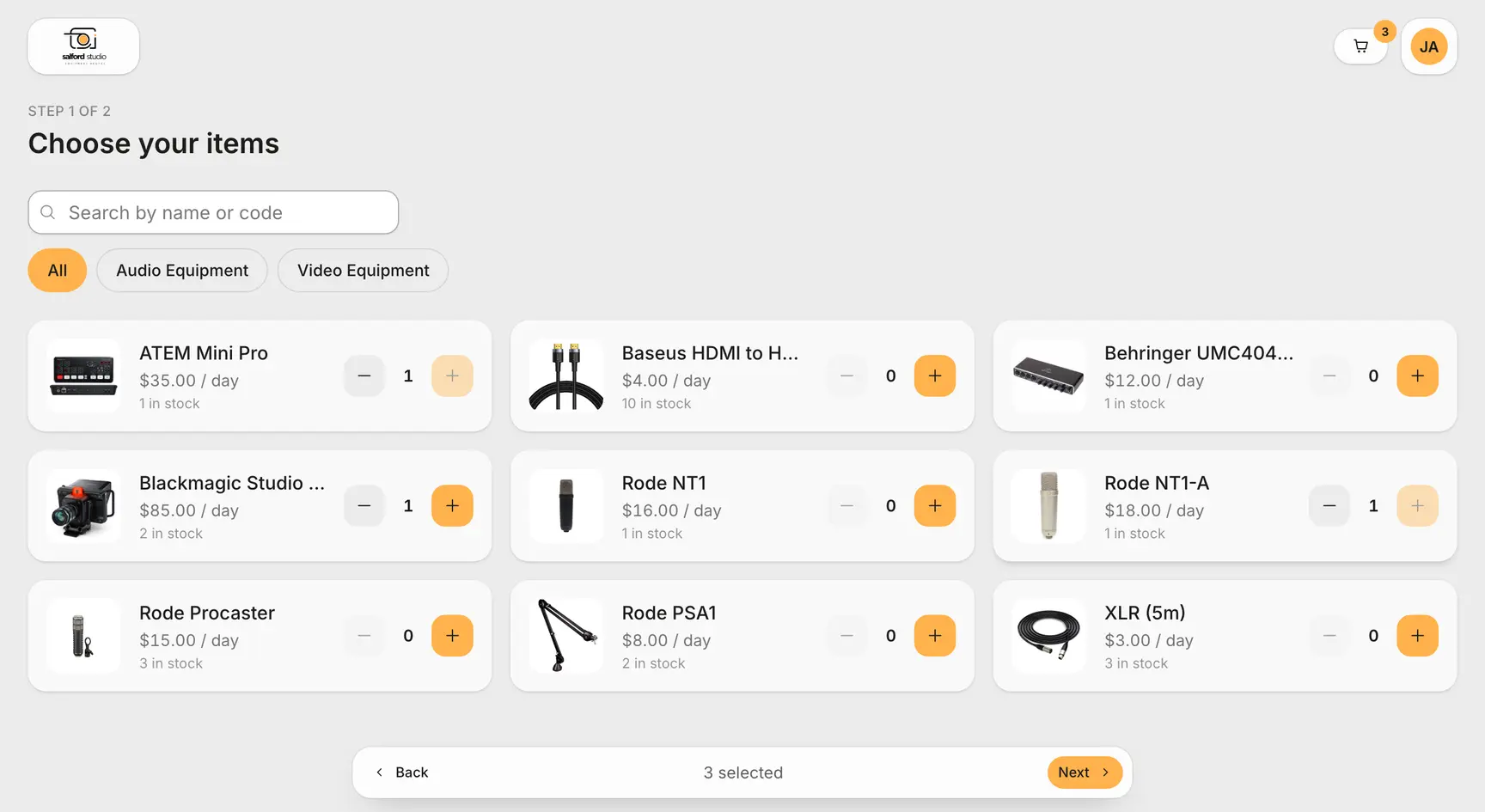
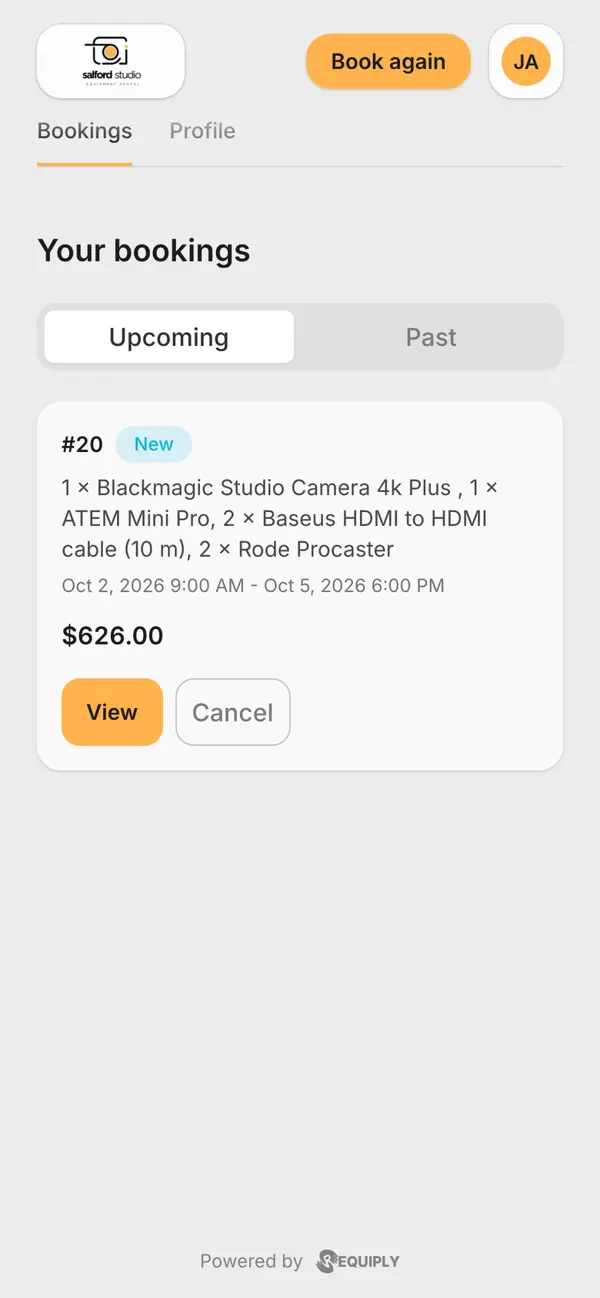
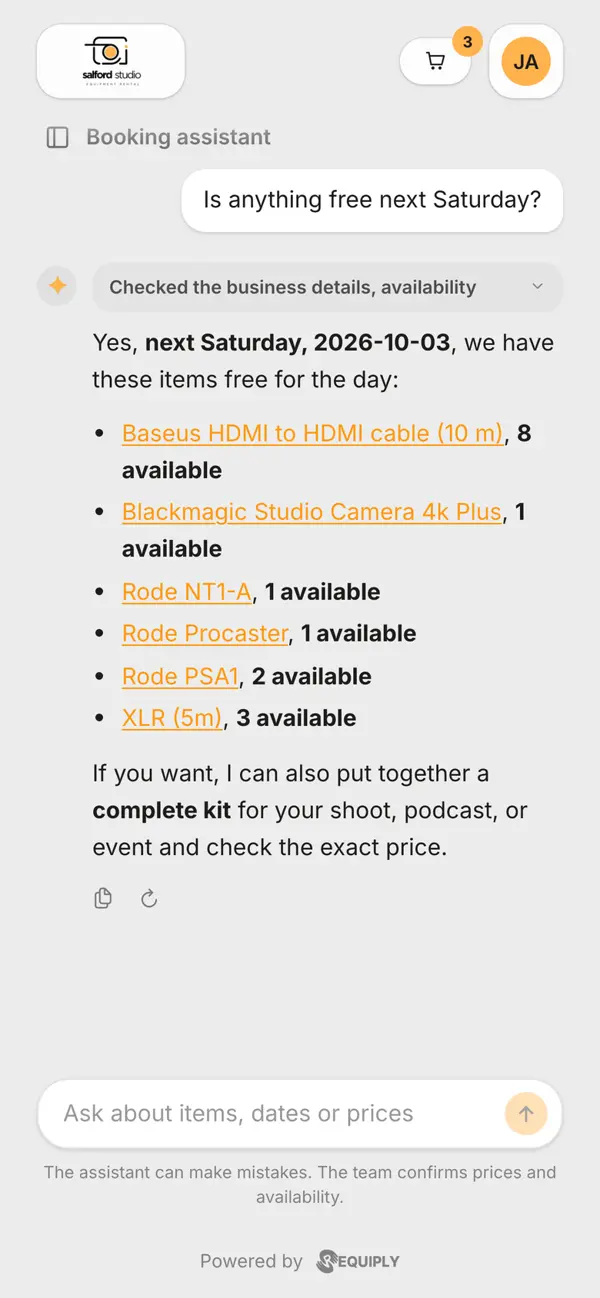
Clients pick items or dates and book in two steps. Signed in, they follow their bookings, and the assistant answers questions about what is free.
The booking page has grown into a client portal at portal.requiply.com/<your code>. It is a separate site made for your customers, so you share one link and bookings arrive in Requiply complete, with the stock held and the payment taken if you ask for one.
Clients start from items or from dates, and only ever see times inside your working hours
Sign in with a one-time code by email, with no password to forget and nothing for your team to reset
The account lists upcoming and past bookings with a progress bar built from your own statuses, lets clients pay an outstanding balance and keeps their details up to date
Clients can cancel a booking before pickup when you allow it, and you choose the status a cancellation moves to
An optional AI assistant answers catalog, availability and price questions and files a booking request, and signed-in clients keep their chat history
Brand color, corner style, logos and a browser tab icon, with a live phone preview while you edit under Booking Page → Edit
Bookings made in the portal are marked with the Client portal origin, and a new column on the clients list shows who already has a portal account. The knowledge base covers every setting.
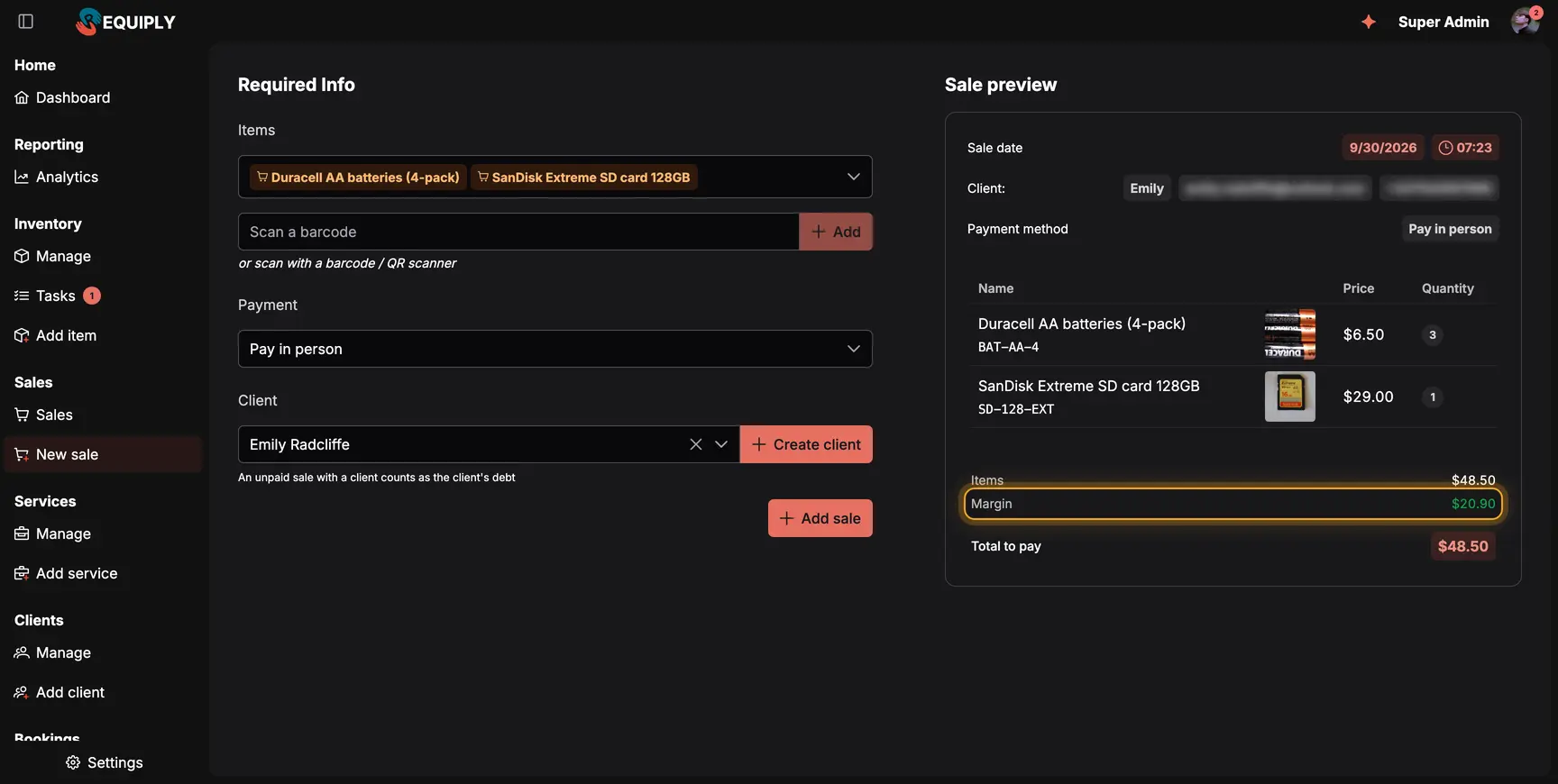
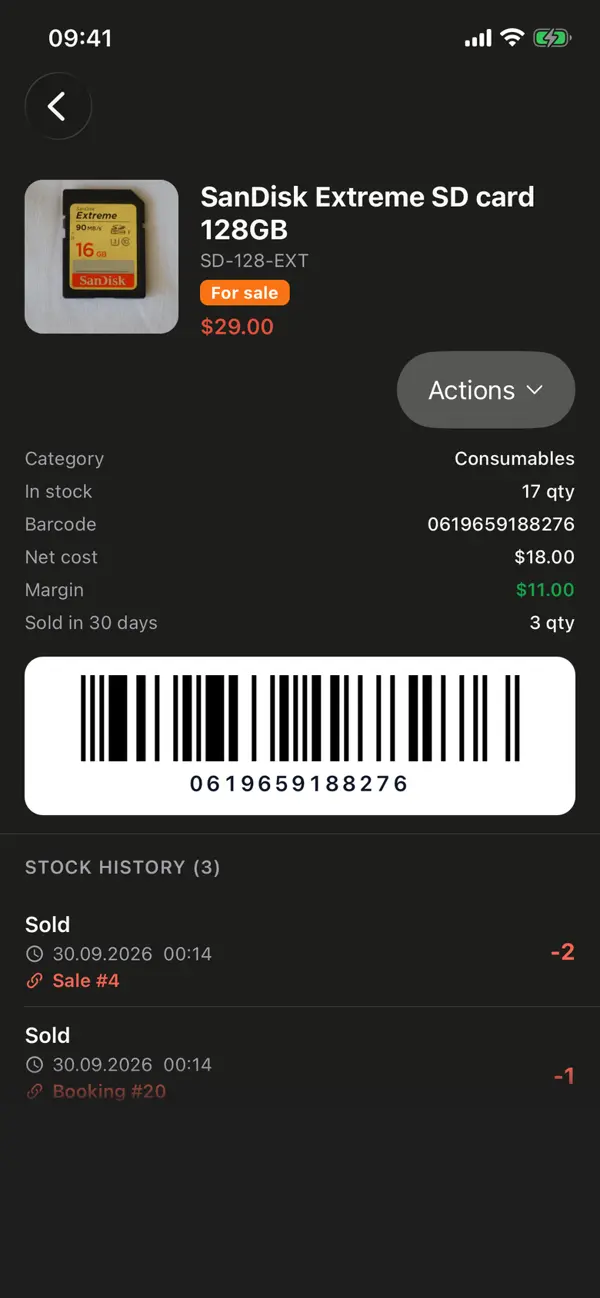
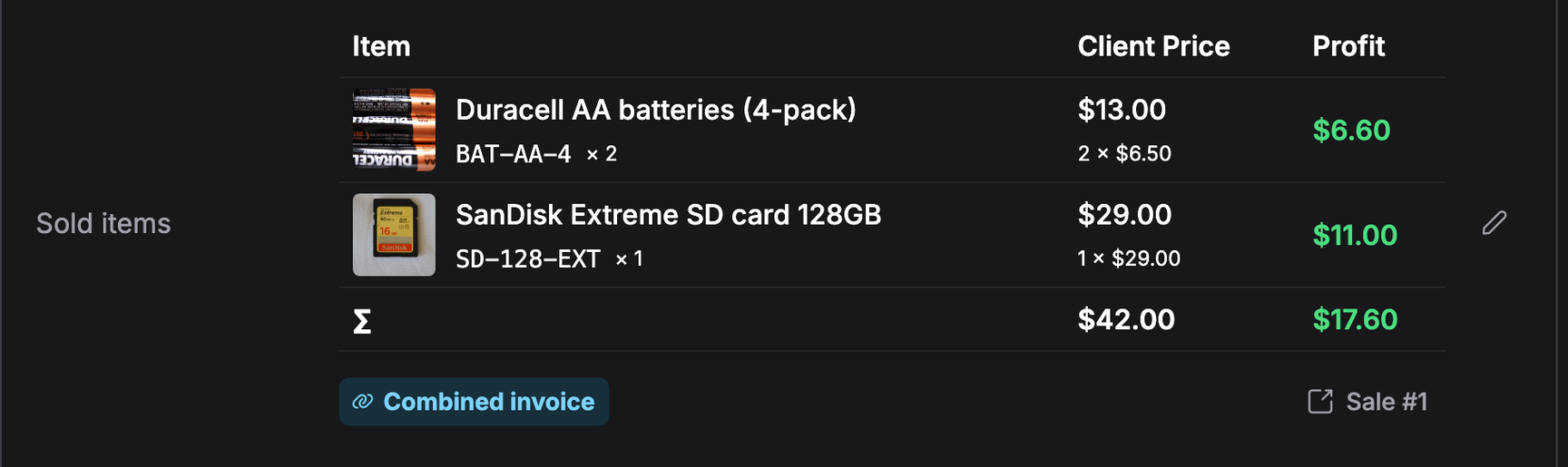
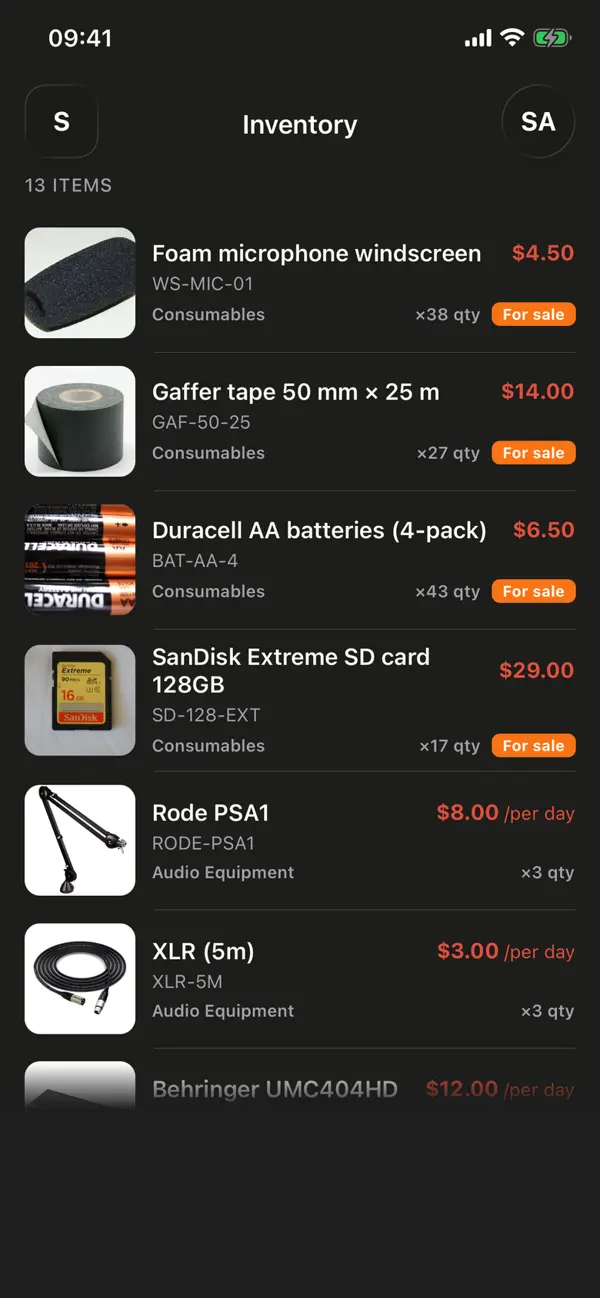
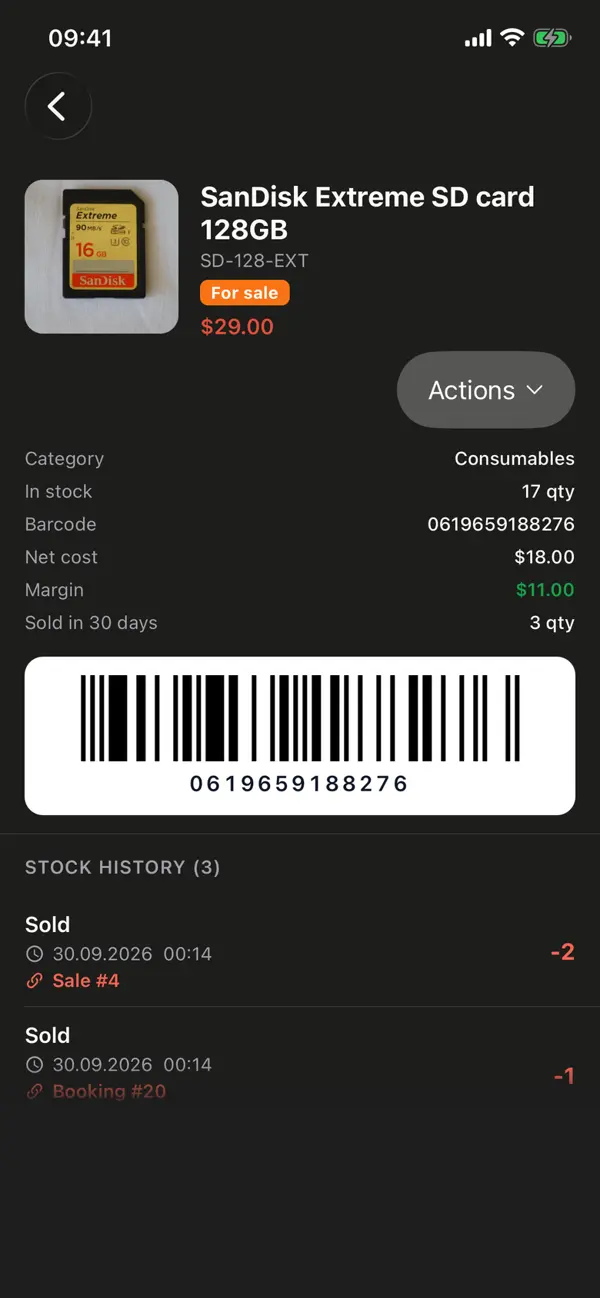
A counter sale in the web app, with the margin (highlighted) visible to stock managers only. In the mobile app, a product for sale shows its stock, margin, barcode and history.
Almost every rental desk also sells a few things: memory cards, batteries, gaffer tape, a spare windscreen. Until now those sales lived in a notebook or a separate till. On the Advanced plan, switch on Sales under Settings → Features and they become part of Requiply.
Add products as Equipment for sale: a stock count instead of units, a net cost and the manufacturer barcode
Sell over the counter from Sales → New sale, pay in person or send a payment link, and an unpaid sale with a client counts as their debt
Scan the barcode on the package to add a product (with code scanning switched on)
Record deliveries, write-offs and stock counts, and see stock history, units sold per month and margin on the product page
Return sold items with a refund amount and a Back to stock choice
Three new permissions keep roles apart: view sales, sell items and manage stock, and only stock managers see purchase prices
A client picking up a camera kit usually needs a card and batteries too. Add them while creating the booking, or later with Sell items from the booking's actions. They appear in a Sold items field and are paid together with the rental in one invoice. Client discounts and booking adjustments never touch sold items, cancelling the booking puts its stock back, and the PDF invoice prints them in a block of their own.
Sales are part of the Advanced plan and work in the mobile app, in the public API and through the MCP connection for Claude and ChatGPT.
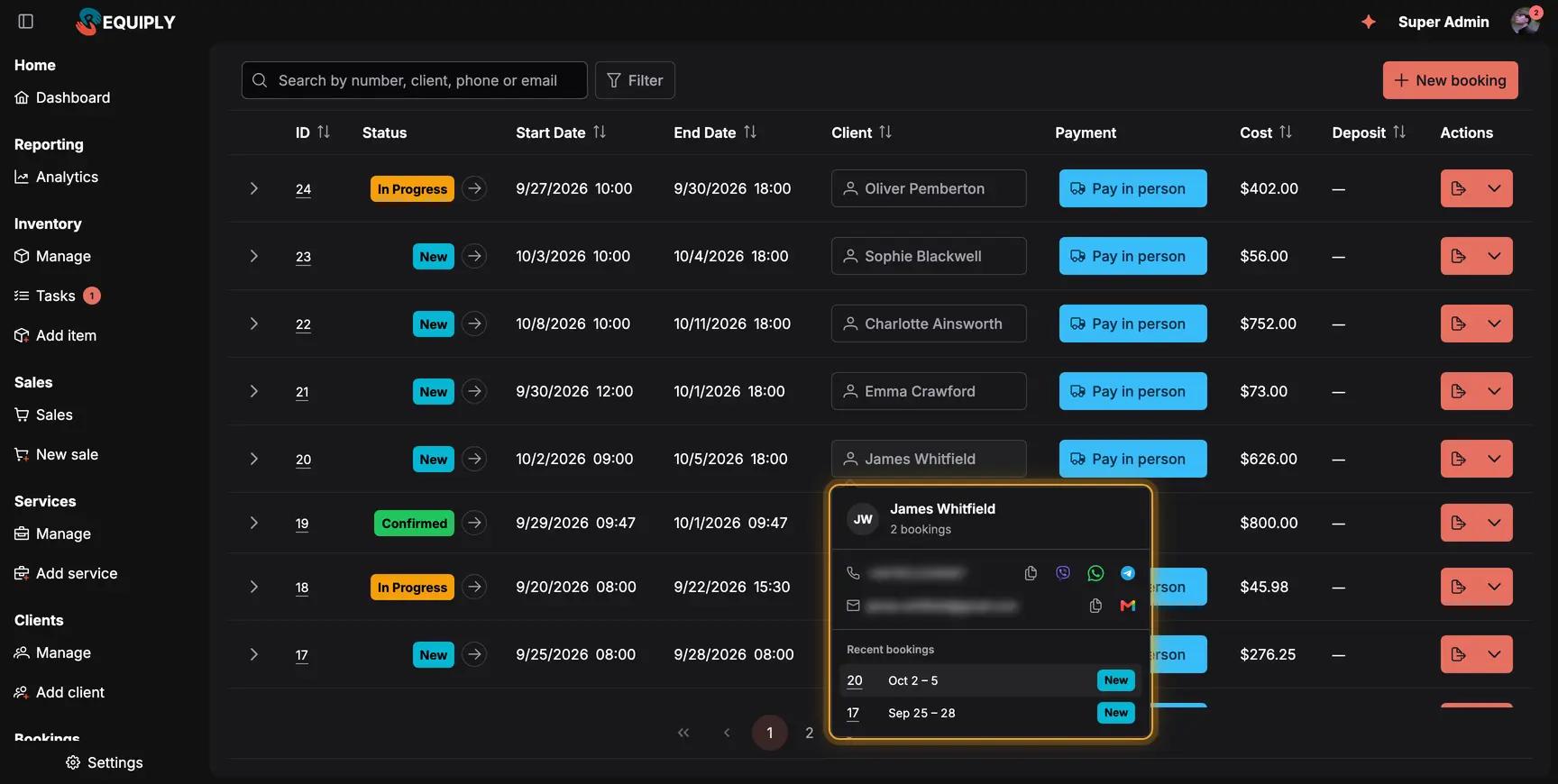
The page sits in one card, the navigation around it, and a client's details open on hover.
Requiply got lighter. The navigation now sits on the background and every page lives in one rounded card, so the screen shows your work rather than frames around it.
Settings opens its own menu card next to the page, with new icons for every section
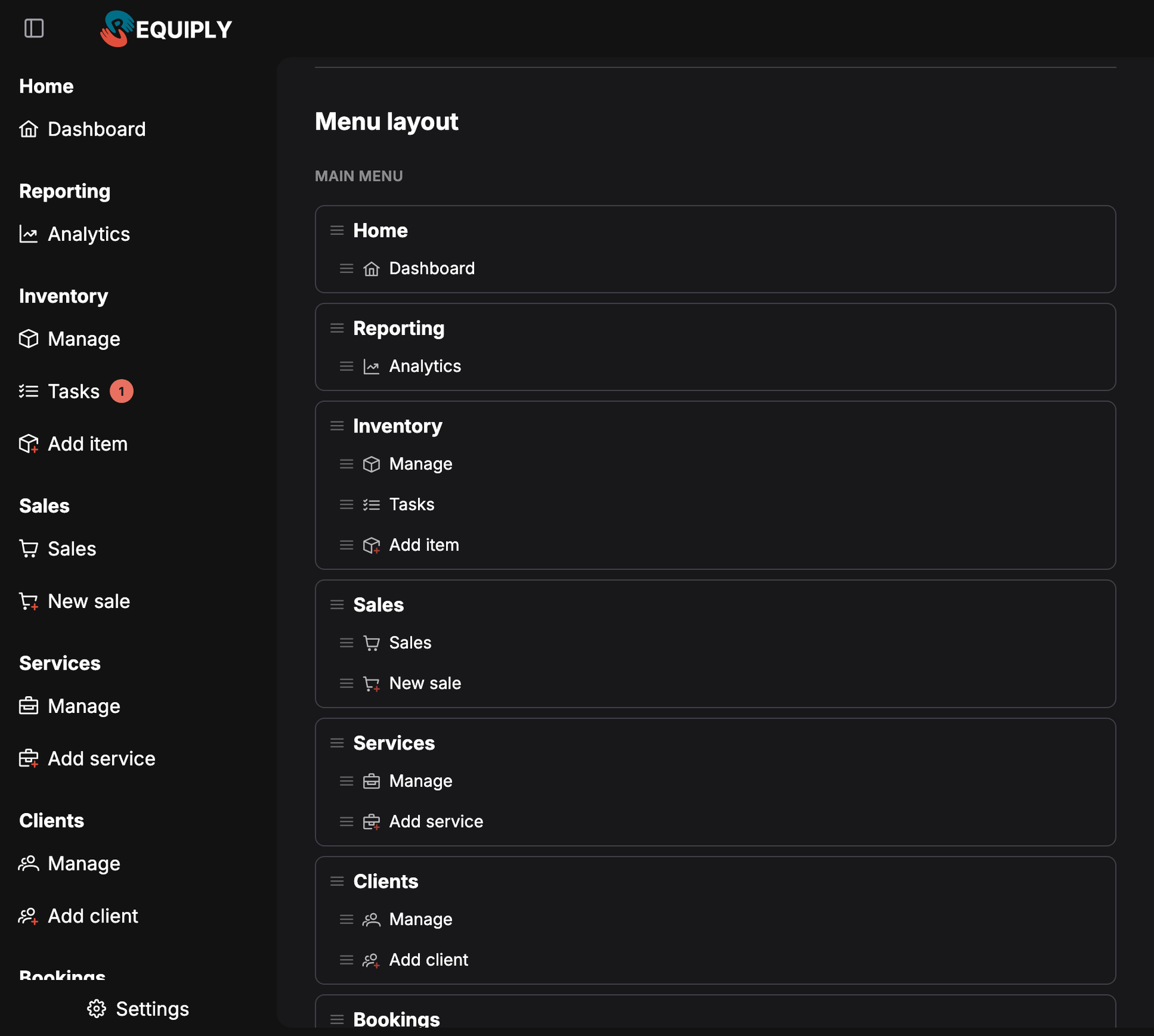
Reorder and hide sidebar sections and pages for yourself on your account page, or set a layout for a whole permission group
On phones and tablets the sidebar starts collapsed, and your own choice is remembered
Bookings, inventory, clients and sales tables load page by page from the server, with search and filter chips, so large lists open instantly
Hover a client's name to see their phone, email, quick contact buttons and last five bookings
A New booking button now sits on the bookings table
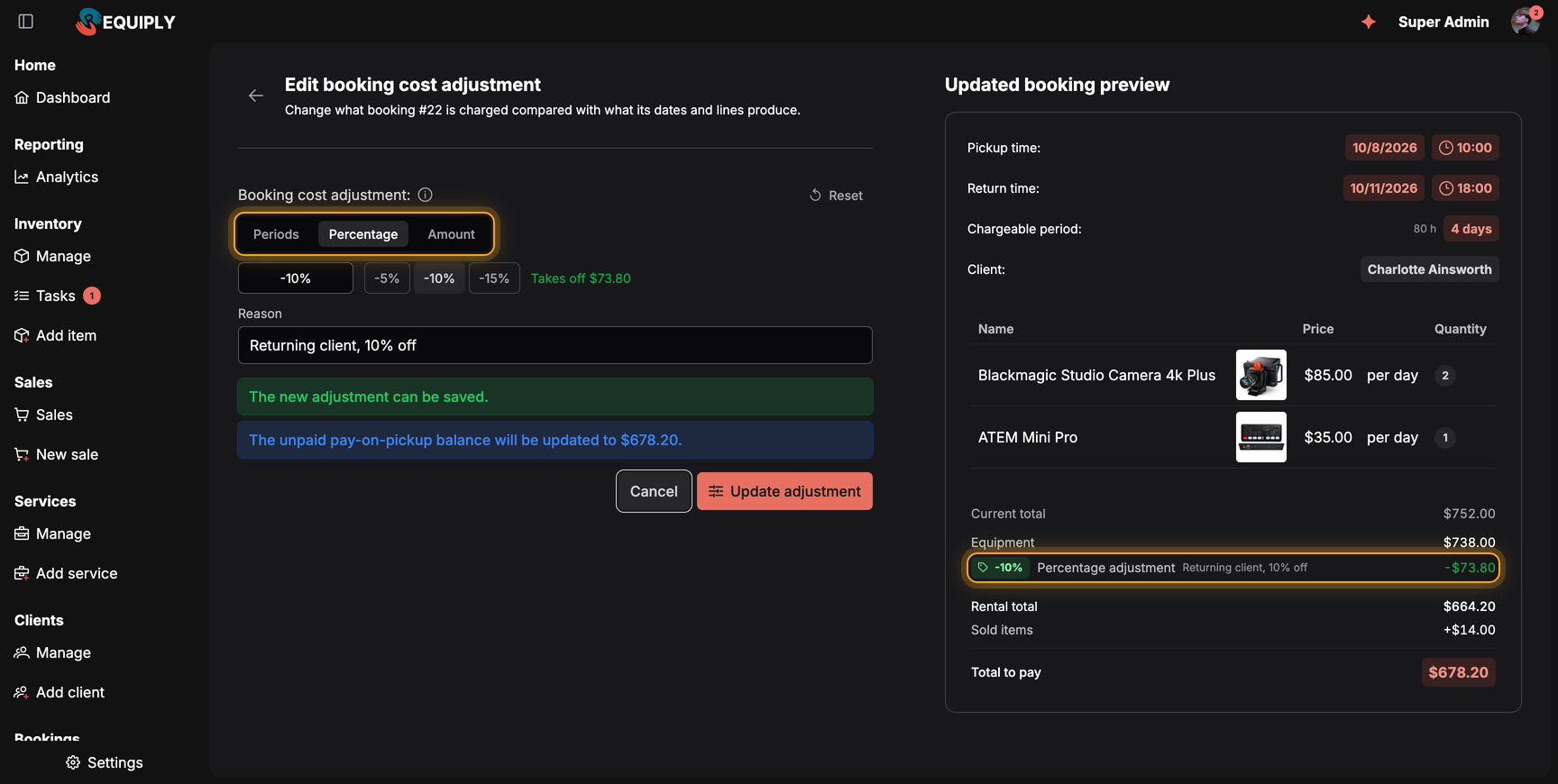
The chargeable period adjustment from 1.3.0 is now a full booking cost adjustment. Charge fewer or more days, take a percentage off or add a fixed amount, and the reason is printed on the invoice.
Three adjustment types, periods, percentage and amount, each switched on separately under Features
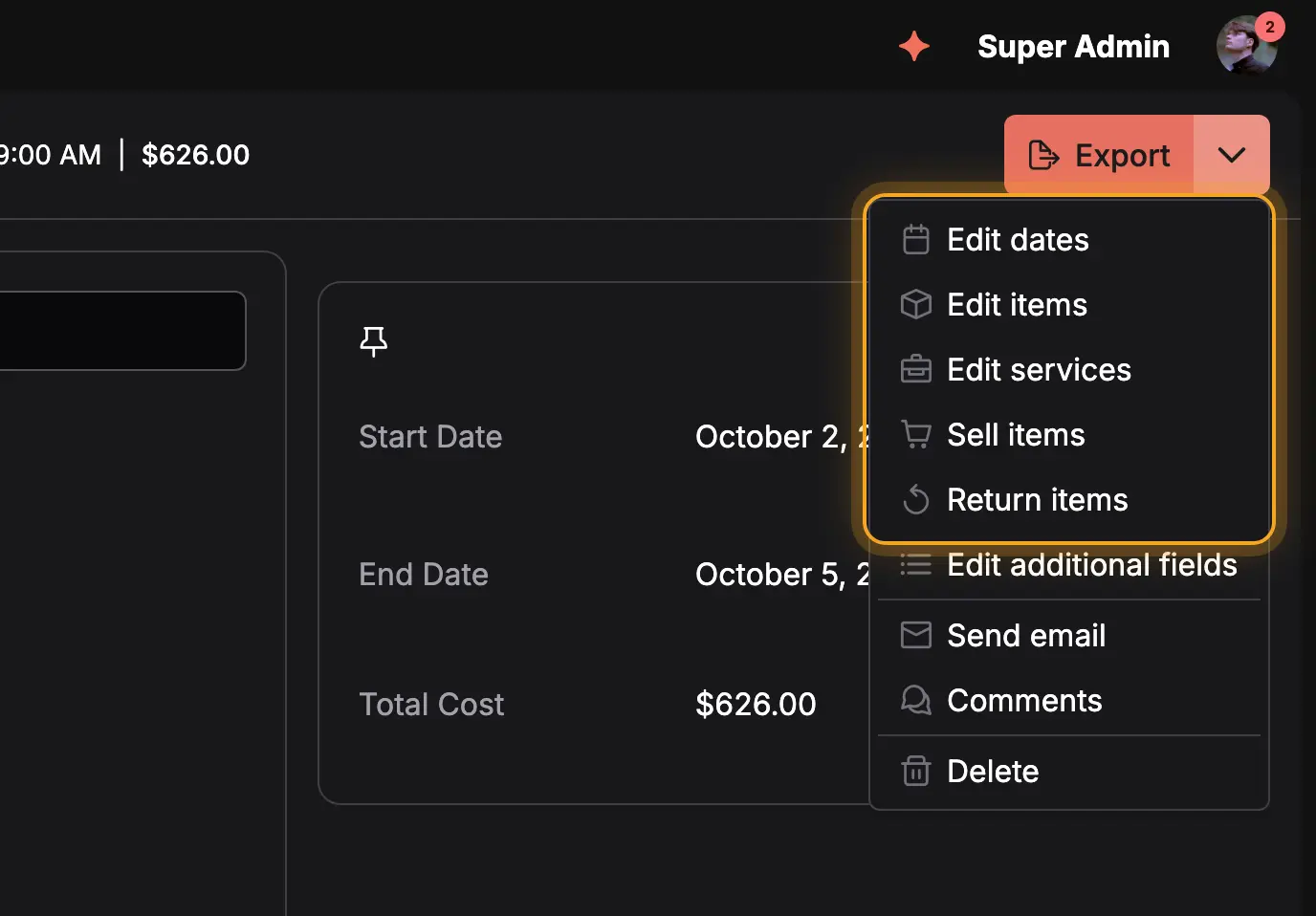
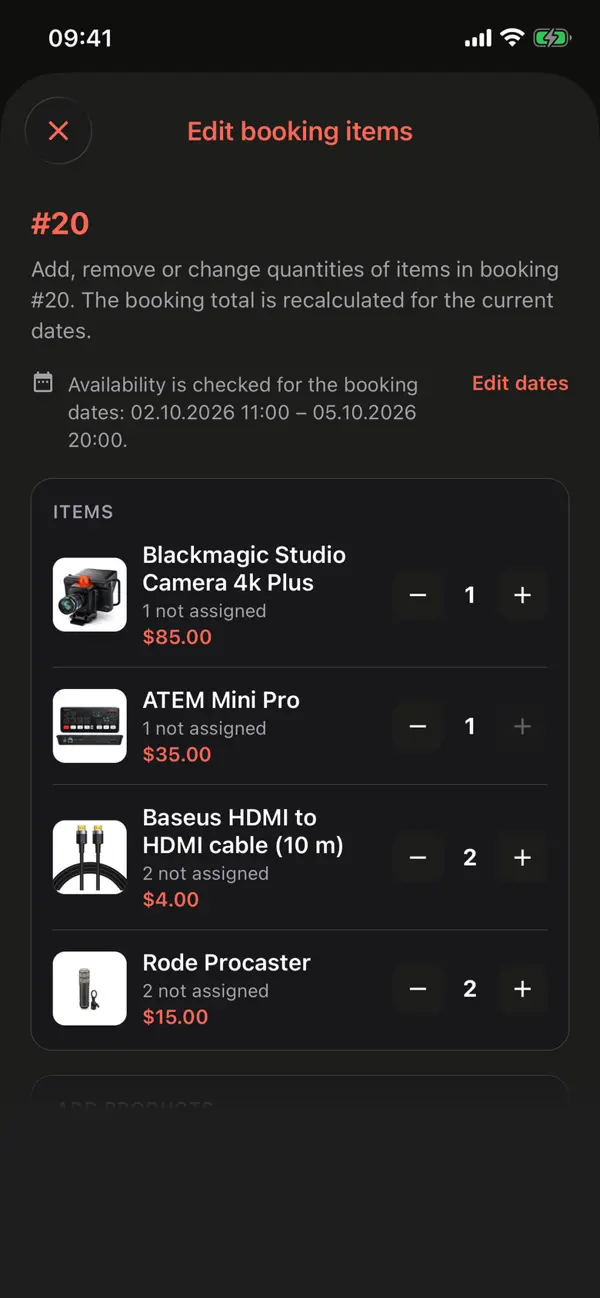
Edit services adds or removes services, and changes the price of services priced on request
Editing items moves the total by the difference, so an agreed price stays the price you agreed
Changing dates, items or services needs the Allow booking management permission
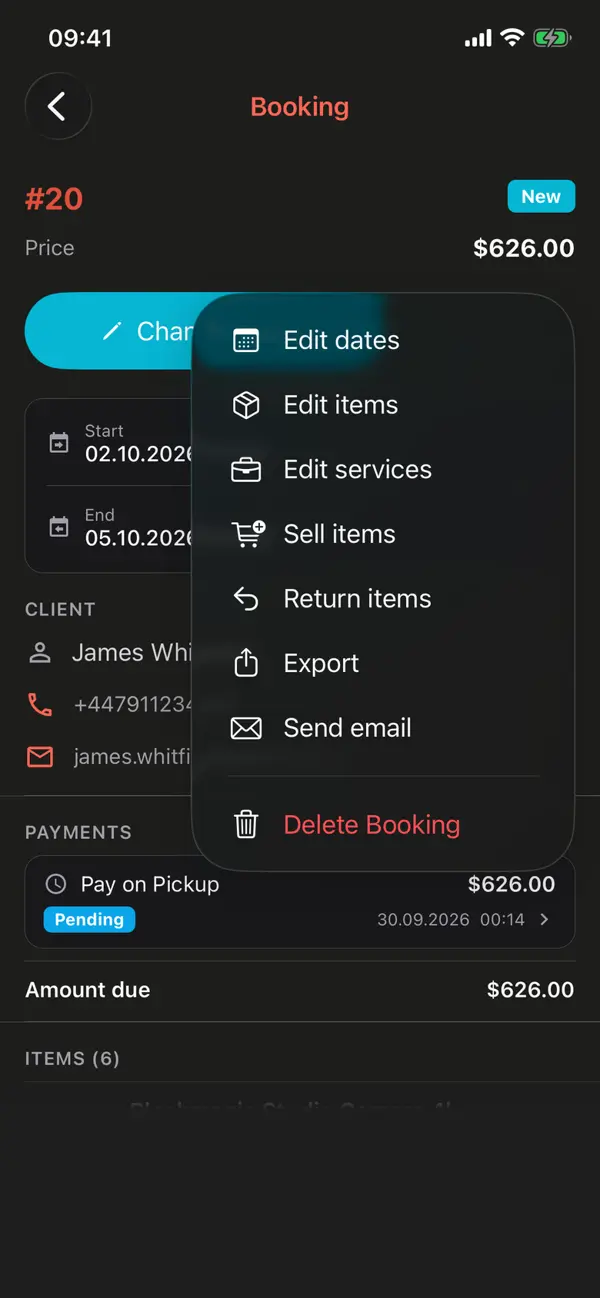
The web app and the mobile app show the same actions, decided in one place.
A booking that is already out cannot swap its camera, and a cancelled one cannot change anything. The actions menu now shows only what the booking still accepts, in the web app and on the phone alike:
Booking
Dates
Items
Services
Not picked up yet
Yes
Yes
Yes
Picked up
Yes
No
Yes
Completed
Yes
No
No
Cancelled
No
No
No
Additional fields, comments, emails and exports stay available at every stage.
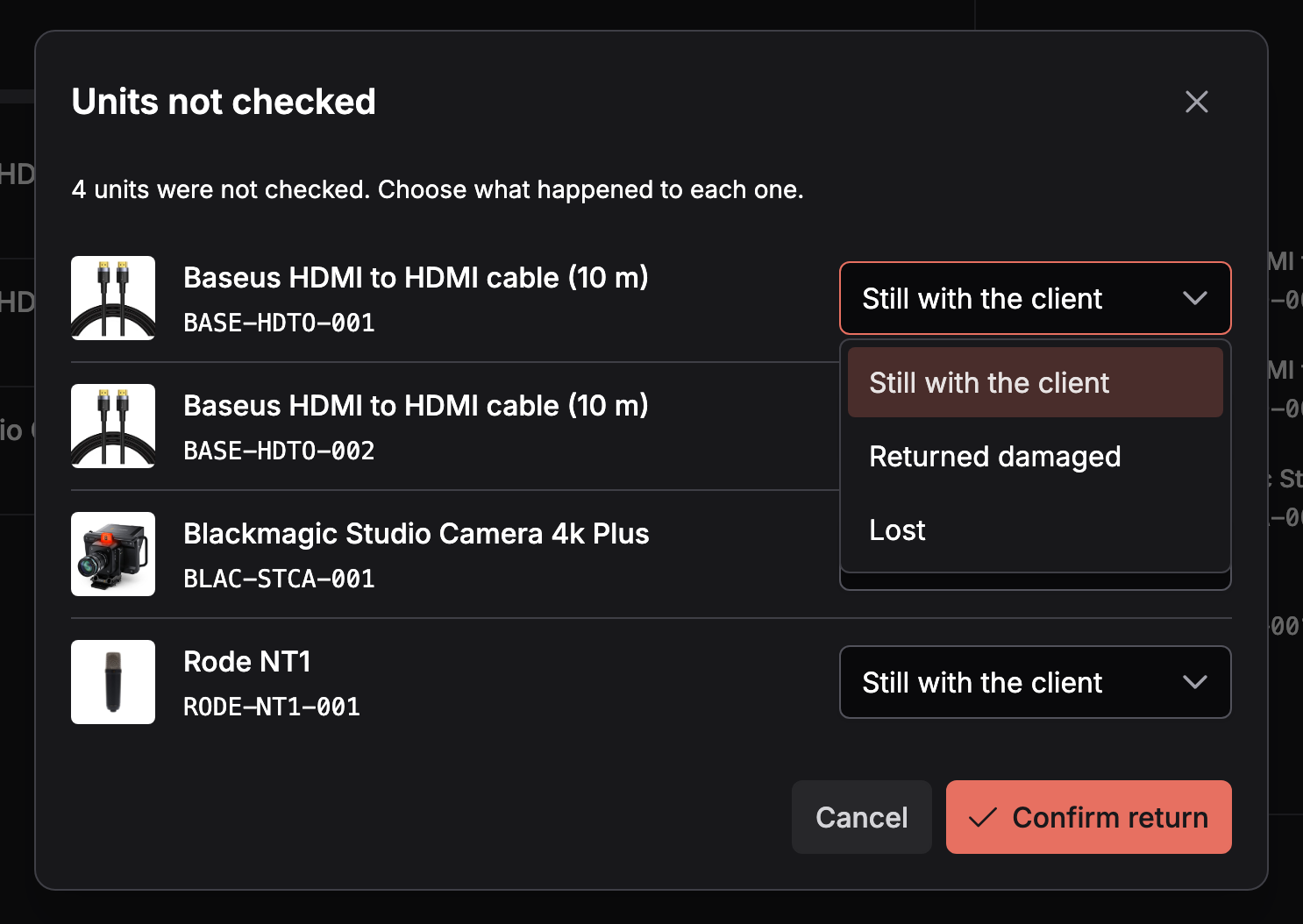
A return checklist used to assume everything came back. Now, when some units are left unchecked, Requiply asks what happened to each of them.
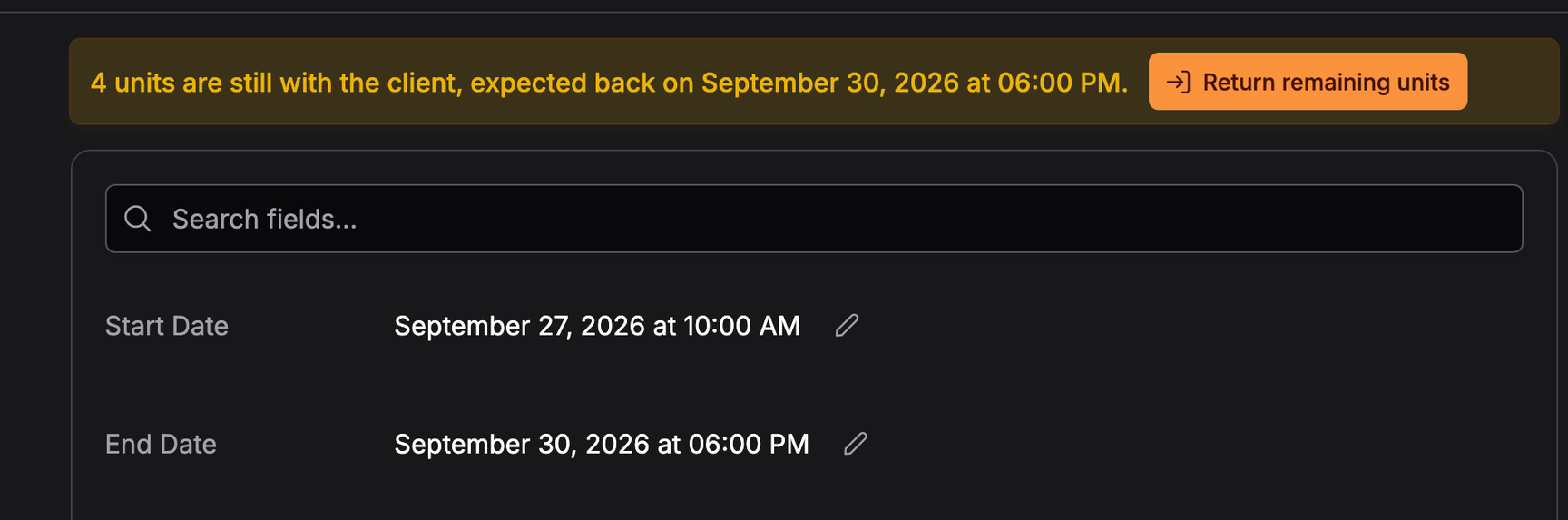
Still with the client: the unit keeps holding its availability until it comes back, and the booking shows how many units are still out
Returned damaged: the unit goes to maintenance with a comment and photos
Lost: the unit gets the Lost status and leaves availability, and Mark as found brings it back
Returned units are free for the next booking right away
Return remaining units finishes the job later, and Change dates in return mode moves only the return and prices only what is still out
Shortages are now visible before they hurt. Putting a unit on maintenance lists the bookings that will be short without it, a booking warns when some of its items cannot be handed over, and Auto-assign remaining on the pickup checklist explains which units are out of service.
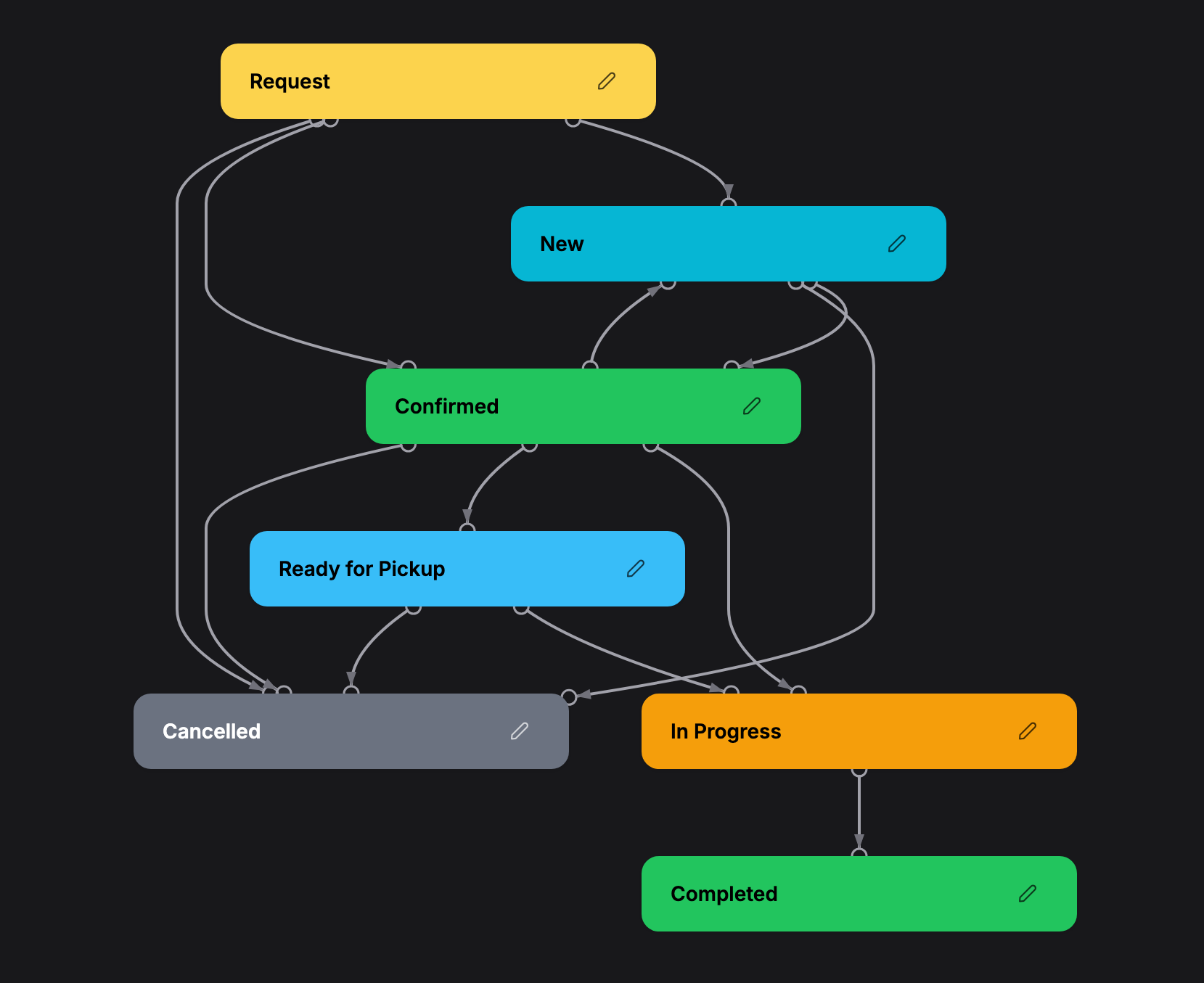
Built-in statuses are gone. Every organization now owns all of its statuses and can rename, recolor or delete any of them. New organizations start with seven, in their own language.
Choose the default status for bookings your team creates and the status for requests from the portal, AI assistants and the API
Each status carries a lifecycle, active, completed or cancelled, and an optional pickup or return checklist
Start from items or Start from dates sets how the booking form opens, on the web and in the mobile app
A new date picker style, Inline dates with typed times, lets staff type any time to the minute
A new booking calendar on the web and in the mobile app, faster and with range selection
Day counting follows your organization's clock, so a clock change never adds a day to the price
Share the new address, portal.requiply.com followed by your web URL code from Organization info. The portal takes its catalog, prices, working hours and payment methods from the settings you already have, so there is nothing to set up twice.
Sales are available on the Advanced plan. Switch them on under Settings, Features, then turn on the Sales permissions for the groups that need them. To scan barcodes, switch on code scanning as well.
No. Sold items are charged at their own price. Client discounts and booking cost adjustments apply to the rental only.
No. Your statuses keep their names, colors and transitions. The difference is that all of them now belong to your organization, so you can edit or remove any of them.
Yes. Confirm the return with the unit marked Still with the client. The booking shows how many units are still out, the unit keeps holding availability, and Return remaining units completes the return when it comes back.
With the portal live, your clients can reach you without a phone call, and with sales in place the whole counter lives in one system. Tell us what should come next.
Have questions or suggestions? Write to us at info@requiply.com. We would like to hear what you sell next to your rentals and how the portal works for your clients.
Tags
Requiply version
requiply
client portal
online booking
sales
stock
partial returns
booking statuses
booking cost adjustment
subcontractors
mobile app
rental software
Try Requiply for free
Automate your rental business and save 10+ hours per week